

Microsoft Power Automate is a software by Microsoft for automation of recurring tasks. It is part of the Microsoft Power Platform with Power Apps and Power BI.
More Details https://powerautomate.microsoft.com/en-us/
Desktop flows are the existing robotic process automation (RPA) capabilities in Power Automate and enable to automate all repetitive desktop processes.
More Details https://docs.microsoft.com/en-us/power-automate/desktop-flows/introduction
Reading this article, you can learn how to display message in Desktop flow using Microsoft Power Automate.
The following important tools are required for developing Microsoft Power Automate,
- Windows 10/11 (Recommended)
- Power Automate Desktop - Download the Power Automate installer
Now we can discuss step-by-step App development.
Step 1
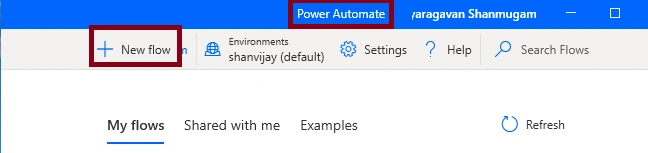
Open Microsoft Power Automate -> New Flow
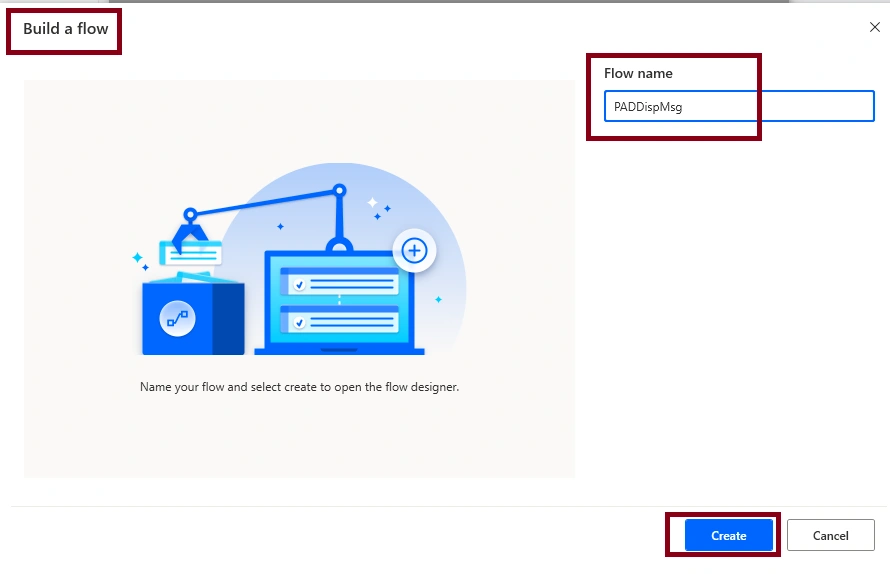
Next, Give the Flow name as PADDispMsg and Click the Create button,
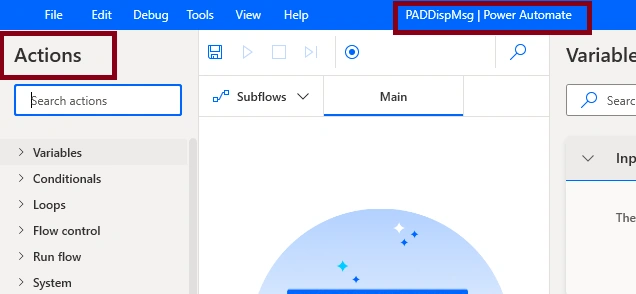
After that, we are able to see the Desktop flow,
Step 2
For Displaying the message,
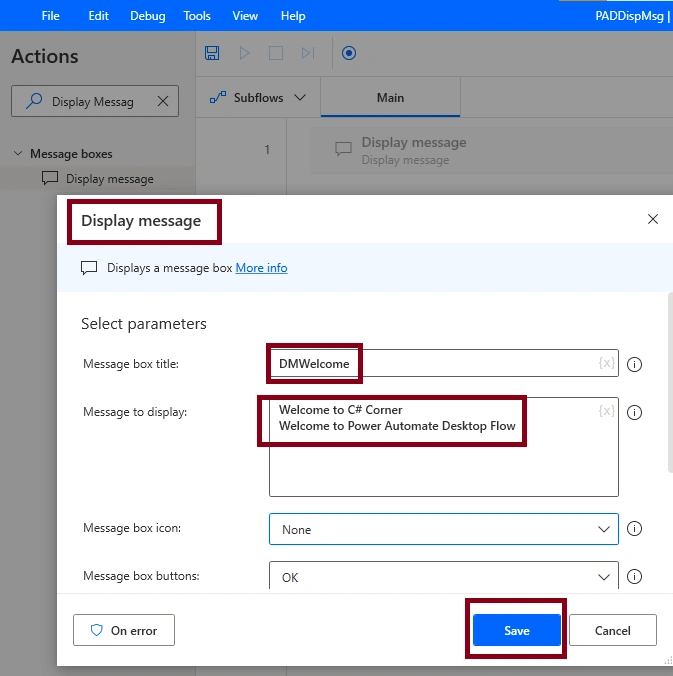
Add the Display message action in the Main flow,
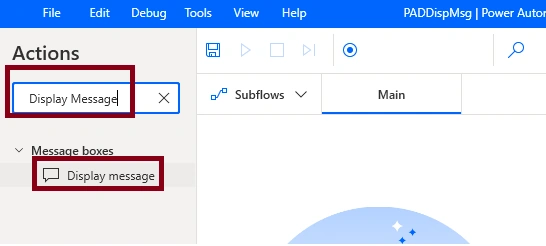
Set the Message box Title property as DMWelcome, Message to display property as Welcome to C# Corner
Welcome to Power Automate Desktop Flow
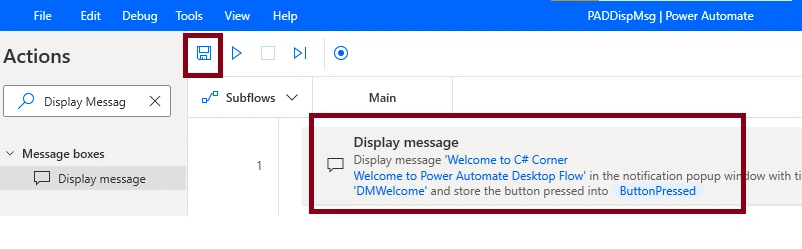
Click Save Button
Now, Save the PADDispMsg Desktop Flow,
Step 3
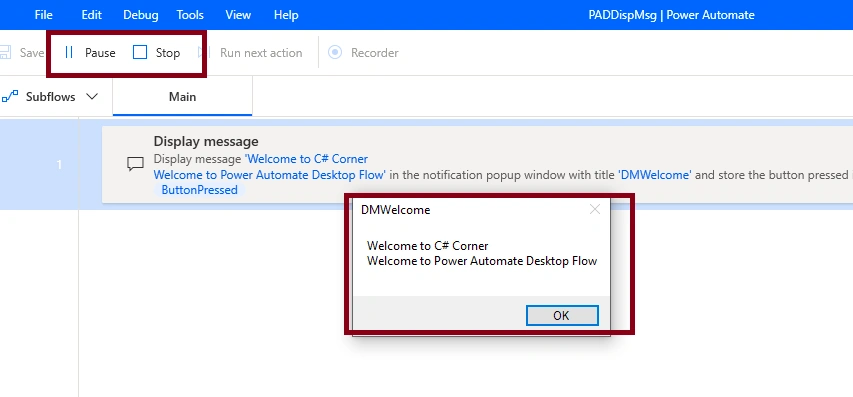
Now we can run your PADDispMsg - Desktop Flow in Microsoft Power Automate, and The output of the PADDispMsg is,
Summary
Now you have successfully tested Display Message Action in Desktop flow in Microsoft Power Automate.
Join the conversation! Your thoughts help the community grow.