

Introduction
In my previous article I explained Options Binding in Drop-Down List Using Knockout.
In today's article we will move one step ahead from where we were in our previous article. In the previous article I simply showed you how to Bind Options in a Drop Down List but in today's article I will also display text computed as a function of the represented item.
So, in today's article you will learn how to display text computed as a function of the Represented Item using Options Binding of Knockout in an ASP.NET Application.
Step 1
First of all you need to add an external Knockout js file into your application, you can either download it from the internet or can download my application that is available at the begining of this article in Zip Format and then use the file attached with this Zip file.
After downloading the file you need to call it in the head section of your application.
<head runat="server">
<title></title>
<script src="knockout-2.3.0.js"></script>
</head>
Step 2
Now we can work on our application. First we will work on the ViewModel. For this you need to add a Script tag under the Body Section and then need to add this code:
<script type="text/javascript">
function Car(name, price) {
this.carName = name;
this.price = price;
};
function x() {
availableCars = ko.observableArray([
new Car("i10", 450000),
new Car("120", 700000),
new Car("Verna", 1200000)
]);
selectedCar = ko.observable();
};
ko.applyBindings(new x());
</script>
Here first I declared a function named Car, in this function carName and price are declared.
Then another function, the main function named "x()" is declared, in this function an Observable and an Observable Array are declared.
In function x() an array is declared that is made Observable. In this array a carName with its Price is declared.
Then an Observable is created named selectedCar.
At the end binding is applied to the function "x()."
Step 3
Now we will work on the view of our application. Write this code in the view of your application:
<div>
<label>Choose Your Car</label>
<select data-bind="options: availableCars, optionsText: function (Car) { return Car.carName + '(Price:' + Car.price + ')' },
value: selectedCar, optionsCaption: 'Choose...'"></select>
<br />
<br />
<div data-bind="visible: selectedCar">
Choosed Car is of Rs
<span data-bind="text: selectedCar() ? selectedCar().price : 'unknown'"></span>.
</div>
</div>
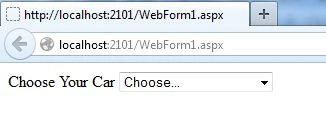
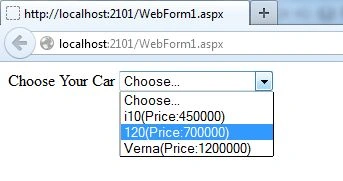
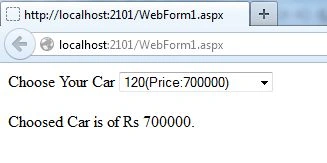
Join the conversation! Your thoughts help the community grow.