
Introduction
- Windows operating system
- Python software version above 3.6,latest version can also be used.
- PostgreSQL Database. Latest version can be used.
- Django Web Framework software version 3.0.
Install Python
Install PostgreSQL Database Server and create a database
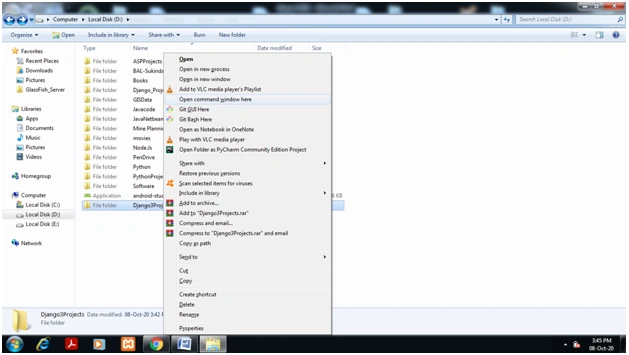
Terminal in Windows 10
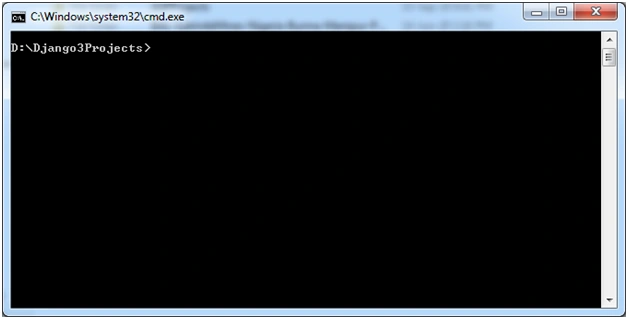
Check for Python Installation
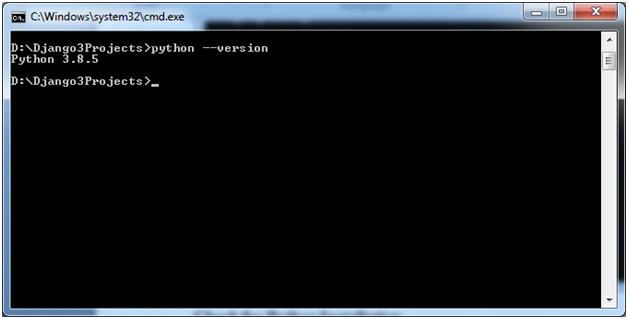
Creating Virtual Environment in Windows
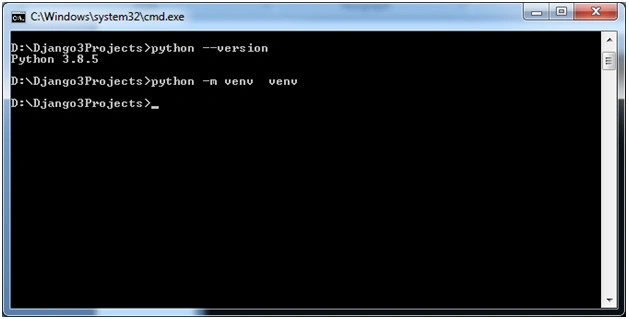
Activating Virtual Environment venv
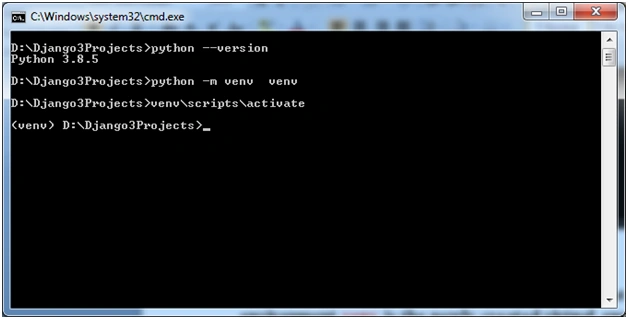
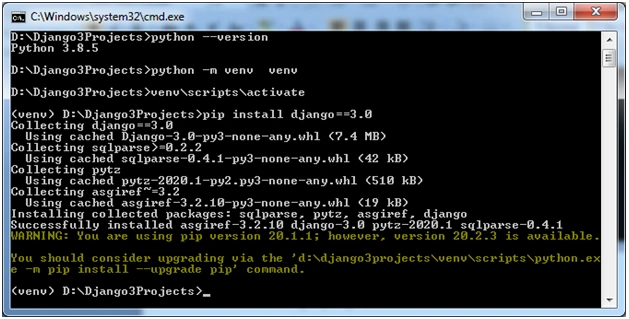
Installing Django Web Framework Version 3.0
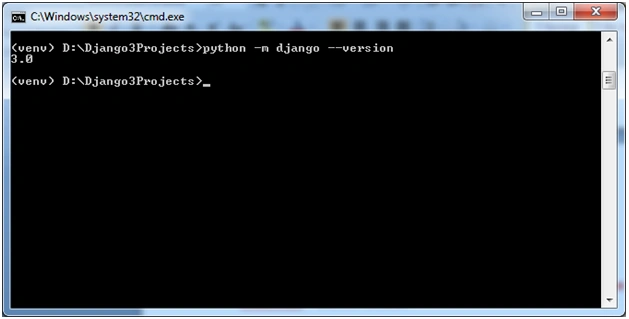
Check installed Django version
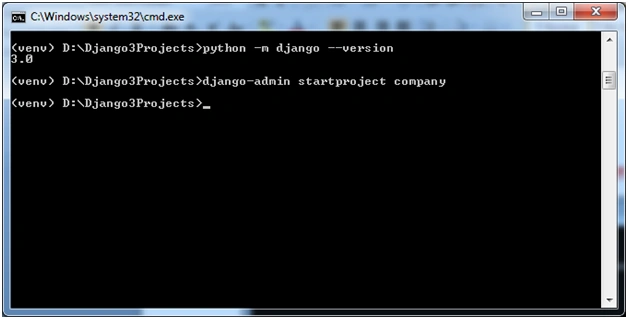
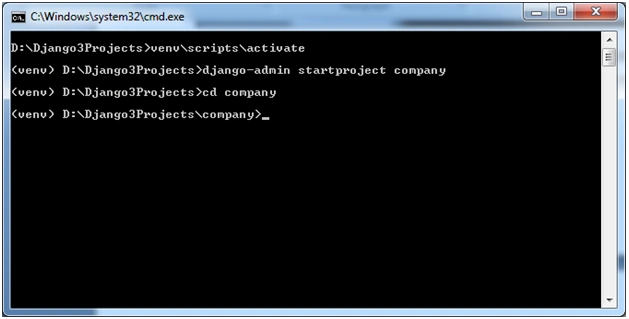
Create a Django project named ‘company’
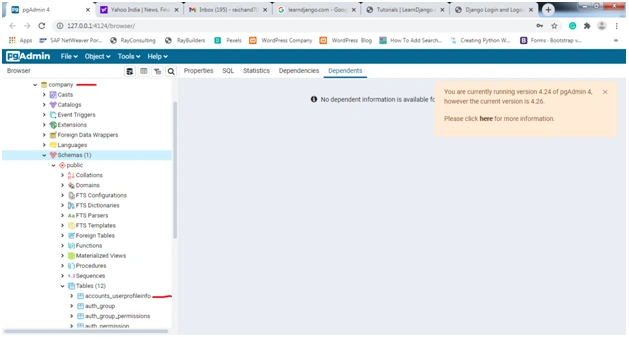
Creating a Database
- WSGI_APPLICATION = 'company.wsgi.application'
- # Database
- # https: //docs.djangoproject.com/en/3.0/ref/settings/#databases
- DATABASES = {
- 'default': {
- 'ENGINE': 'django.db.backends.sqlite3',
- 'NAME': os.path.join(BASE_DIR, 'db.sqlite3'),
- }
- }
- WSGI_APPLICATION = 'company.wsgi.application'
- # Database
- # https: //docs.djangoproject.com/en/3.1/ref/settings/#databases
- DATABASES = {
- 'default': {
- 'ENGINE': 'django.db.backends.postgresql_psycopg2',
- 'NAME': 'company',
- #use your database name here at the time of creation 'USER': 'raichand70',
- #use your database username here at the time of creation 'PASSWORD': '1canada',
- #use your database password here at the time of installation 'HOST': 'localhost',
- 'PORT': '5432',
- }
- }
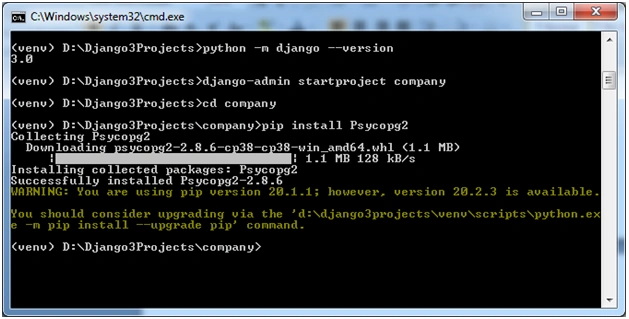
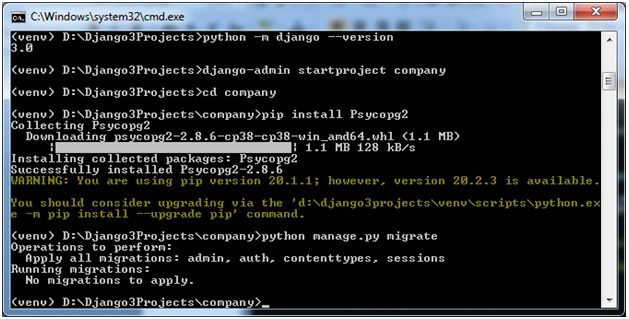
Psycopg
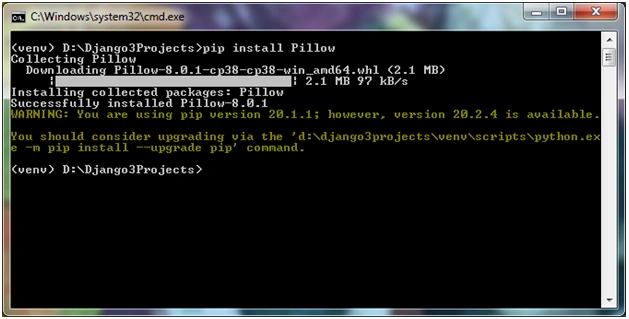
To manage images(Image Upload etc) Pillow module has to be installed. Pillow is built on top of PIL (Python Image Library). PIL is one of the important modules for image processing in Python Type pip install Pillow at command prompt and press enter to execute it as shown below.
Create SuperUser(Admin) for the website
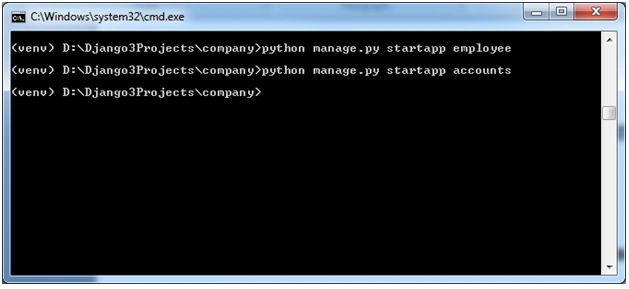
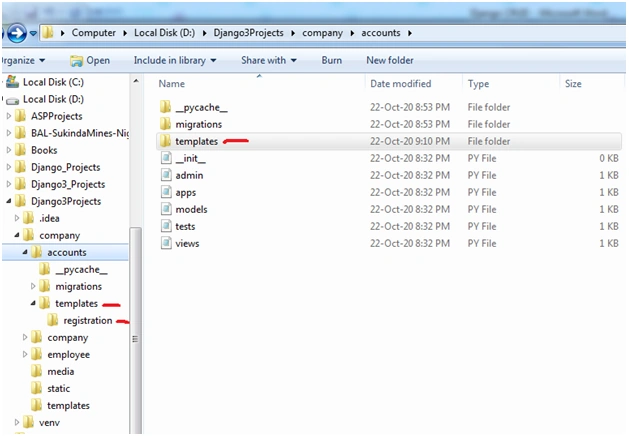
Create Two apps named ‘employee’ and ‘accounts’
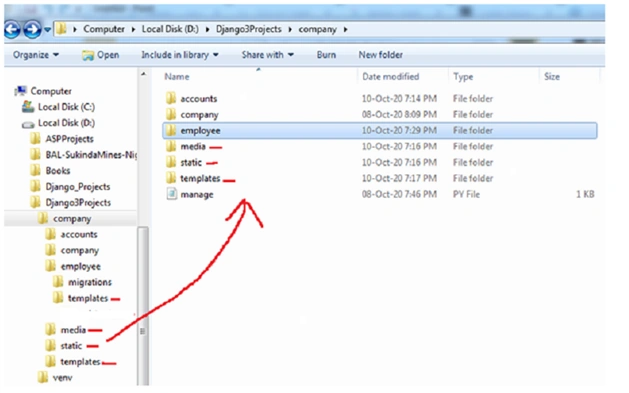
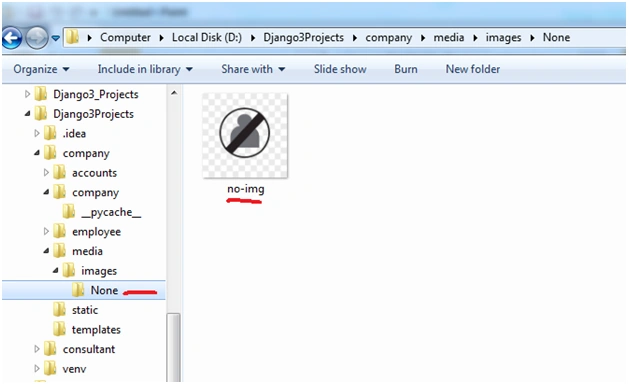
The ‘no-img’ picture is shown below. It would be displayed in the profile page if the profile image is not uploaded by the user or admin.

- INSTALLED_APPS = [
- 'employee.apps.EmployeeConfig', # Adding The Employee app #new
- 'accounts.apps.AccountsConfig', # Adding The accounts app #new
- 'django.contrib.admin',
- 'django.contrib.auth', #Module to for user login,logout etc processes
- 'django.contrib.contenttypes',
- 'django.contrib.sessions',
- 'django.contrib.messages',
- 'django.contrib.staticfiles',
- ]
- # Static files (CSS, JavaScript, Images)
- # https://docs.djangoproject.com/en/3.1/howto/static-files/
- STATIC_URL = '/static/'
- STATICFILES_DIRS = [os.path.join(BASE_DIR,'static'),]
- STATIC_ROOT =os.path.join(BASE_DIR,'assets')
- MEDIA_ROOT = os.path.join(BASE_DIR, 'media')
- MEDIA_URL = '/media/'
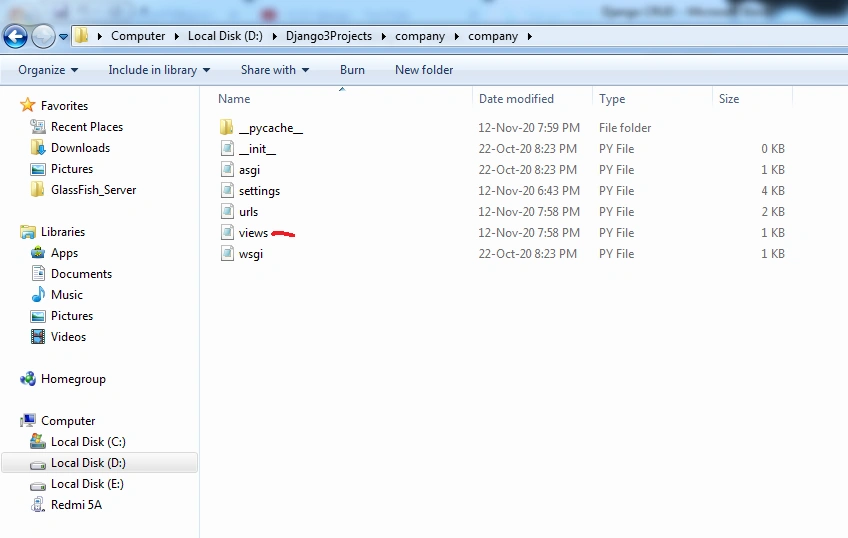
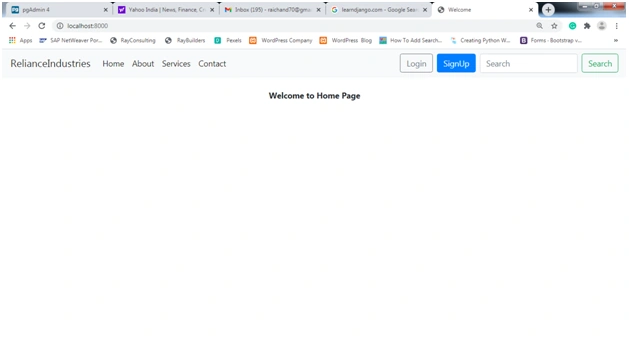
Create a python file named ‘views.py’ inside the company folder as shown below, which would contain class-based views to display the web page like the front page.
---------- --------------------------------views.py ------------------------------------
from django.urls import reverse,reverse_lazy
from django.views.generic import TemplateView
# Create your views here.
class HomePageView(TemplateView):#Displays home or front page.
template_name = 'index.html'
-------------------------------------------------------------------------------------------
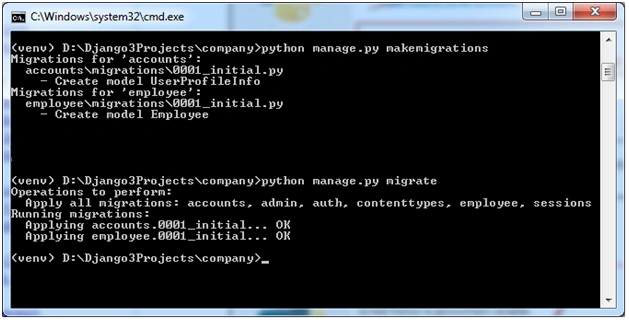
- from django.db import models
- from django.contrib.auth.models import User
- # Create your models here.
- class UserProfileInfo(models.Model):
- user = models.OneToOneField(User,on_delete=models.CASCADE)
- username = models.CharField(max_length=25,null=True)
- dob = models.DateField(blank=True,null=True) # If no date is selected then Django saves blank field value.
- city = models.CharField(max_length=25)
- contactno = models.CharField(max_length=25)
- portfolio_site = models.URLField(blank=True)
- image = models.ImageField(null=True,upload_to='images/', default = 'images/None/no-img.jpg',blank=True)
- # import the standard Django Model
- # from built-in library
- from django.db import models
- from django.urls import reverse, reverse_lazy
- # Create your models here.
- # declare a new model with a name"employee"
- class Employee(models.Model):
- # fields of the model
- eid = models.AutoField(primary_key=True,serialize = False,verbose_name ='ID')
- ename = models.CharField(max_length=100)
- eemail = models.EmailField()
- econtact = models.CharField(max_length=15)
- edob = models.DateField(blank=True, null=True)# If no date is selected then Django saves blank field value.
- def get_absolute_url(self):
- return reverse('employee-detail', kwargs={'pk': self.pk})
- #objects = models.Manager()
- class Meta:
- db_table = "employee"
- ordering = ['eid',]#sorts the records ascending using 'eid' field
- ---------------------------------------base.html-------------------------------------------------
- <!doctype html>
- {% load static %}
- <html lang="en"><head>
- <!-- Required meta tags -->
- <meta charset="utf-8">
- <meta name="viewport" content="width=device-width, initial-scale=1, shrink-to-fit=no">
- <!-- Bootstrap CSS -->
- <link href="https://maxcdn.bootstrapcdn.com/font-awesome/4.4.0/css/font-awesome.min.css" rel="stylesheet"/>
- {% block title %}
- {% endblock title %}
- </head>
- <body>
- <!-- Optional JavaScript -->
- <!-- jQuery first, then Popper.js, then Bootstrap JS -->
- <link href="https://stackpath.bootstrapcdn.com/bootstrap/4.3.1/css/bootstrap.min.css" rel="stylesheet"/>
- <!-- Bootstrap -->
- <script src ="https://code.jquery.com/jquery-3.3.1.min.js"></script>
- <script src ="https://stackpath.bootstrapcdn.com/bootstrap/4.3.1/js/bootstrap.min.js"></script>
- <!--Navbar Starts Here-->
- <nav class="navbar navbar-expand-lg navbar-light bg-light mb-4">
- <a class="navbar-brand" href="{% url 'home' %}">RelianceIndustries</a>
- <button class="navbar-toggler" type="button" data-toggle="collapse" data-target="#navbarSupportedContent" aria-controls="navbarSupportedContent" aria-expanded="false" aria-label="Toggle navigation">
- <span class="navbar-toggler-icon"></span>
- </button>
- <div class="collapse navbar-collapse" id="navbarSupportedContent">
- <ul class="navbar-nav mr-auto">
- <li class="nav-item active">
- <a class="nav-link" href="{% url 'home' %}">Home
- <span class="sr-only">(current)</span>
- </a>
- </li>
- <li class="nav-item active">
- <a class="nav-link" href="{% url 'about' %}">About
- <span class="sr-only">(current)</span>
- </a>
- </li>
- <li class="nav-item active">
- <a class="nav-link" href="{% url 'services' %}">Services
- <span class="sr-only">(current)</span>
- </a>
- </li>
- <li class="nav-item active">
- <a class="nav-link" href="{% url 'contact' %}">Contact
- <span class="sr-only">(current)</span>
- </a>
- </li>
- </ul>
- {% if user.is_authenticated and user.is_superuser %}
- <ul class="navbar-nav">
- <li class="nav-item dropdown">
- <a class="nav-link dropdown-toggle" href="#" id="navbarDropdown1" role="button" data-toggle="dropdown" aria-haspopup="true" aria-expanded="false">
- Admin
- </a>
- <div class="dropdown-menu" aria-labelledby="navbarDropdown">
- <a class="dropdown-item" href="#">Action</a>
- <a class="dropdown-item" href="{%url 'profile' pk=user.userprofileinfo.id %}" id='get' onlick='document.getElementById(this.id).removeAttribute("href");' >Profile</a>
- <a class="dropdown-item" href="{% url 'employees-list' %}" >EmployeeManager</a>
- <a class="dropdown-item" href="#">Another action</a>
- <div class="dropdown-divider"></div>
- <a class="dropdown-item" href="{% url 'logout' %}">Logout</a>
- </div>
- </li>
- </ul>
- {% elif user.is_authenticated %}
- <ul class="navbar-nav">
- <li class="nav-item dropdown">
- <a class="nav-link dropdown-toggle" href="#" id="navbarDropdown2" role="button" data-toggle="dropdown" aria-haspopup="true" aria-expanded="false">
- {{request.user.first_name}}
- </a>
- <div class="dropdown-menu" aria-labelledby="navbarDropdown">
- <a class="dropdown-item" href="#">Action</a>
- <a class="dropdown-item" href="{%url 'profile' pk=user.userprofileinfo.id %}" id='profile' onlick='document.getElementById(this.id).removeAttribute("href");'>Profile</a>
- <div class="dropdown-divider"></div>
- <a class="dropdown-item" href="{% url 'logout' %}">Logout</a>
- </div>
- </li>
- </ul>
- {% else %}
- <a class="btn btn-outline-secondary" href="{% url 'login' %}">Login</a>
- <a class="btn btn-primary ml-2 mr-2" href="{% url 'sign-up' %}">SignUp</a>
- {% endif %}
- <form class="form-inline my-2 my-lg-0" action="#" method='GET'>
- <input class="form-control mr-sm-2" type="search" name='q' aria-label="Search" placeholder='Search' value={{request.GET.q}} >
- <button class="btn btn-outline-success my-2 my-sm-0" type="submit">Search</button>
- </form>
- </div>
- </nav>
- <!--Navbar Ends-->
- {% block content %}
- {% endblock content%}
- </body>
- </html>
- -----------------------------------------------------------------------------------------------------------------------------------------------------------
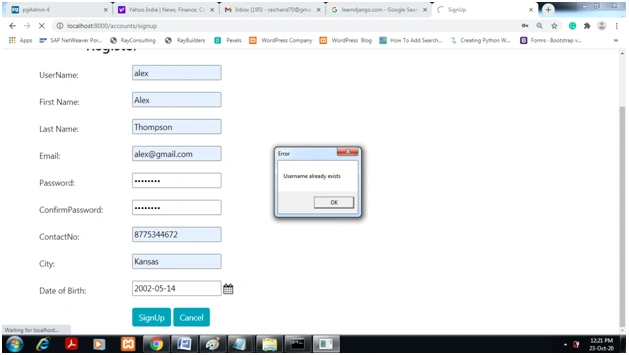
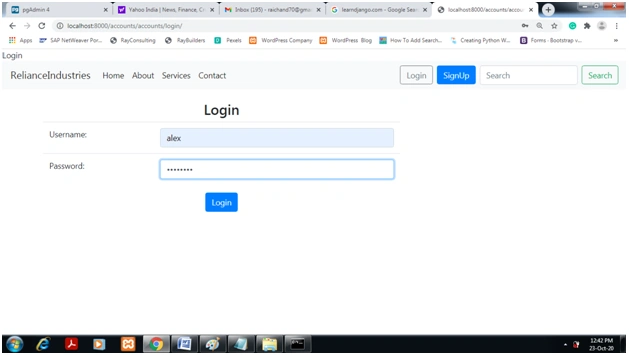
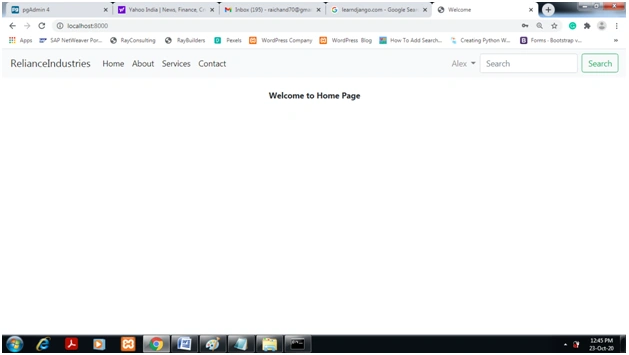
- ----------------------------------------userprofile.html--------------------------------------------
- {% extends 'base.html' %}
- {% block title %}
- <title>Profile</title>
- {% endblock title %}
- {% block content %}
- <!--<script src ="https://code.jquery.com/jquery-3.3.1.min.js"></script>-->
- <script src ="https://cdnjs.cloudflare.com/ajax/libs/popper.js/1.14.7/umd/popper.min.js"></script>
- <link rel="stylesheet" href="//code.jquery.com/ui/1.12.1/themes/base/jquery-ui.css">
- <script src="https://code.jquery.com/jquery-1.12.4.js"></script>
- <script src="https://code.jquery.com/ui/1.12.1/jquery-ui.js"></script>
- <form method="POST" class="post-form" enctype="multipart/form-data" >
- {% csrf_token %}
- <div class="container">
- <img src ="{{ user.userprofileinfo.image.url }}"
- class = "img-fluid rounded-circle" alt = "Responsive Image" width = "175" height = "175">
- {% if user.is_authenticated and user.is_superuser %}
- <h1>
- <strong>Welcome Admin </strong>
- </h1>
- {% else %}
- <h1>
- <strong>Welcome {{user.first_name}}</strong>
- </h1>
- {% endif %}
- <h2> Update Profile Page</h2>
- <br>
- <div class="form-group row">
- <div class="col-sm-4">
- <input type="hidden" name="username" id="id_username" required maxlength="15" value="{{user.username }}" />
- </div>
- </div>
- <div class="form-group row">
- <label class="col-sm-3 col-form-label">Id:</label>
- <div class="col-sm-4">
- <label>{{ user.id }} </label>
- </div>
- </div>
- <div class="form-group row">
- <label class="col-sm-2 col-form-label"> City:</label>
- <div class="col-sm-4">
- <input type="text" name="city" id="id_city" required maxlength="15" value="{{user.userprofileinfo.city }}" />
- </div>
- </div>
- <div class="form-group row">
- <label class="col-sm-2 col-form-label">Contact No:</label>
- <div class="col-sm-4">
- <input type="text" name="contactno" id="id_contactno" required maxlength="15" value="{{ user.userprofileinfo.contactno }}" />
- </div>
- </div>
- <div class="form-group">
- <label for="id_dob"> Date of Birth: </label>
- <input type="text" name="dob" id="id_dob" required maxlength="25" value="{{ user.userprofileinfo.dob }}" aria-describedby="passwordHelpInline">
- <span class="input-group-addon">
- <i class="fa fa-calendar fa-lg"></i>
- </span>
- <big id="textHelpInline" class="text-muted">
- Date Must be YYYY-MM-DD Format.
- </big>
- </div>
- <div class="form-group row">
- <label class="col-sm-2 col-form-label">{{user.first_name}} Picture:</label>
- <div class="col-sm-4">
- {{ form.image}}
- </div>
- </div>
- <div class="form-group row">
- <label class="col-sm-2 col-form-label"></label>
- <div class="col-sm-4">
- <button type="submit" class="btn btn-info">Update</button>
- <a href="/" class="btn btn-info">Cancel</a>
- </div>
- </div>
- </div>
- </form>
- {% block scripting %}
- <script>
- $( function() {
- $( "#id_dob" ).datepicker({
- changeMonth: true,
- changeYear: true,
- yearRange: '1950:2050',
- dateFormat: 'yy-mm-dd',
- defaultDate:"24-09-2019"
- });
- } );
- </script>
- <script>
- $(document).ready(function () {
- $('.dropdown-toggle').dropdown();
- });
- </script>
- {% endblock %}
- {% endblock content %}
- -------------------------------------------------------------------------------------------------------
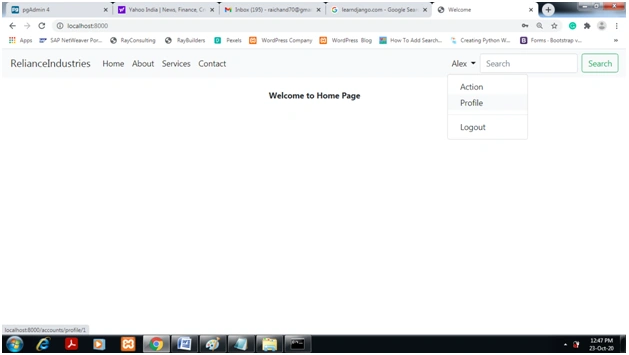
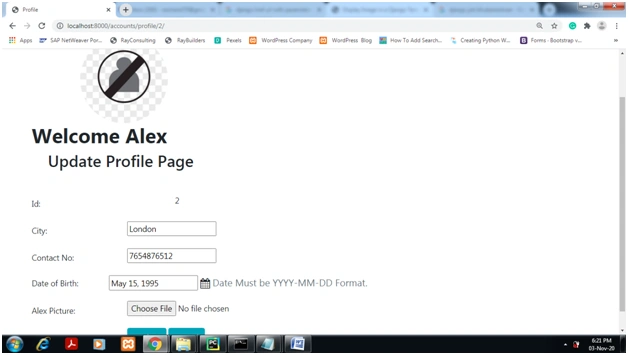
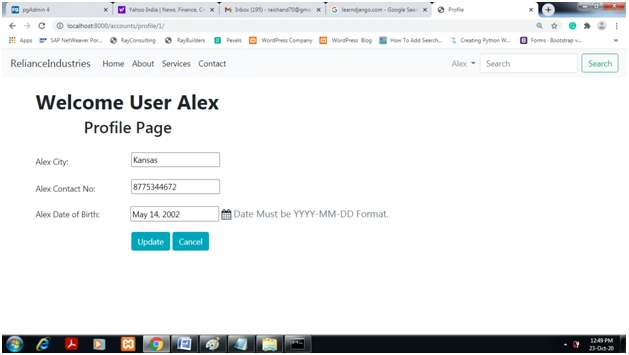
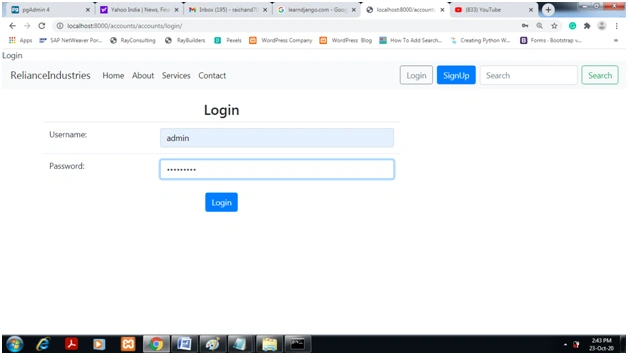
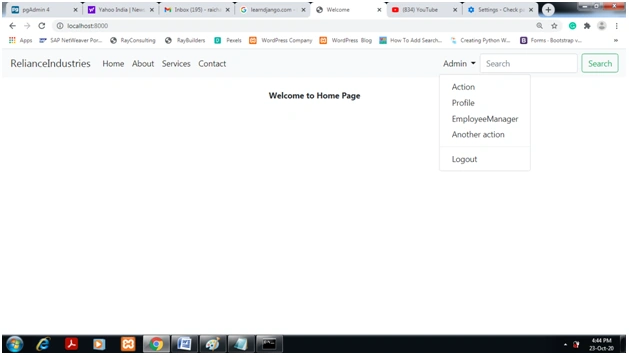
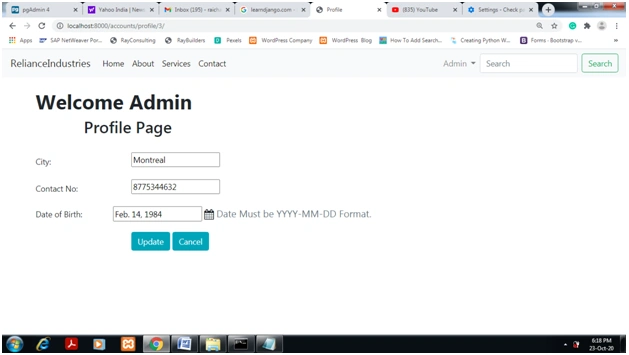
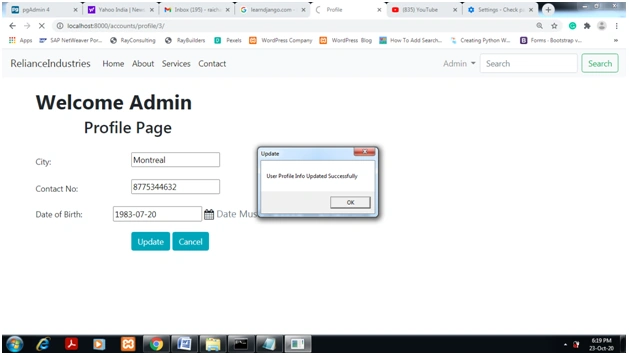
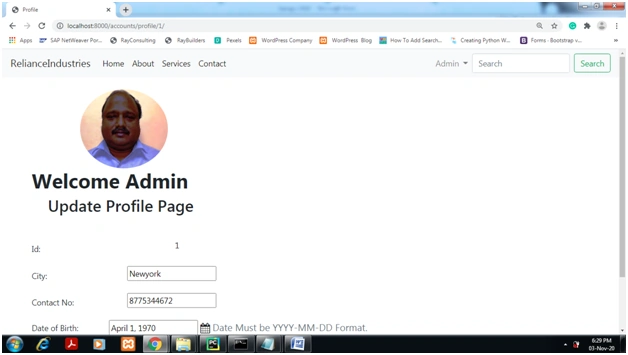
Updated profile page of ‘Admin’ is displayed below.
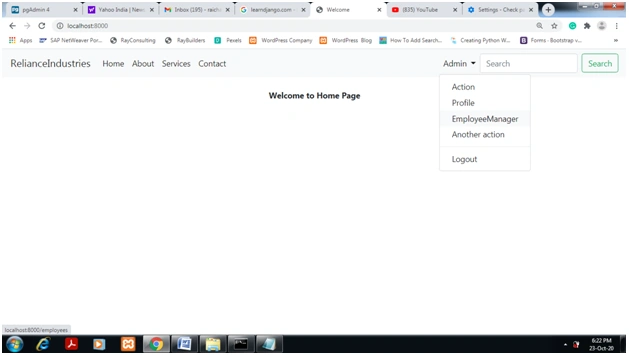
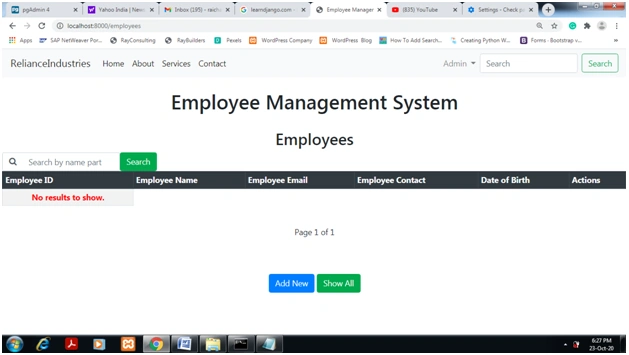
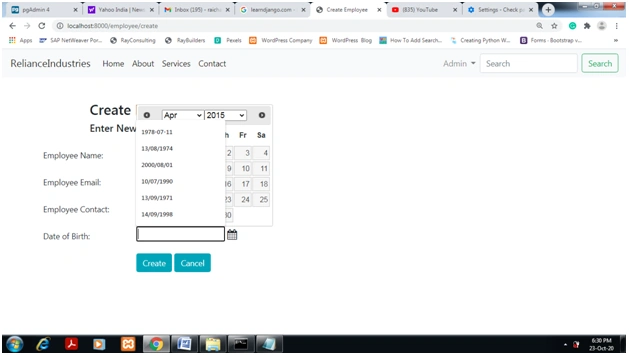
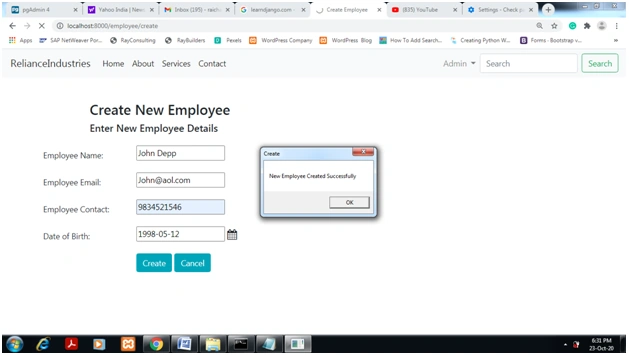
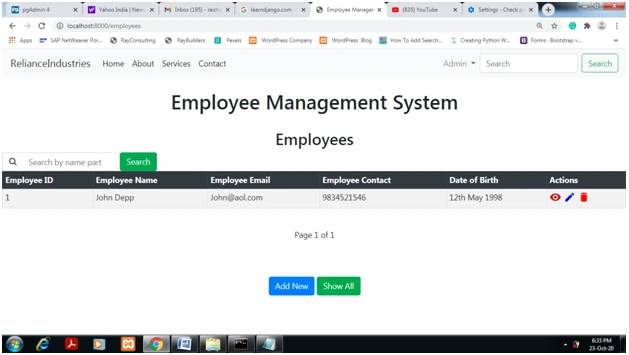
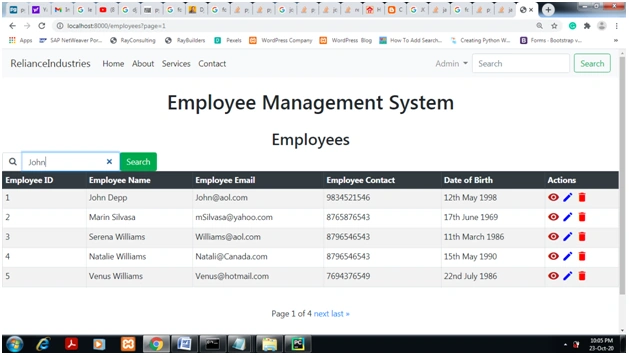
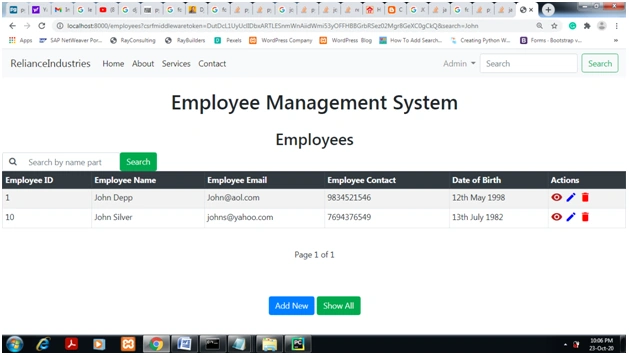
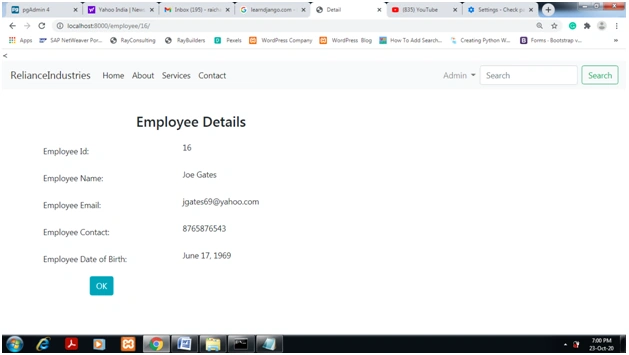
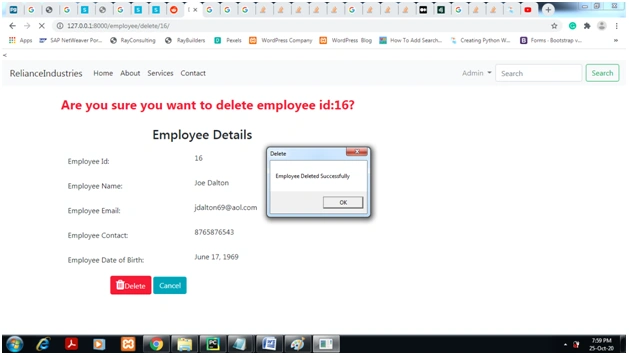
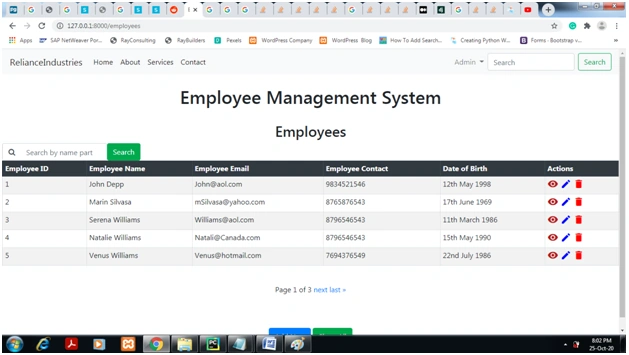
Managing Employees through Employee App from Admin Menu
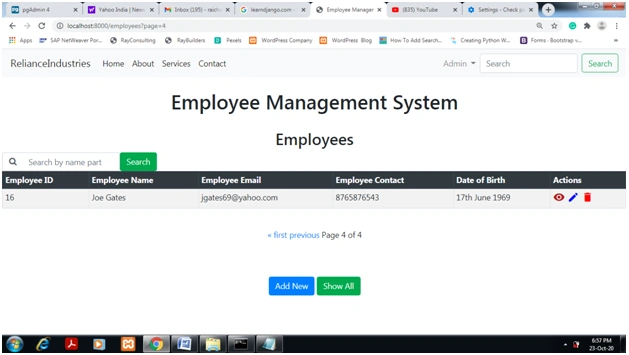
Searching Employee From Name part
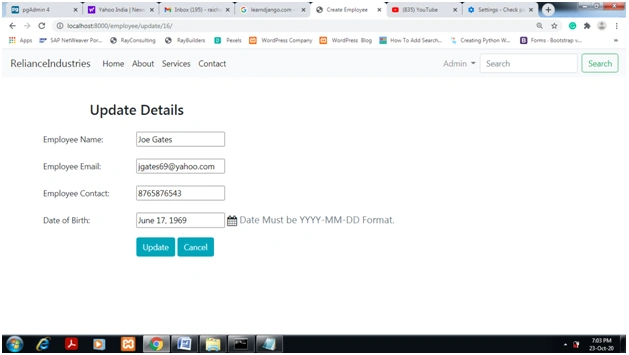
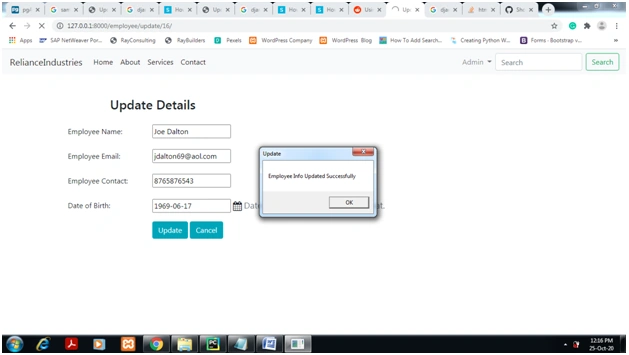
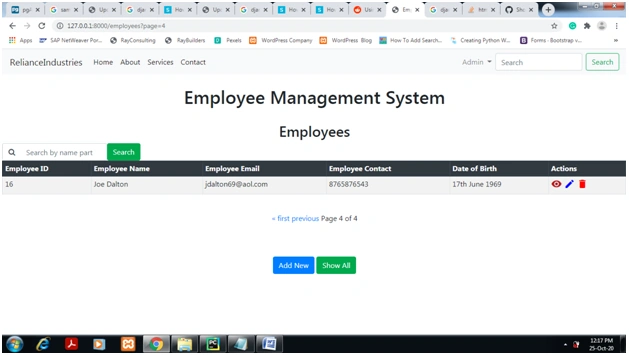
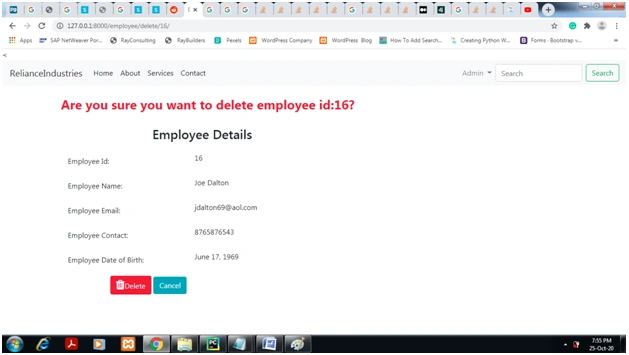
Class Based view ‘UpdateView’ is displayed below
------------------------------------------------------------------------
# Only logged in superuser can see this view
Class employeeUpdateView(
LoginRequiredMixin,UserPassesTestMixin,UpdateView):
model = Employee
template_name = 'update.html'
# specify the fields
fields = ['eid', 'ename', 'eemail', 'econtact', 'edob']
login_url = 'login' #if not authenticated redirect to login page
# only superuser is allowed to see this view.
def test_func(self):
return self.request.user.is_superuser
# updating details
# url to redirect after successfully updation
def get_success_url(self):
# Displaying message of successful updation of employee
pu.alert(text='Employee Info Updated Successfully', title='Update', button='OK')
return reverse_lazy('employees-list')
------------------------------------------------------------------------------
LoginRequiredMixin:-This parameter restrict only logged in user can see the view.
UserPassesTestMixin:-This parameter restrict only Superuser can see the view.
To know about Mixin please go to webpage at below URL.
https://docs.djangoproject.com/en/3.0/topics/class-based-views/mixins/
Conclusion
- Javapoint.com
- Medium.com
- Django 3.0 documentation
- Stackoverflow .com
- Learndjango.com
Raichand RayPosted Aug 11, 2021, 12:52 PM
To Display a message use bootstrap modals. A nice message can be displayed using it.
Mohammad InenPosted Apr 25, 2021, 5:24 PM
ProgrammingError at /relation "accounts_userprofileinfo" does not exist LINE 1: ...io_site", "accounts_userprofileinfo"."image" FROM "accounts_... ^ Show this error for me how i fix it????????
Raichand RayPosted Feb 25, 2021, 6:44 AM
I have created a Django-MySQL Blog. Please look at http://raichand70.pythonanywhere.com/ For code contact via email [email protected]
gajah madaPosted Feb 23, 2021, 6:10 AM
Good evening, can you tell me how to made accounts_userprofileinfo table? and the columns that you use for this table...