

Hey there!
Well, if you think this is another article by a Django obsessed person, let me say that was an intelligent guess. I’m continuing my Django article series with this fifth one.
Last time, we worked with the templates but our website only contains static data. I was just scrolling down my feed when I came across this.

Just ignore his face. But this meme hit me hard and I thought to take our website a step ahead; let’s store data so as to automate all the tasks; so we’ll be looking into the database schema.
Django proposes database access with an abstraction layer called Object-Relational Model (ORM). This allows you to use the Python implementation object in order to access the data so you don’t have to worry about How to use a database. With ORM, we don’t need to use the SQL query for simple and slightly complex actions. But how to work with ORM? That’s where models come in handy. You can say they simply create a link between our views and database.
Models
A model is pretty much just an object that inherits from Model class. This Model class is specifically designed and provided by Django for the sake of data persistence. Think of the model as a table in the database and the properties we define for our model will map the fields in the table.
In this article, our main focus will be,
- set up and access database
- database migrations
- creating simple models
- using administration module
Database setup
Open settings.py and scroll all the way down to the DATABASES. You should see this,
- DATABASES = {
- 'default': {
- 'ENGINE': 'django.db.backends.sqlite3',
- 'NAME': os.path.join(BASE_DIR, 'db.sqlite3'),
- }
- }
Let’s see what it says,
- The ENGINE property specifies the type of database to be used.
- The NAME property defines the path and final name of the SQLite database.
These are the default settings for our project. You are more than welcome to get your hands dirty and configure any other database (Django does support them all) but for the sake of simplicity, I’m going to stick with the default settings.
Migrations
Migrations are Django’s way of transmitting changes (like creating a field, deleting a model etc.) that you make to your models. Whenever you create a model or do some changes to it, you need to tell Django to make the changes in your database by applying migrations. But what if we don’t apply them?
While running your app, you would have noticed somewhat like this.
You have 14 unapplied migration(s). Your project may not work properly until you apply the migrations for app(s): admin, auth, contenttypes, sessions.
Let’s try something, run your application and navigate to http://127.0.0.1:8000/admin/. Oops! You’re going to run into an error.
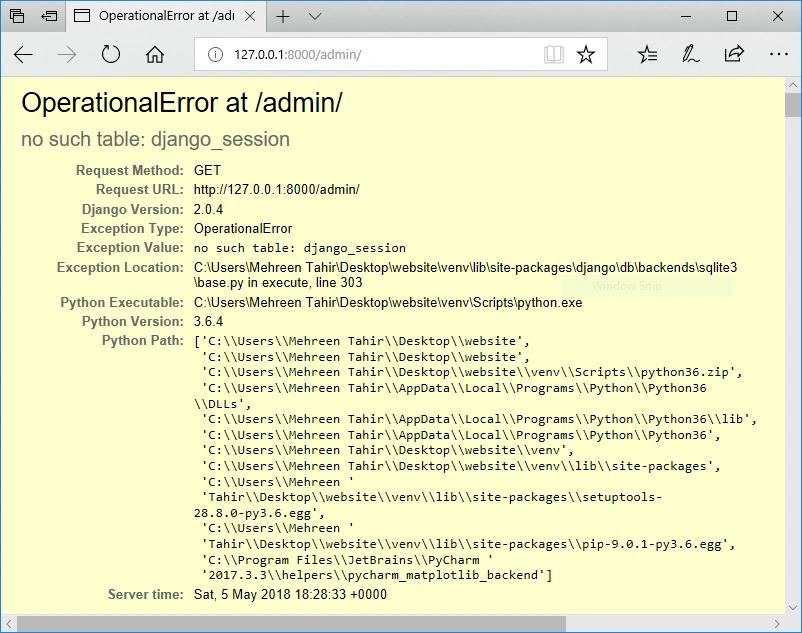
What just happened?
Remember I talked to you about building in the admin panel? We just tried to access that but here’s a catch. Django does not know that we want that functionality in our app. Why? Because we haven’t applied any migrations and so that table is not being created in our project. Let’s apply migrations and see what happens.
Enter the following command (you should be in your project directory.)
- python manage.py migrate
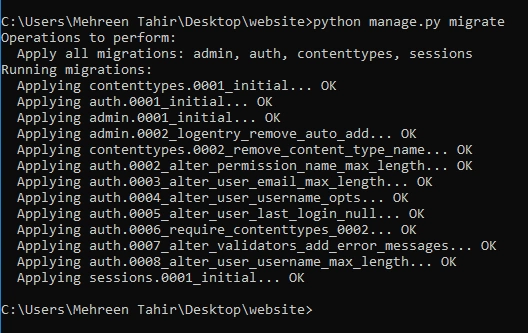
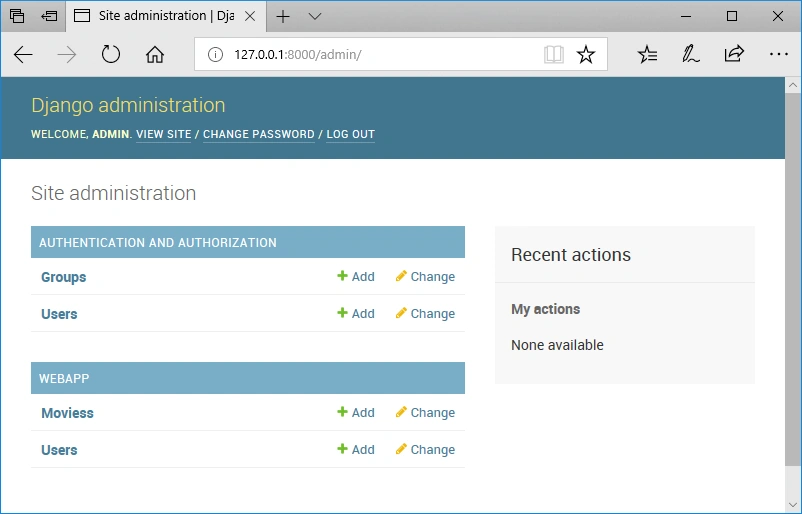
Run your app again and try to access the admin panel. This time, you’ll see a login page instead of an error. But we can’t log in because we haven’t set any admin user. We’ll get back to admin user part but let us first create a few more models.
Creating simple models
Let’s just say we want to make our site a platform where users can add there favorite movies. For this purpose, we need a user who could mark the movie as favorite and the movie that is being marked. We need to create two models: User and Movies. Open webapp/models.py file. It looks like this.
- from django.db import models
- # Create your models here.
The above line of code allows us to import base model of Django. Now, all we need to do is to define our very own models.
User model
To create the User model, what data do you think we would need to keep? It could be user’s real name, username, password etc. Let’s create the model and see the rest.
Join the conversation! Your thoughts help the community grow.