

The DockPanel Control defines an area where you can arrange child elements either horizontally or vertically, relative to each other. The DockPanel position child controls based on the child Dock property, we have 4 options to Dock, left (Default), right, top, bottom. We can set DockPanel LastChildFill property to true if we want the last item added to the DockPanel to fill the rest of the empty space.
DockPanel Control is from UWP Community Toolkit. The UWP Community Toolkit is a collection of helper functions, custom controls, and app services and it simplifies and demonstrates common developer tasks building UWP apps for Windows 10.
Reading this article, you can learn how to use DockPanel Control in Universal Windows Apps development with XAML and Visual C#.
The following important tools are required for developing UWP,
- Windows 10 (Recommended)
- Microsoft Visual Studio 2017
- Windows Anniversary Update (10.0.14393.0)
Step 1
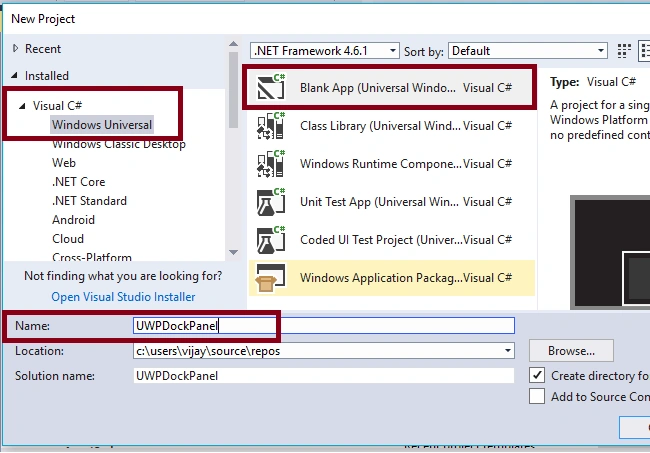
Open Visual studio 2017 -> Start -> New Project -> Windows Universal (under Visual C#) -> Blank App(Universal Windows) -> Give a suitable name for your App (UWPDockPanel) -> OK.
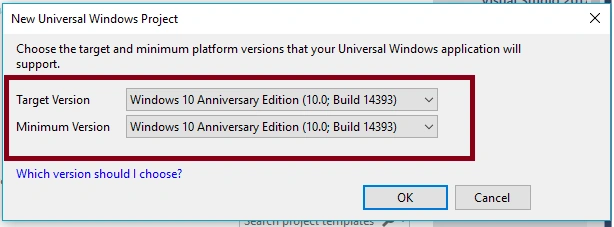
After choosing the target and minimum platform version that your Windows Universal Application will support (Windows Anniversary Update (10.0.14393.0)), the project creates App.xaml and MainPage.xaml.
Step 2
First, update the reference to Microsoft.NETCore.UniversalWindowsPlatform with the latest version using "Manage NuGet Packages".
Step 3
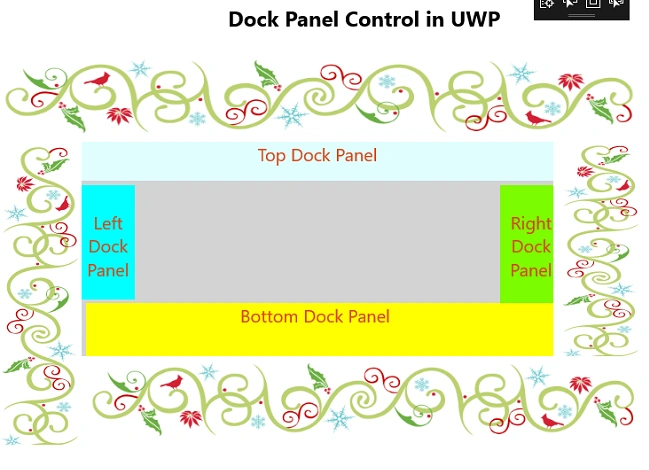
Add the following controls in design window for DockPanel control view. Add the TextBlock and change the name and text properties.
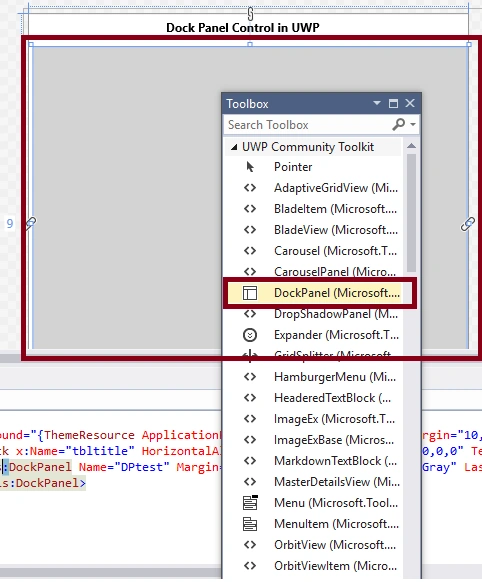
Add the DockPanel control and set the name and LastChildFill properties.
- <Controls:DockPanel Name="DPtest" Margin="9,66,3,2" Background="LightGray" LastChildFill="false" />
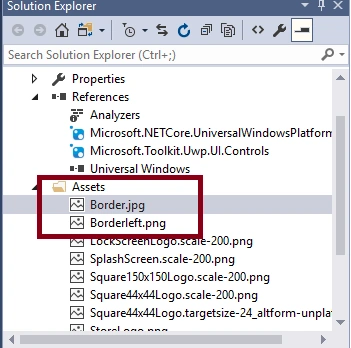
Add images to the Assets folder for DockPanel Demo.
For DockPanel Top, add image control and set the height, source, and DockPanel.Dock properties.
- <Image Height="100" Controls:DockPanel.Dock="Top" Source="Assets/Border.jpg" Stretch="Fill"/>
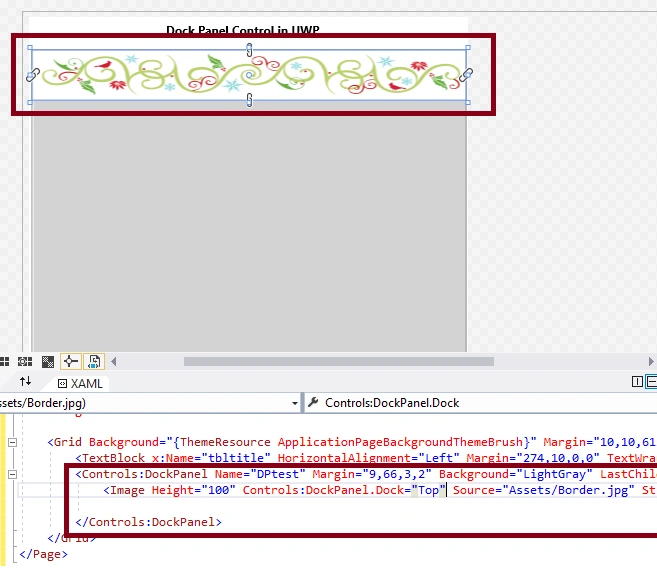
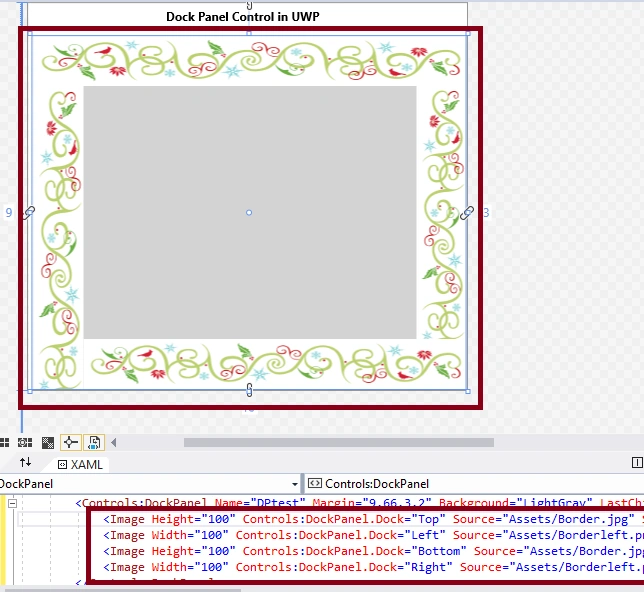
Similarly, set DockPanel Left, Bottom and Right with Image controls.
- <Image Width="100" Controls:DockPanel.Dock="Left" Source="Assets/Borderleft.png" Stretch="Fill" />
- <Image Height="100" Controls:DockPanel.Dock="Bottom" Source="Assets/Border.jpg" Stretch="Fill" />
- <Image Width="100" Controls:DockPanel.Dock="Right" Source="Assets/Borderleft.png" Stretch="Fill" />
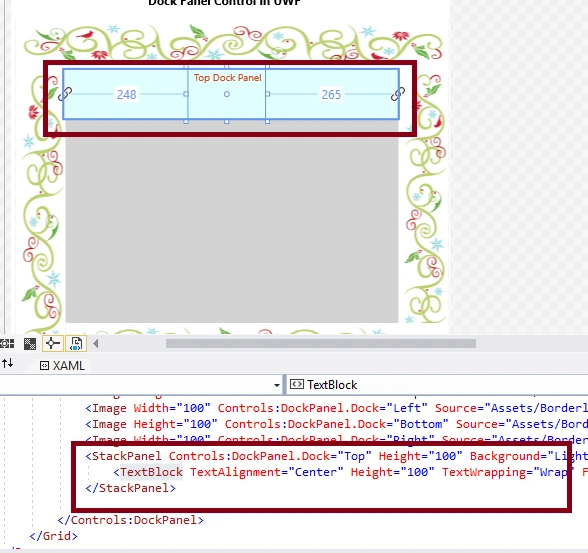
Also, add stackpanel with textbox control for adding more controls in DockPanel Top, Left, Bottom, and Right.
- <StackPanel Controls:DockPanel.Dock="Top" Height="44" Background="LightCyan" VerticalAlignment="Center" Orientation="Vertical" Margin="0,0,0,56" >
- <TextBlock TextAlignment="Center" Height="30" TextWrapping="Wrap" FontSize="20" Text="Top Dock Panel" VerticalAlignment="Bottom" Foreground="#FFD8471C" Margin="10,0" />
- </StackPanel>
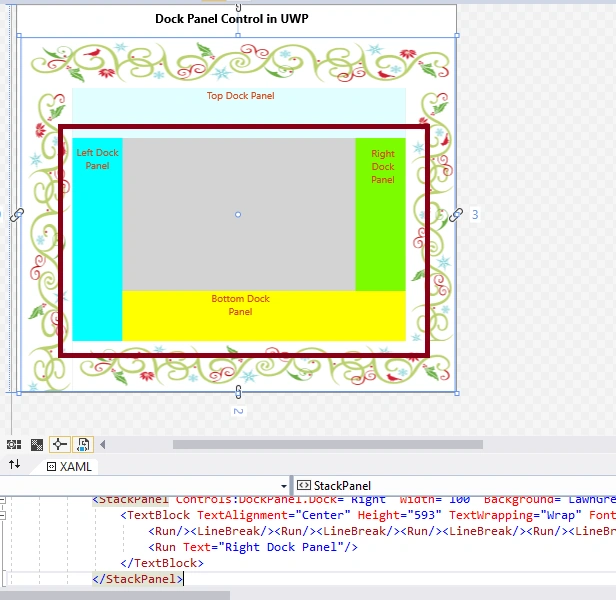
- <StackPanel Controls:DockPanel.Dock="Left" Width="60" Background="Aqua" VerticalAlignment="Center" Height="393" Margin="0,-51,0,64">
- <TextBlock TextAlignment="Center" TextWrapping="Wrap" FontSize="20" VerticalAlignment="Bottom" Foreground="#FFD8471C" Height="278">
- <Run/>
- <LineBreak/>
- <Run/>
- <LineBreak/>
- <Run/>
- <LineBreak/>
- <Run/>
- <LineBreak/>
- <Run/>
- <LineBreak/>
- <Run/>
- <LineBreak/>
- <Run Text="Left Dock Panel" /> </TextBlock>
- </StackPanel>
- <StackPanel Controls:DockPanel.Dock="Bottom" Height="60" Background="Yellow" VerticalAlignment="Center" Orientation="Vertical" Margin="-55,0,0,0">
- <TextBlock TextAlignment="Center" Height="60" TextWrapping="Wrap" FontSize="20" Text="Bottom Dock Panel" VerticalAlignment="Bottom" Foreground="#FFD8471C" Margin="0,0,10,0" /> </StackPanel>
- <StackPanel Controls:DockPanel.Dock="Right" Width="60" Background="LawnGreen" VerticalAlignment="Center" Orientation="Vertical" Height="397" Margin="0,-51,0,0">
- <TextBlock TextAlignment="Center" Height="322" TextWrapping="Wrap" FontSize="20" VerticalAlignment="Bottom" Foreground="#FFD8471C" Margin="10,0,0,0">
- <Run/>
- <LineBreak/>
- <Run/>
- <LineBreak/>
- <Run/>
- <LineBreak/>
- <Run/>
- <LineBreak/>
- <Run/>
- <LineBreak/>
- <Run/>
- <LineBreak/>
- <Run Text="Right Dock Panel" /> </TextBlock>
- </StackPanel>
Ravishankar VelladuraiPosted Dec 10, 2017, 10:09 PM
nice article sir i like this...