
In SharePoint, libraries are a central feature used for storing, organizing, sharing, and collaborating on documents and other files. They function similarly to folders in traditional file storage systems but with enhanced features specific to SharePoint's collaborative environment.
Key Features of Libraries in SharePoint
- Document Libraries: The most common type of library in SharePoint, designed to store files like Word documents, Excel spreadsheets, PowerPoint presentations, PDFs, etc. You can track versions, set permissions, and collaborate in real-time.
- Version Control: SharePoint libraries support versioning, so users can track changes to documents and revert to previous versions if needed. Both major and minor (draft) versions can be enabled.
- Permissions and Sharing: You can set permissions at both the library and individual document levels, allowing you to control who can view, edit, or contribute to the library.
- Co-Authoring: SharePoint supports simultaneous collaboration on documents by multiple users, especially with Microsoft Office files like Word or Excel. This is particularly useful for team projects.
- Alerts and Notifications: You can set up alerts to notify you or other users when changes are made to files in the library.
Types of Libraries in SharePoint
- Document Library: This is for storing files such as Word, Excel, PowerPoint, and PDFs.
- Picture Library: Specialized for storing and sharing images.
- Form Library: Stores XML-based business forms.&
- Wiki Page Library: Used for collaborative content creation, similar to a wiki.
- Asset Library: This is used to manage digital media such as video and audio files.
- Custom Library: You can create a custom library based on your specific needs.
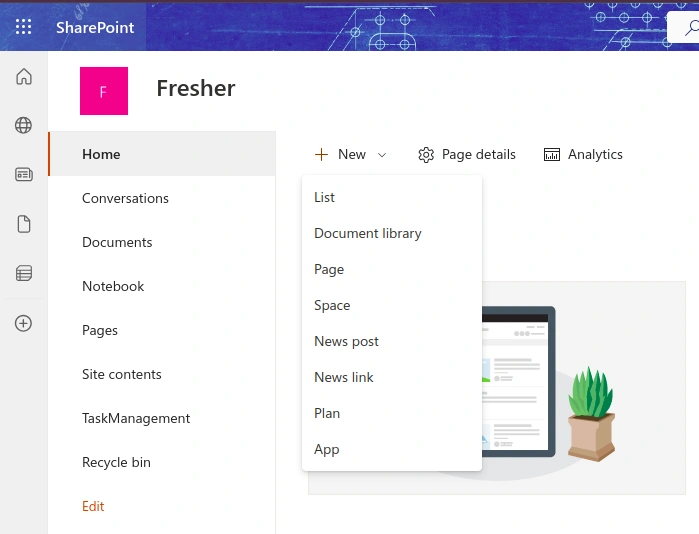
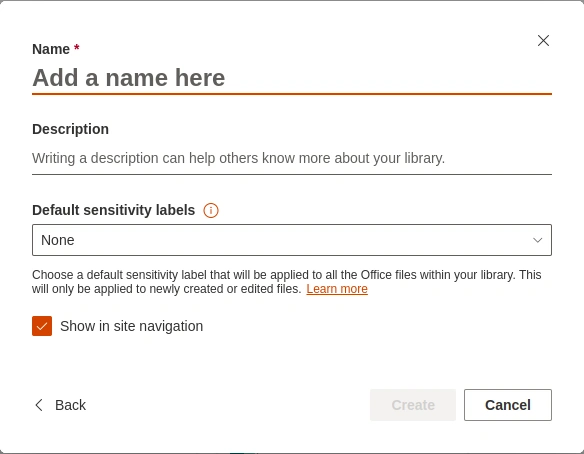
Document Library
A Document Library in SharePoint is a specialized repository used to store, manage, and share files such as documents, spreadsheets, presentations, PDFs, and other file types. It’s a fundamental feature of SharePoint, designed to help organizations collaborate efficiently by providing structured, version-controlled, and permissioned document storage.
Key Points About a Document Library
- Secure Storage: Files are securely stored, and you can control who has access to them.
- Easy Access: Files can be accessed from any device, making it easier for remote teams to collaborate.
- Drag-and-Drop: You can easily add or move files between folders by dragging and dropping them.
Join the conversation! Your thoughts help the community grow.