

In this article we will discuss read and rewrite or update document properties of any word document in vb.net. Every word document has some inbuilt properties and custom properties such as Title, subject, category, Author, comments etc.
You can see or set the document properties by opening Advance Document properties section just like if you are working on word 2010 you will see this like:
Advance Document
properties:
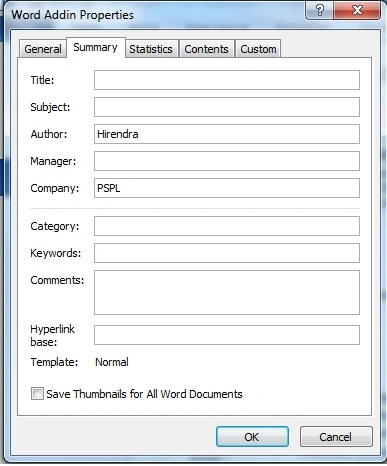
In this article we will read and set these properties and will learn that how to
make custom properties of any word document.
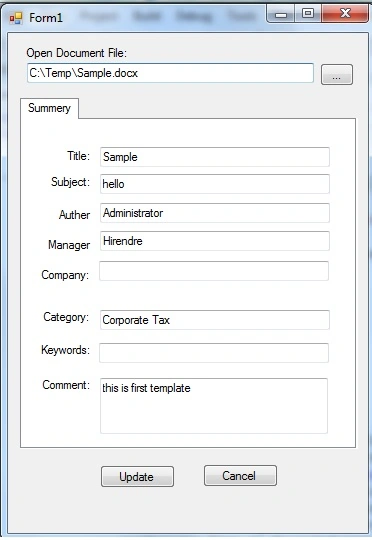
So let start with taking a windows form and design like this:
And then we need to add some reference:
Microsoft.office.Core
Microsoft.Office.Interop.Word
Code:
Make two private object
Private Wapp As Word.Application
Private docWord As Word.Document
Write code on the browse button click event
Create OpenFileDialog object and set the filter for word documents.
Dim dlg As New OpenFileDialog
dlg.Filter = "Word document |*.doc;*.docx"
If dlg.ShowDialog = Windows.Forms.DialogResult.OK Then
Initialize word application class and word document objects
If Wapp Is Nothing Then
Wapp = New Word.Application
End If
If docWord Is Nothing Then
docWord = New Word.Document
Else
docWord.Close()
End If
Use Documents.oopen() method for opening word document and use BuiltInDocumentProperties property for retrieving its inbuilt advanced properties.
docWord = Wapp.Documents.Open(dlg.FileName)
Aaa BbbPosted Mar 1, 2023, 5:32 PM
Thank you very much, my brother
suvidha raoranePosted May 12, 2020, 10:09 PM
Hi, How to get custom properties
Da LeFouPosted Jun 13, 2013, 3:28 AM
Hi, firt thx for your code. I have a problem with it, i would like to show custom properties, and i don't know how to do ??