

Requirements
- A domain from domain service providers
- An Azure management portal account
Follow the below steps to undergo domain mapping in azure
Step 1
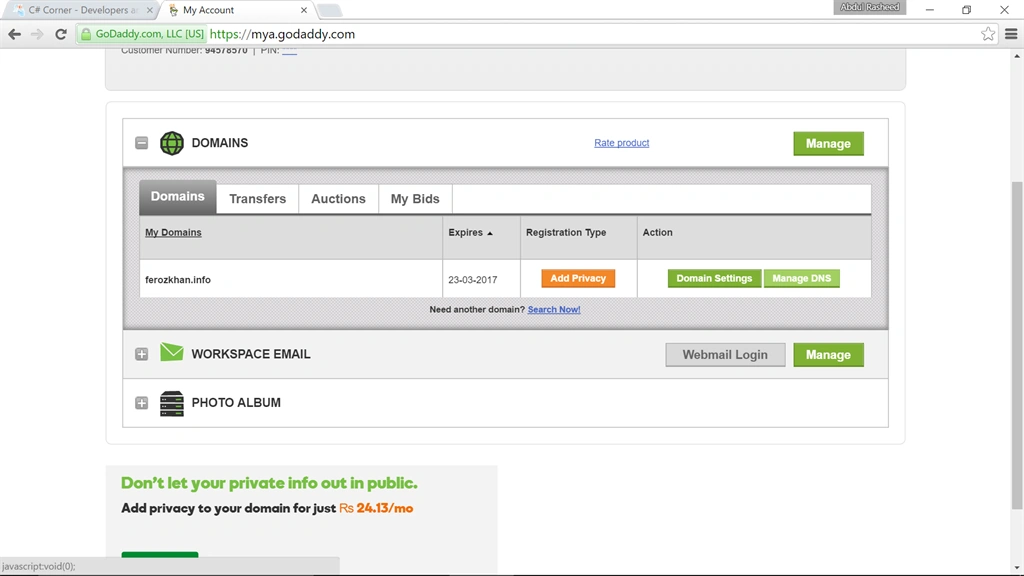
Go to GoDaddy and buy a domain or login with your account if you have already bought a domain (here I have already bought a domain), click on Domains,
Step 2
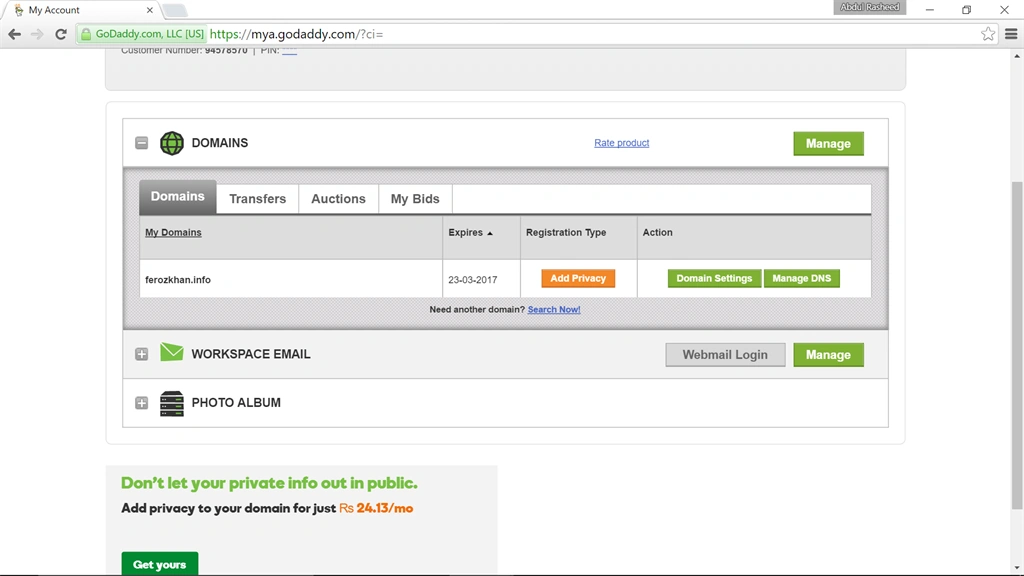
Click on Manage DNS, you will be getting the below screen,
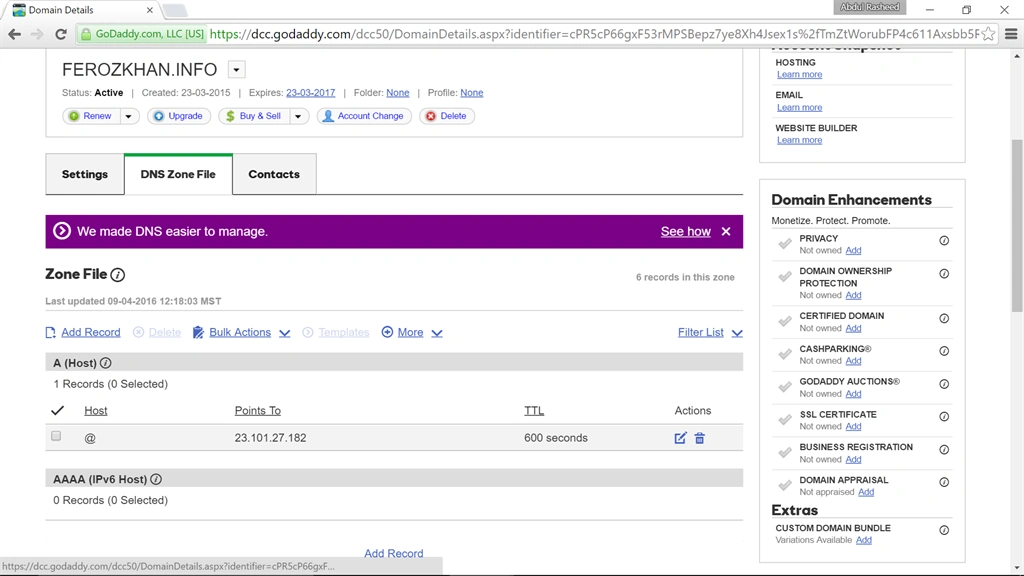
Step 3 - Click on DNS (Domain Name System) Zone File,
Step 4
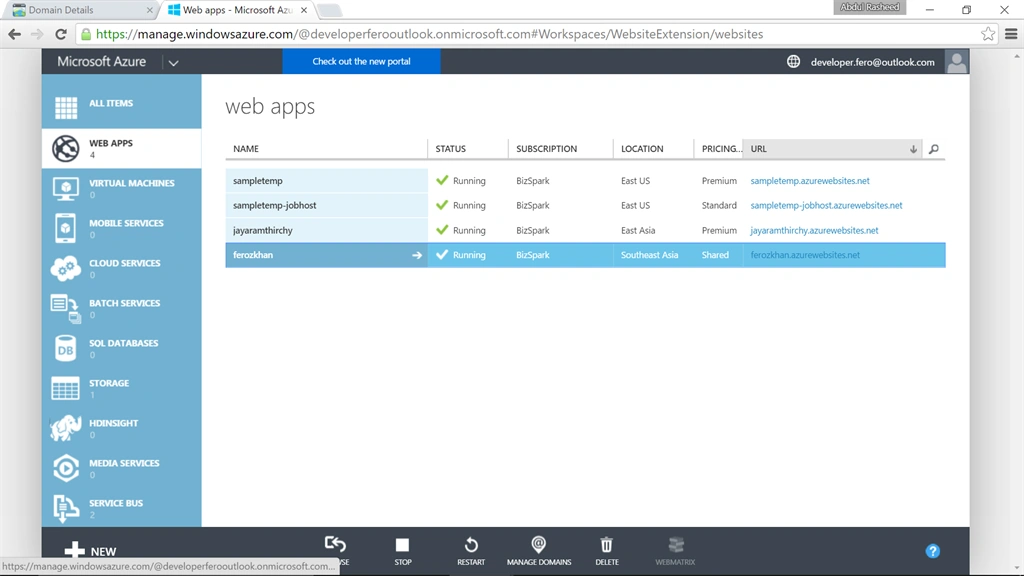
Open a new portal and login to your azure account, here create a web app (click here to make sense about how to create a webapp).
Step 5
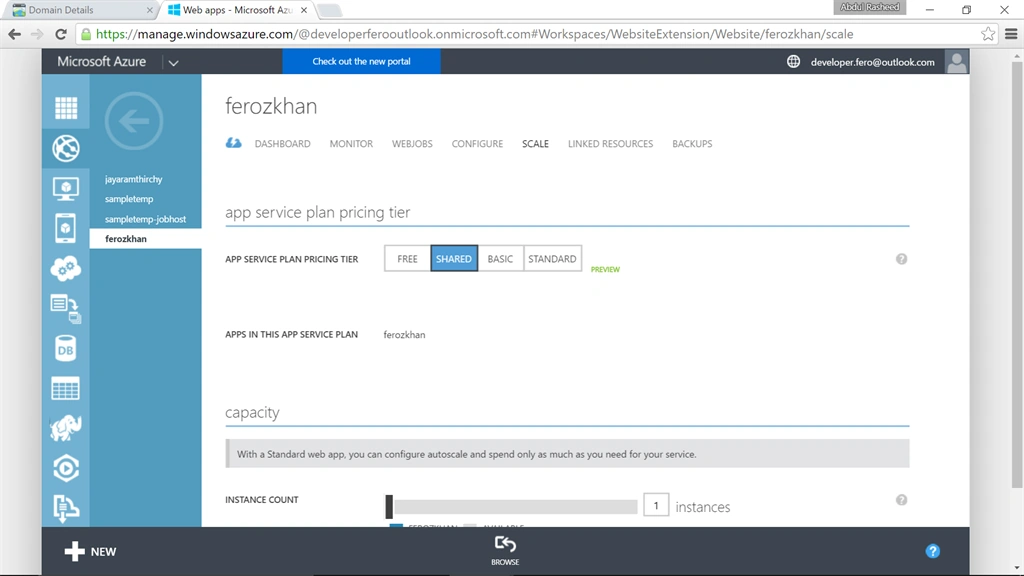
Click on the web app that has been created and move to Scale, here change the App Service Plan for Shared,
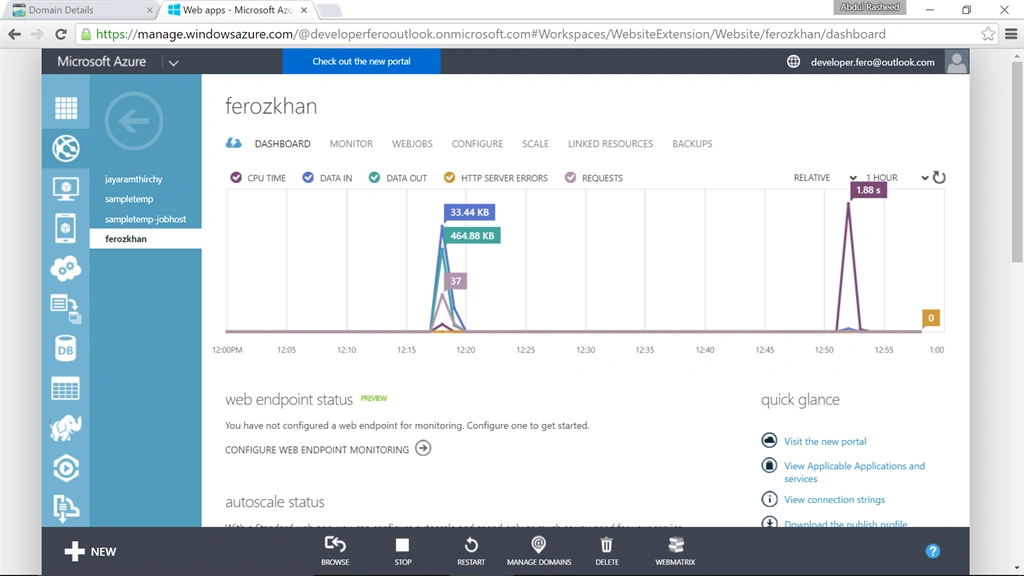
Step 6 - Now move to DASHBOARD and click on MANAGE DOMAINS,
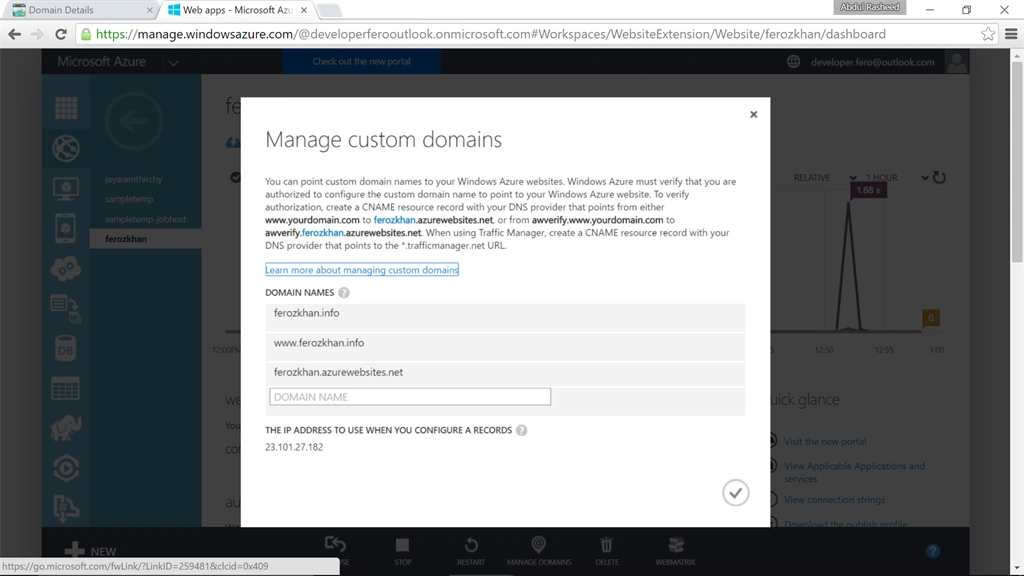
Step 7 - Here copy the IP address shown below,
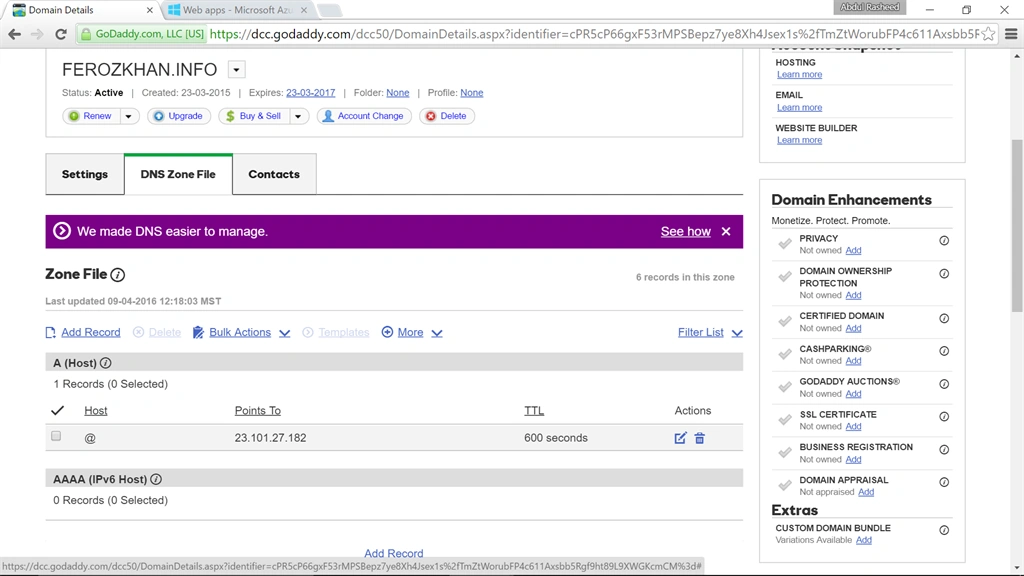
Step 8 - Goto GoDaddy page and click on Add Record,
Step 9 - Here add a CNAME,
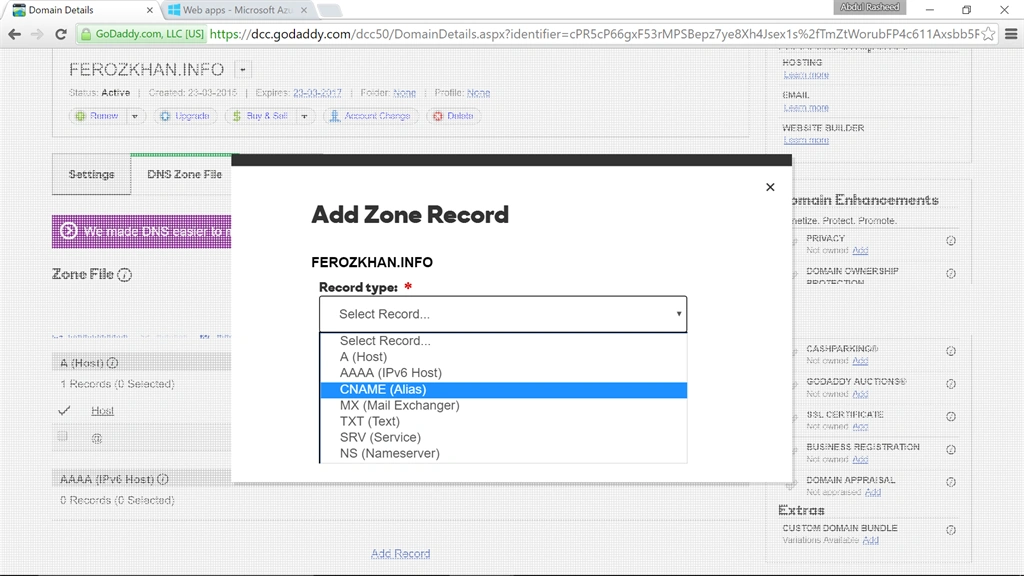
- Host as www
- Points to the Azure Website that was created (here ferozkhan.azurewebsites.net),
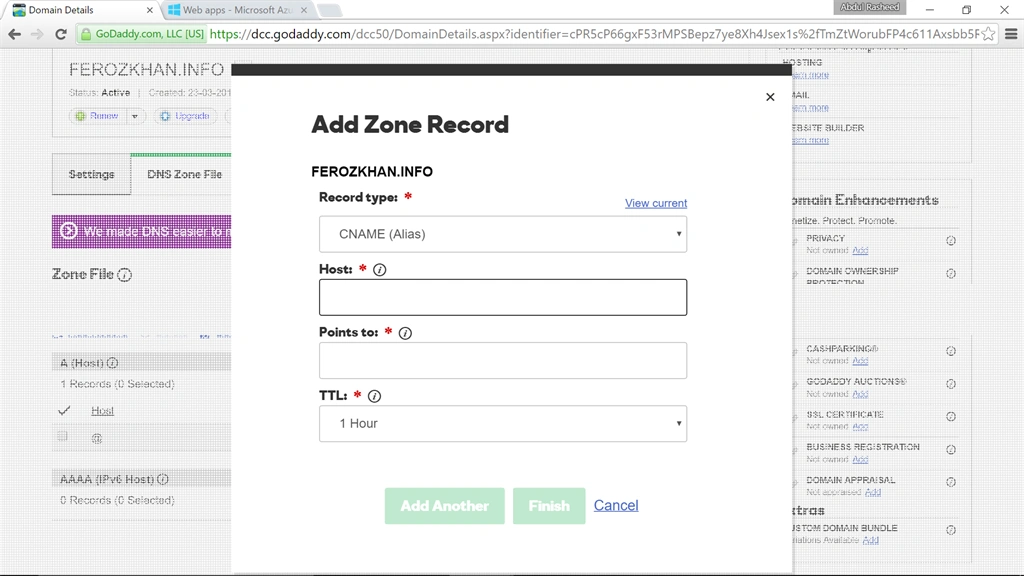
Step 10 - Next, Add Zone record,
Fill the following fileds:
- Record Type : A (host)
- Host: @
- Points to: (ip address that was copied from azure portal under webapps)
- TTL: 1 hour
Step 11 - Now goto management portal of Azure and add the Domain names,
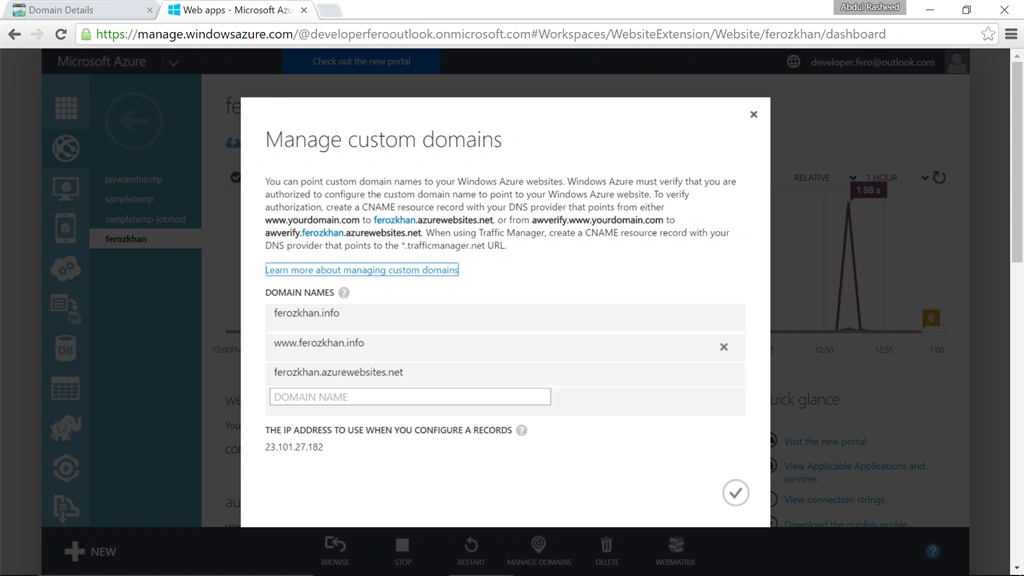
(Note: Here domain names of ferozkhan.info, www.ferozkhan.info, ferozkhan.azurewebsites.net are added)
Step 12
Now to make ferozkhan.info to work add another Zone record on Godaddy portal
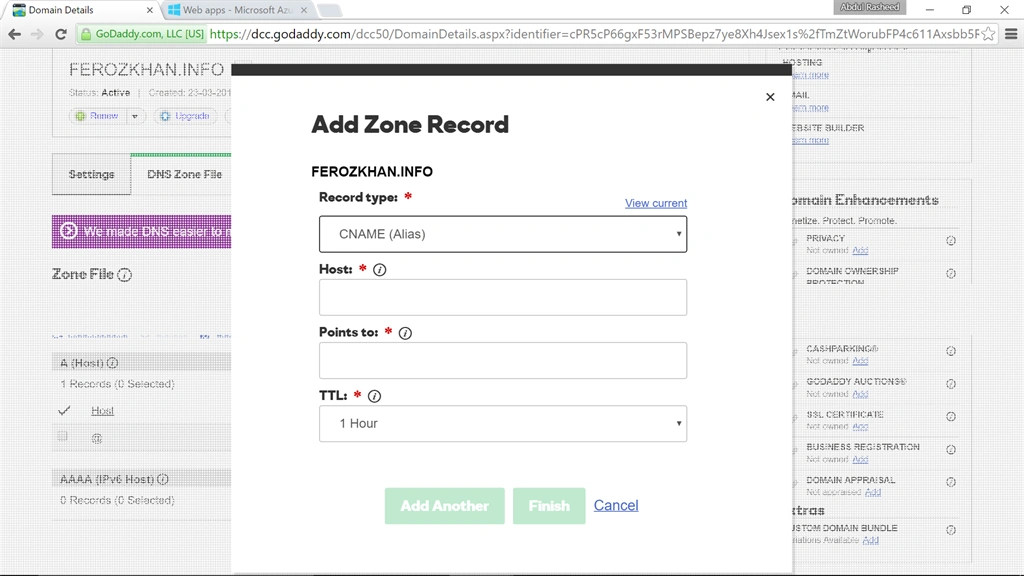
Click on Add Zone record, then fill the following fields,
- Record type: CNAME (Alias)
- Host: awverify
- Points to: awverify.ferozkhan.azurewebsites.net (in your case it will be awverify.azurewebsitename).
- TTL: 1 Hour
Prasanna MuraliPosted May 7, 2016, 11:42 AM
Nice
Abdul Rasheed Feroz KhanPosted May 6, 2016, 11:31 PM
thanks all
Sr KarthigaPosted May 6, 2016, 9:03 PM
good one
Vignesh ManiPosted May 6, 2016, 5:01 PM
Nice
Kuppurasu NagarajPosted May 6, 2016, 9:09 AM
Nice Sharing..
Sonu ChaudharyPosted May 6, 2016, 8:18 AM
good one..
Debasis SahaPosted May 6, 2016, 5:24 AM
Good One..