

Go to your SharePoint Central Administration.
Click Start, then All Programs and select Microsoft SharePoint 2013 Products. After that open SharePoint 2013 Central Administration.
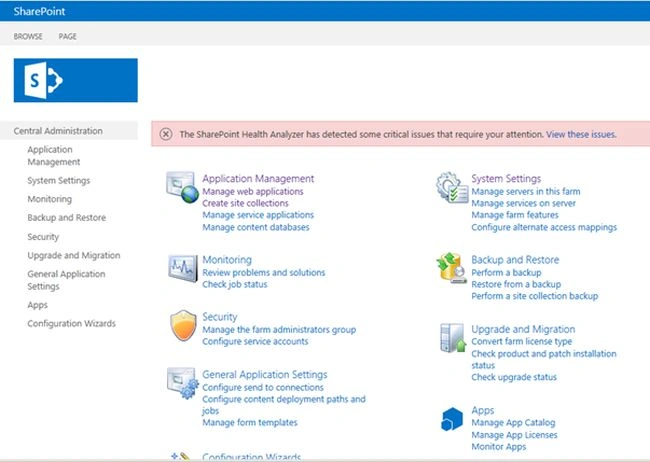
Go to Solution Management and click System Settings, then Manage Farm Solution.
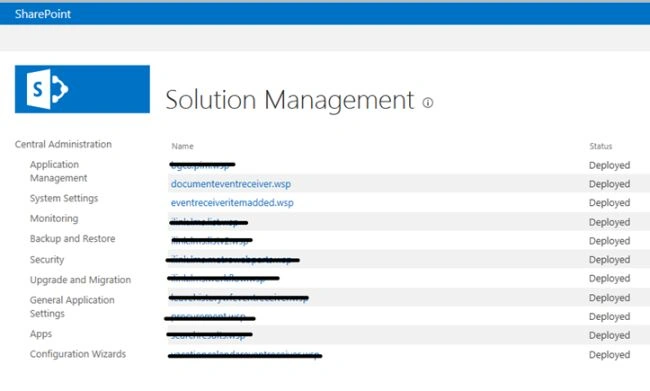
Copy your WSP file name from Solution Management. Here I have to download documenteventreceiver.wsp file.
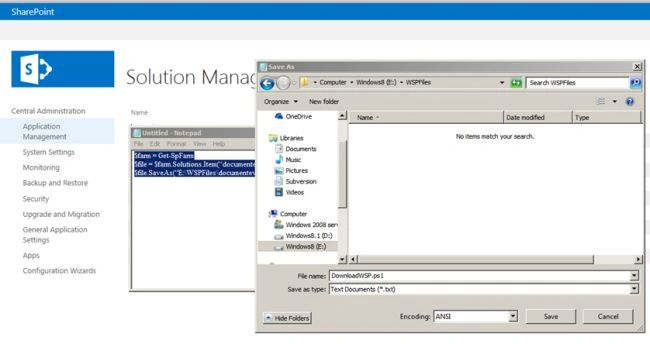
Open notepad and paste the following code.
- $farm = Get-SpFarm
- $file = $farm.Solutions.Item(“documenteventreceiver.wsp ”).SolutionFile
- $file.SaveAs(“E:\WSPFiles\documenteventreceiver.wsp ”)
Save the notepad document with .ps1 extension.
Open SharePoint 2013 Management Shell.
Go to Start, then All Programs and select Microsoft SharePoint 2013 Products. After that click SharePoint 2013 Management Shell.
Go to your ps1 file location as in the following screenshot. Here I have saved it to WSPFiles inside E: drive.
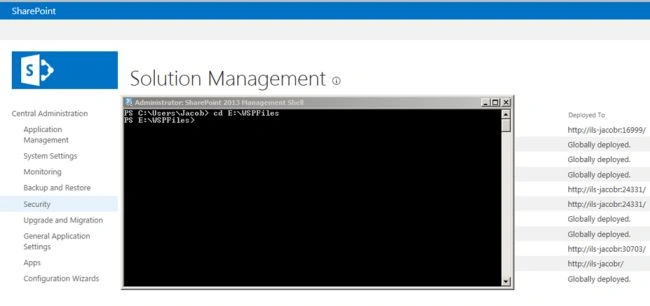
Just type the starting letter of your ps1 file name and press Tab key. After that click enter button.
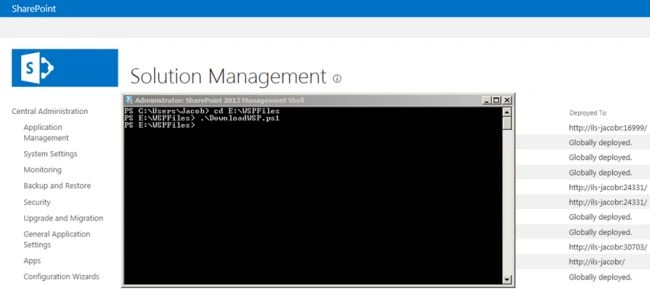
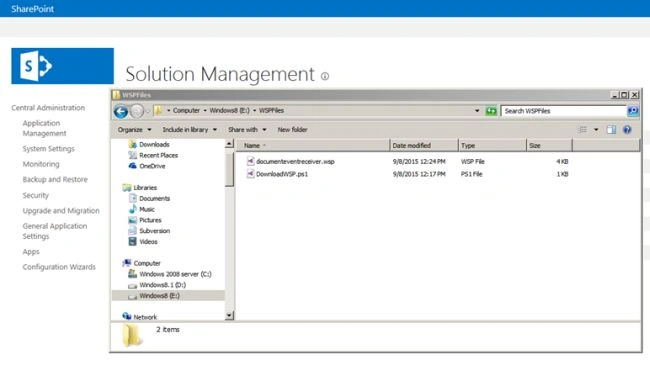
Go to WSP location (already mentioned E:\WSPFiles) and your WSP file will be downloaded.
Summary
In this article we saw how to download WSP files from SharePoint Central Administration using PowerShell script.
Office DeveloperPosted Jan 10, 2019, 5:05 AM
Thanks for nice Share, Great Job!!!
Prabhu NehruPosted Sep 12, 2018, 2:20 AM
How to download all the installed wsp files.
Akash KumharPosted Apr 20, 2018, 12:55 AM
Nice Article.. Instant Help..
Rambabu ChintapantiPosted Sep 9, 2015, 5:00 AM
nice
Santhakumar MunuswamyPosted Sep 8, 2015, 3:13 PM
Thanks for nice share
Mohammed IbrahimPosted Sep 8, 2015, 3:09 PM
nice share
Pankaj Kumar ChoudharyPosted Sep 8, 2015, 8:43 AM
nice Explain Sir.......