

Introduction
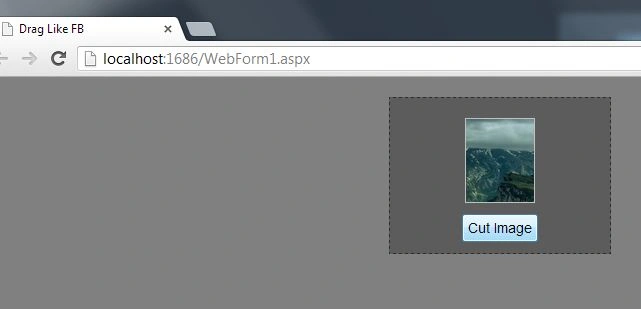
This article explains how to drag an image in a Div and determine the coordinates of where it's cropped like in Facebook.
In this article, you will see how to use JavaScript along with MooTools to drag an image in a Div and determine its coordinates instead of cropping it. In Facebook you crop your Profile Picture by adjusting it. The same thing is generated by the sample code in this article, the only difference is that instead of cropping you can just determine the coordinates of the repositioned image.
Step 1
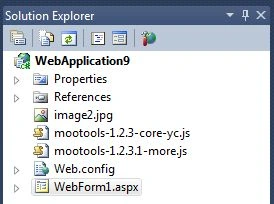
First of all, add a Web page to your Visual Studio.

Now you need to add MooTools to your Application, which can be downloaded from the Zip File available at the beginning of this article.
Step 2
Add these MooTools to the Head section of your application.
Now you need to add some Div, hidden fields, Button and an image to our application. To do that you can add this code:
- <div id="div1">
- <div id="div2">
- <div id="div3">
- <img id="imgPhoto" src="image2.jpg" />
- </div>
- </div>
- <input id="hdn1" type="hidden" />
- <input id="hdn2" type="hidden" />
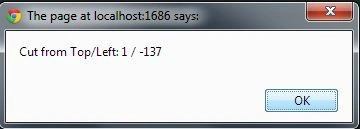
- <input type="submit" value="Cut Image" onclick="javascript:alert('Cut from Top/Left: ' + $('hdnInpTop').get('value') + ' / '+ $('hdnInpLeft').get('value'))"/>
- </div>
Step 3
Now we will add some CSS code to our apllication.
- <style>
- *{
- margin:0;
- padding:0;
- }
- body{
- background-color:Grey;
- color:White;
- font-family: Helvetica, Calibri, Arial, sans-serif;
- font-size:14px;
- line-height:1.3em;
- padding:10px;
- }
- #div1{
- width:200px;
- margin:10px auto;
- background-color:#5C5C5C;
- padding:10px;
- border:1px dashed #2C2C2C;
- text-align:center;
- }
- #div2 {
- width:68px;
- margin:10px auto;
- border:1px #c0c0c0 solid;
- }
- #div3 {
- height:83px;
- width:68px;
- overflow:hidden;
- cursor:move;
- }
- input {
- padding:5px;
- font-size:1em;
- }
- </style>
Varios AztecaPosted May 30, 2022, 2:16 PM
Thanks but it doesn't work and the code is from another project.