

- <%@ Page Language="C#" AutoEventWireup="true" CodeFile="Default.aspx.cs" Inherits="_Default" %>
- <!DOCTYPE html PUBLIC "-//W3C//DTD XHTML 1.0 Transitional//EN" "http://www.w3.org/TR/xhtml1/DTD/xhtml1-transitional.dtd">
- <html xmlns="http://www.w3.org/1999/xhtml">
- <head runat="server">
- <title>Search Route Direction</title>
- <script type="text/javascript" src="http://maps.googleapis.com/maps/api/js?sensor=false"></script>
- <script type="text/javascript" src="https://maps.googleapis.com/maps/api/js?key=AIzaSyC6v5-2uaq_wusHDktM9ILcqIrlPtnZgEk&sensor=false">
- </script>
- <%--Getting User Current Location--%>
- <script type="text/javascript">
- if (navigator.geolocation) {
- navigator.geolocation.getCurrentPosition(success);
- } else {
- alert("There is Some Problem on your current browser to get Geo Location!");
- }
- function success(position) {
- var lat = position.coords.latitude;
- var long = position.coords.longitude;
- var city = position.coords.locality;
- var LatLng = new google.maps.LatLng(lat, long);
- var mapOptions = {
- center: LatLng,
- zoom: 12,
- mapTypeId: google.maps.MapTypeId.ROADMAP
- };
- var map = new google.maps.Map(document.getElementById("MyMapLOC"), mapOptions);
- var marker = new google.maps.Marker({
- position: LatLng,
- title: "<div style = 'height:60px;width:200px'><b>Your location:</b><br />Latitude: "
- + lat + +"<br />Longitude: " + long
- });
- marker.setMap(map);
- var getInfoWindow = new google.maps.InfoWindow({ content: "<b>Your Current Location</b><br/> Latitude:" +
- lat + "<br /> Longitude:" + long + ""
- });
- getInfoWindow.open(map, marker);
- }
- </script>
- <%--Getting Route Direction From User Current Location to Destination--%>
- <script type="text/javascript">
- function SearchRoute() {
- document.getElementById("MyMapLOC").style.display = 'none';
- var markers = new Array();
- var myLatLng;
- //Find the current location of the user.
- if (navigator.geolocation) {
- navigator.geolocation.getCurrentPosition(function(p) {
- var myLatLng = new google.maps.LatLng(p.coords.latitude, p.coords.longitude);
- var m = {};
- m.title = "Your Current Location";
- m.lat = p.coords.latitude;
- m.lng = p.coords.longitude;
- markers.push(m);
- //Find Destination address location.
- var address = document.getElementById("txtDestination").value;
- var geocoder = new google.maps.Geocoder();
- geocoder.geocode({ 'address': address }, function(results, status) {
- if (status == google.maps.GeocoderStatus.OK) {
- m = {};
- m.title = address;
- m.lat = results[0].geometry.location.lat();
- m.lng = results[0].geometry.location.lng();
- markers.push(m);
- var mapOptions = {
- center: myLatLng,
- zoom: 4,
- mapTypeId: google.maps.MapTypeId.ROADMAP
- };
- var map = new google.maps.Map(document.getElementById("MapRoute"), mapOptions);
- var infoWindow = new google.maps.InfoWindow();
- var lat_lng = new Array();
- var latlngbounds = new google.maps.LatLngBounds();
- for (i = 0; i < markers.length; i++) {
- var data = markers[i];
- var myLatlng = new google.maps.LatLng(data.lat, data.lng);
- lat_lng.push(myLatlng);
- var marker = new google.maps.Marker({
- position: myLatlng,
- map: map,
- title: data.title
- });
- latlngbounds.extend(marker.position);
- (function(marker, data) {
- google.maps.event.addListener(marker, "click", function(e) {
- infoWindow.setContent(data.title);
- infoWindow.open(map, marker);
- });
- })(marker, data);
- }
- map.setCenter(latlngbounds.getCenter());
- map.fitBounds(latlngbounds);
- //***********ROUTING****************//
- //Initialize the Path Array.
- var path = new google.maps.MVCArray();
- //Getting the Direction Service.
- var service = new google.maps.DirectionsService();
- //Set the Path Stroke Color.
- var poly = new google.maps.Polyline({ map: map, strokeColor: '#4986E7' });
- //Loop and Draw Path Route between the Points on MAP.
- for (var i = 0; i < lat_lng.length; i++) {
- if ((i + 1) < lat_lng.length) {
- var src = lat_lng[i];
- var des = lat_lng[i + 1];
- path.push(src);
- poly.setPath(path);
- service.route({
- origin: src,
- destination: des,
- travelMode: google.maps.DirectionsTravelMode.DRIVING
- }, function(result, status) {
- if (status == google.maps.DirectionsStatus.OK) {
- for (var i = 0, len = result.routes[0].overview_path.length; i < len; i++) {
- path.push(result.routes[0].overview_path[i]);
- }
- } else {
- alert("Invalid location.");
- window.location.href = window.location.href;
- }
- });
- }
- }
- } else {
- alert("Request failed.")
- }
- });
- });
- }
- else {
- alert('Some Problem in getting Geo Location.');
- return;
- }
- }
- </script>
- </head>
- <body>
- <form id="form1" runat="server">
- <table style="border: solid 15px blue; width: 100%; vertical-align: central;">
- <tr>
- <td style="padding-left: 20px; padding-top: 20px; padding-bottom: 20px; background-color: skyblue;
- text-align: center; font-family: Verdana; font-size: 20pt; color: Green;">
- Draw Route Between User's Current Location & Destination On Google Map
- </td>
- </tr>
- <tr>
- <td style="background-color: skyblue; text-align: center; font-family: Verdana; font-size: 14pt;
- color: red;">
- <b>Enter Destination:</b>
- <input type="text" id="txtDestination" value="" style="width: 200px" />
- <input type="button" value="Search Route" onclick="SearchRoute()" />
- </td>
- </tr>
- <tr>
- <td>
- <div id="MyMapLOC" style="width: 550px; height: 470px">
- </div>
- <div id="MapRoute" style="width: 500px; height: 500px">
- </div>
- </td>
- </tr>
- </form>
- </body>
- </html>
Now run the application.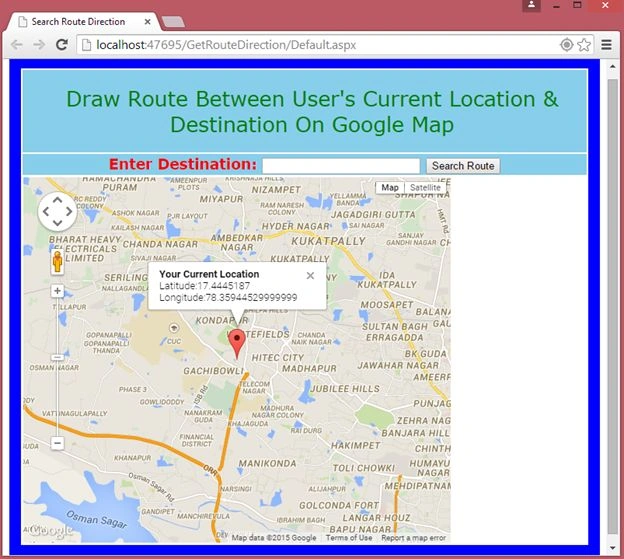
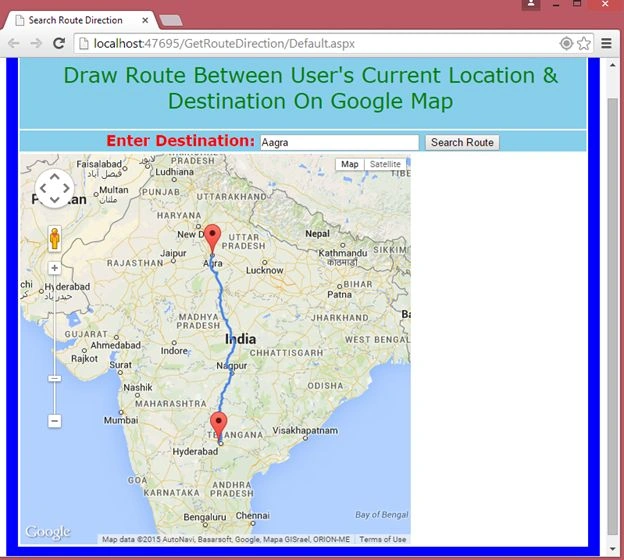
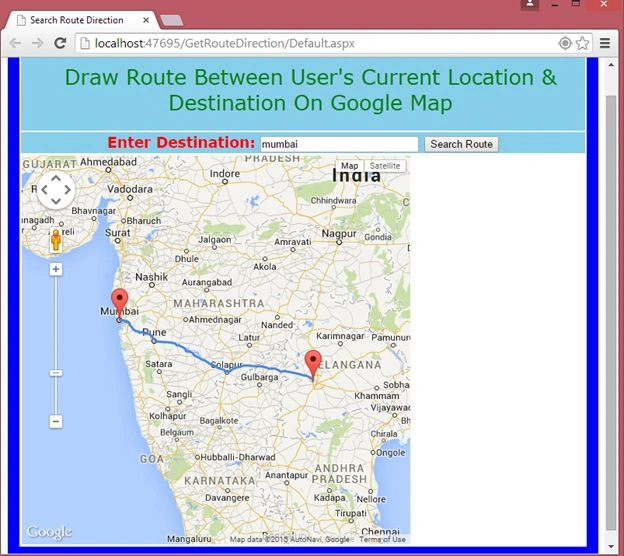
Enter your destination to draw a route.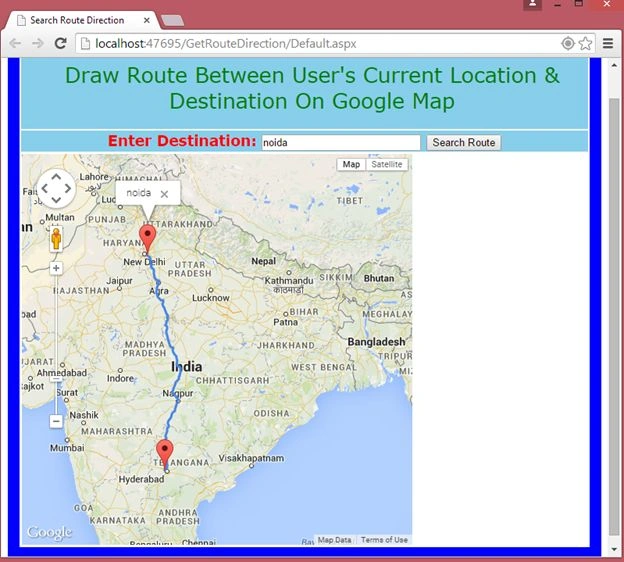
amr ismailPosted Jul 14, 2017, 7:27 PM
Can you show can you show how to get distance of the route? Plz how to get distance of the route? Plz
Rahul Kumar SaxenaPosted Mar 2, 2015, 11:47 PM
Thnaks Mahesh Devikar...
Mahesh DevikarPosted Mar 2, 2015, 10:25 PM
Sirjee ....Great One..!
Rahul Kumar SaxenaPosted Feb 28, 2015, 4:36 AM
Yes ROHAN... u can see on page laod I am setting my start location.. but In some other solution I will show you how we can ask user Source and destination to draw the route...
ROHAN PANDEYPosted Feb 26, 2015, 7:37 AM
Hello Rahul it's very good examples but no option available to should enter start destination and ending destination like androied mape but it's example super awesome
Sibeesh VenuPosted Feb 25, 2015, 12:11 PM
Rahul Saxena You are welcome.
Rahul Kumar SaxenaPosted Feb 25, 2015, 11:49 AM
Thanks Sibeesh Venu...
Rahul Kumar SaxenaPosted Feb 25, 2015, 11:48 AM
Thanks Manish Kumar Choudhary...
Sibeesh VenuPosted Feb 25, 2015, 10:10 AM
Good One.
Manish Kumar ChoudharyPosted Feb 25, 2015, 8:00 AM
Nice one.