

The BezierSegment object represents a cubic Bezier curve drawn between two lines. A cubit Bezier curve is defined by four points: a start point, an end point, and two control points.
Creating a Bezier
The BezierSegment class has three properties: Point1, Point2, and Point3, which does not include the start point of the Bezier. The start point is defined as a part of PathFigure, which is used to draw a Bezier.
The following XAML code snippet sets Point1, Point2, and Point3 properties of a BezierSegment.
<BezierSegment Point1="100,0"
Point2="200,200"
Point3="300,100" />
Loading a Bezier
A Path object is used to draw Bezier curves by setting a PathGeomerty as Path.Data. The following code snippet creates a Path and sets a BezierSegment as a part of PathFigure.Segments.
<Path Stroke="Red" StrokeThickness="2" >
<Path.Data>
<PathGeometry>
<PathGeometry.Figures>
<PathFigureCollection>
<PathFigure StartPoint="10,100">
<PathFigure.Segments>
<PathSegmentCollection>
<BezierSegment Point1="100,0"
Point2="200,200"
Point3="300,100"
/>
</PathSegmentCollection>
</PathFigure.Segments>
</PathFigure>
</PathFigureCollection>
</PathGeometry.Figures>
</PathGeometry>
</Path.Data>
</Path>
The output looks like Figure 1. 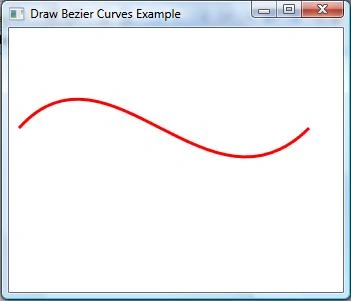
Figure 1.
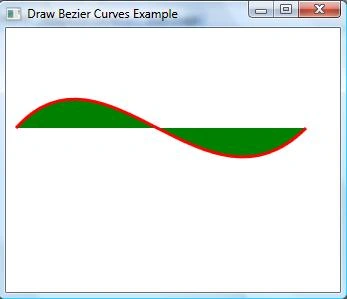
Filling a Bezier
Join the conversation! Your thoughts help the community grow.