

This article is an introduction to drawing in XAML and Avalon model. In this article, I will talk about various graphics objects including lines, rectangles, ellipses, and paths and how to draw them using XAML.
Drawing a Line
The Line tag of XAML draws a line. The X1,Y1 and X2,Y2 attributes represent the starting and ending point of the line and Stroke represents the color of the line. The StrokeThickness attribute represents the thickness of the line.
The following code draws a line from point (100,100) t (300,100) with blue color and thickness is 2.
<Window x:Class="WindowsApplication1.Window1"
xmlns="http://schemas.microsoft.com/winfx/2006/xaml/presentation"
xmlns:x="http://schemas.microsoft.com/winfx/2006/xaml"
Title="WindowsApplication1" Width="550" Height="400">
<Line Stroke="#000fff" StrokeThickness="2" X1="100" Y1="100"
X2="300" Y2="100"/>
</Window>
The output looks like Figure 1.

Figure 1. Drawing a line
Drawing and Filling a Rectangle
The Rectangle tag of XAML draws a rectangle. The Height and Width attributes represent the height and width of the rectangle. The Stroke and StrokeThickness represents the color and thickness of the rectangle boundary.
The following code draws a rectangle with height 100 and width 300.
<Rectangle Width="300" Height="100" Stroke="Blue" StrokeThickness="5">
</Rectangle>
The output looks like Figure 2.
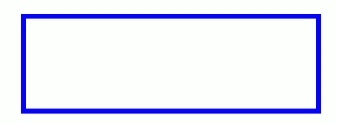
Figure 2. Drawing a rectangle
The Fill attributes fill a rectangle with a color. The following code fills a rectangle with yellow color.
<Rectangle Fill="Yellow" Width="300" Height="100" Stroke="Blue"
StrokeThickness="5">
</Rectangle>
The output looks like Figure 3. 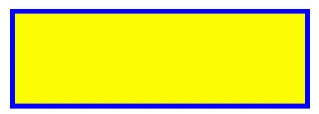
Figure 3. Filling a rectangle
By setting RadiusX and RadiusY attributes, you can also draw a rectangle with rounded corders.
<Rectangle Width="120" Height="100" RadiusX="10" RadiusY="10"
Stroke="Green" StrokeThickness="5" Fill="Black">
</Rectangle>
The output looks like Figure 4.
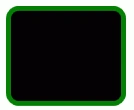
Figure 4. Drawing a rounded rectangle
Drawing and Filling an Ellipse
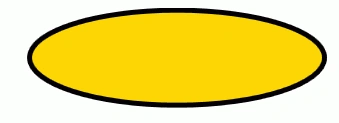
The Ellipse tag of XAML draws an ellipse and circle (ellipse with equal height and width). The Height and Width attributes represent the height and width of the ellipse. The Stroke and StrokeThickness represents the color and thickness of the ellipse boundary. The Fill attribute fills the ellipse with a color.
The following code draws an ellipse with height 100 and width 300.
<Ellipse Height="100" Width="300" StrokeThickness="5" Stroke="Black" Fill="Gold"/>
Mukesh WadhwaPosted Dec 24, 2007, 1:11 AM
Hi, Can u tell me how to create a line which has half red colord and half green colored.plz reply on [email protected] Thanks Mukesh