
Normally we create an instance/object of a class using the name of the class, for example if I have a class named User in my application, normally we create that class using the name like the following.
- User UR = new User();
- UR.ID = 1;
- UR.Name = "Kailash";
But if someone tells you to create an instance of a classes you are using in your application at runtime or by passing a string as the class name, how will you do that? Don't worry, the Microsoft .Net Framework provides a solution for this. The Assembly class in the System.Reflection namespace and the Activator class in the System namesspace helps to create an instance of the class at run time. The following explains the Assembly and Activation classes.
Assembly
The Mycrosoft .Net Framework provides the Assembly class for getting the details or for reading about your application's assembly. (It represents an assembly that is a reusable, versionable and self-describing building block of a Common Language Runtime application.) For more details about the Assembly class visit this site.
Activatior
This class contains methods to create types of objects locally or remotely, or obtain references to existing remote objects. This class cannot be inherited. For More Details Visit this site.
Activatior
This class contains methods to create types of objects locally or remotely, or obtain references to existing remote objects. This class cannot be inherited. For More Details Visit this site.
Getting Started
Create a console project in Visual Studio and provide the name of the project as you like, press the OK Button. You will get your first class with a Main method. Add the reference for the System.Reflection namespace as in the following:
- namespace DynamicCreateInstanceofclass
- {
- class Program
- {
- static void Main(string[] args)
- {
- }
- }
- }
Declare a class with the name "User" in the same namespace with the following properties.
- public class User
- {
- public int ID { get; set; }
- public string Name { get; set; }
- }
Declare a namespace with the name "IUser" and declare the method in this namespace with the name GetUserDetails. This function will return a User class or the return type of this function is a User class.
- interface IUser
- {
- User GetUserDetails();
- }
Declare another class with the name UserDetails that will inherit the preceding interface (IUser). Write some code in the inherited function.
- public class UserDetails:IUser
- {
- public User GetUserDetails()
- {
- User UR = new User();
- UR.ID = 1;
- UR.Name = "Kailash";
- return UR;
- }
- }
- public static I CreateInstance<I>() where I : class
- {
- string assemblyPath = Environment.CurrentDirectory + "\\DynamicCreateInstanceofclass.exe";
- Assembly assembly;
- assembly = Assembly.LoadFrom(assemblyPath);
- Type type = assembly.GetType("DynamicCreateInstanceofclass.UserDetails");
- return Activator.CreateInstance(type) as I;
- }
Write the following code in the Main function that prints the return value of the GetUserdetails function:
- static void Main(string[] args)
- {
- //DynamicCreateInstanceofclass
- // UserManager UM = new UserManager();
- User UR= CreateInstance<IUser>().GetUserDetails();
- Console.WriteLine("User ID:" + UR.ID);
- Console.WriteLine("User Name:" + UR.Name);
- Console.WriteLine("Press Key to exit");
- Console.ReadLine();
- }
Full Code
- namespace DynamicCreateInstanceofclass
- {
- class Program
- {
- static void Main(string[] args)
- {
- //DynamicCreateInstanceofclass
- // UserManager UM = new UserManager();
- User UR= CreateInstance<IUser>().GetUserDetails();
- Console.WriteLine("User ID:" + UR.ID);
- Console.WriteLine("User Name:" + UR.Name);
- Console.WriteLine("Press Key to exit");
- Console.ReadLine();
- }
- public static I CreateInstance<I>() where I : class
- {
- string assemblyPath = Environment.CurrentDirectory + "\\DynamicCreateInstanceofclass.exe";
- Assembly assembly;
- assembly = Assembly.LoadFrom(assemblyPath);
- Type type = assembly.GetType("DynamicCreateInstanceofclass.UserDetails");
- return Activator.CreateInstance(type) as I;
- }
- }
- public class UserDetails:IUser
- {
- public User GetUserDetails()
- {
- User UR = new User();
- UR.ID = 1;
- UR.Name = "Kailash";
- return UR;
- }
- }
- public class User
- {
- public int ID { get; set; }
- public string Name { get; set; }
- }
- interface IUser
- {
- User GetUserDetails();
- }
- }
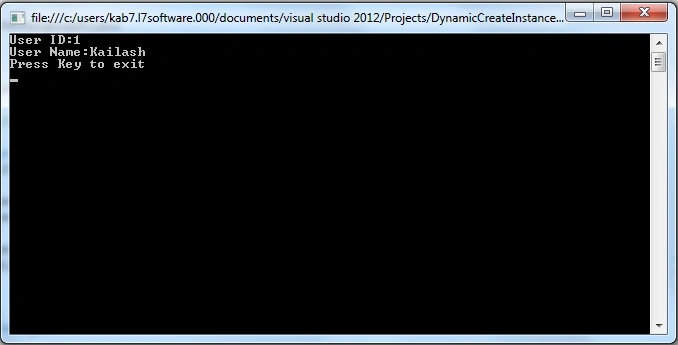
In this article, I hope you have gotten how to create an instance of a class at run time.
Arkadeep DePosted Feb 8, 2021, 7:37 PM
For Web projects, we can also use the path of DLL instead if EXE.
Jigar ShahPosted Dec 10, 2019, 11:01 PM
I have create class at run time and want to add new name space at run time the how to do it? i want also add attribute to declare field at run time so how to do it?
Joginder BangerPosted Mar 24, 2016, 3:22 PM
sir could you more elaborate this example...
Joginder BangerPosted Mar 24, 2016, 3:20 PM
I think sir you makes a tough example ...could you making a simple example without using interface. or no extra class.
Ganesh SarafPosted Mar 13, 2015, 5:24 AM
nice
Vikram ChaudharyPosted Mar 12, 2015, 6:29 AM
Nice article. But why do we need to create Class at run time. Can you please give any practical scenarios