

We all know that we can create a group of our Dynamics 365 CE entities in a more logical manner using apps. If you are interested in creating a new app, you can refer to my earlier post for the same. In this article, we are going to discuss Dynamics 365 app-specific URLs.
Requirement
Let’s say we have created a custom app and we have a requirement to send an email with the record URL to other users or maybe we want to use it in our script/code, but we want the record to open in its specific app instead of default custom app.
Solution
To implement the above requirement, we can use appid, while building a record URL. Let's say we want to send an email having contact URL. To open the contact record in our custom Contact Center app, we use the following steps,
First, we need to get appid for our app. We can open app designer and copy the appid from the URL like below.

Now, we need to construct an entity record URL. If you are new to Dynamics 365 CE, I will suggest you to go through this KB first. We can use the following URL to open contact record,
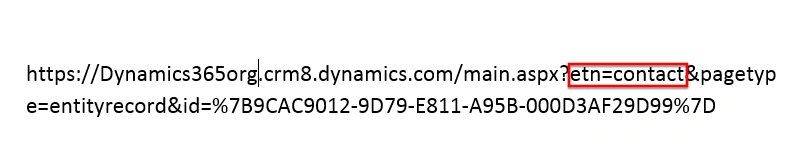
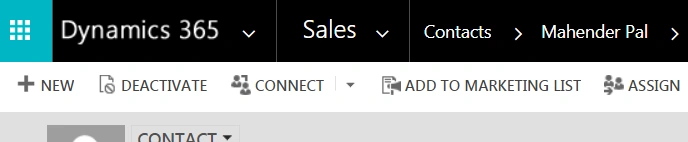
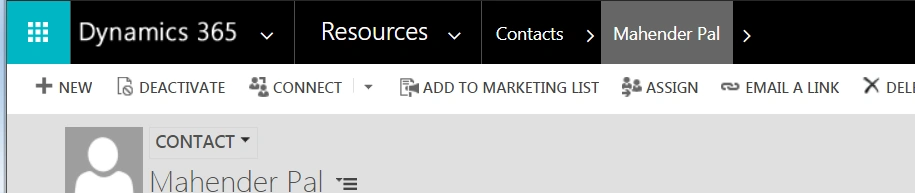
Now, to open contact record in our Contact Center app, we can use the following URL. Here, you can see that we have added appid to the URL.

I hope it will help someone !!
Viknaraj ManogararajahPosted Jul 14, 2018, 10:48 PM
Nice Article, Thank you for sharing.........
Hadshana KamalanathanPosted Jul 14, 2018, 7:15 PM
Thanks for sharing