

Before reading this article, please go through the articles given below.
In our last article, we discussed new enhancements in Web API to create and update requests. In this article, we are going to discuss enhancements released to query metadata. Web API has made it really simple to query your entity metadata now. If we need to query any entity metadata, we can just specify entity logical name in our Web API to get the request, as shown below.
- api / data / v8 .2 / EntityDefinitions(LogicalName = 'lead')
- var serverURL = Xrm.Page.context.getClientUrl();
- var req = new XMLHttpRequest();
- req.open("GET", serverURL + "/api/data/v8.2/EntityDefinitions(LogicalName='lead')", true);
- req.setRequestHeader("Accept", "application/json");
- req.setRequestHeader("Content-Type", "application/json; charset=utf-8");
- req.setRequestHeader("OData-MaxVersion", "4.0");
- req.setRequestHeader("OData-Version", "4.0");
- req.onreadystatechange = function() {
- if (this.readyState == 4 /* complete */ ) {
- req.onreadystatechange = null;
- if (this.status == 200) {
- var data = JSON.parse(this.response); //process metadata
- } else {
- var error = JSON.parse(this.response).error;
- alert(error.message);
- }
- }
- };
- req.send();
- It will
- return lead entity metadata like following
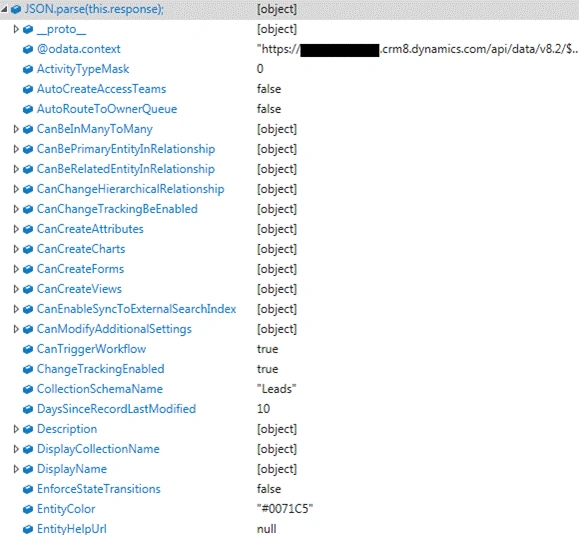
If we want to return all the entity metadata, we can use our request, as shown below.
- api / data / v8 .2 / EntityDefinitions
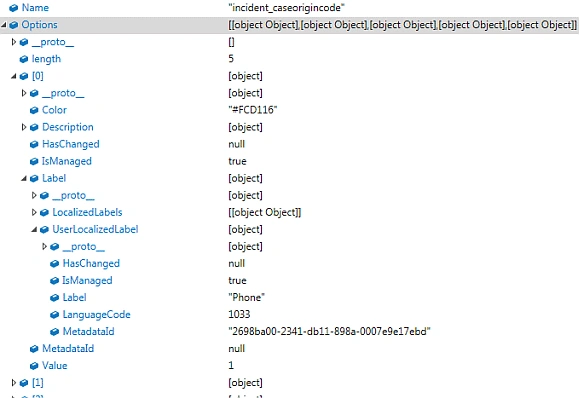
- api / data / v8 .2 / EntityDefinitions(LogicalName = 'lead') / Attributes
- api / data / v8 .2 / EntityDefinitions(LogicalName = 'lead') / Attributes(LogicalName = 'address1_city')
We will get response, as shownbelow.
Similarly, we can also query relationships, as shown below.
- api / data / v8 .2 / RelationshipDefinitions(SchemaName = 'account_originating_lead')
Vignesh ManiPosted Nov 16, 2016, 3:57 PM
Nice one. Thank you for sharing..