
Introduction
This article describes a simple approach to validating dates received as strings
(e.g., 2/21/2008). It requires on a few lines of code but will confirm that the
date provided as a string is an actual date. The formats for the date string
used in this example conform to the US standard of MM/DD/YYYY but that can
easily be modified to work with other UI cultures. The method shown may be of
use if you have an application that receives dates as strings rather than as
actual DateTime values.
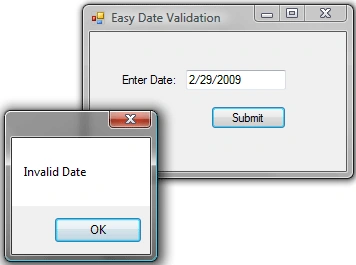
Figure 1: Test Application in Use
The Code
The code is very simple and does not require much of an explanation. All that is
done is to split the date string up into month, day, and year, and then to
attempt to create a date time value from those parts. If the operation succeeds,
the method returns true, if it fails (with an invalid date) the failure is
trapped in a catch block which in turn returns a false. The sum total of the
operation is as follows:
''' <summary>
'''
Determine if Date String is an actual date
'''
Date format = MM/DD/YYYY
''' </summary>
''' <param
name="dateString"></param>
''' <returns></returns>
''' <remarks></remarks>
Private Function ValidateDate(ByVal dateString As String) As Boolean

Join the conversation! Your thoughts help the community grow.