

| S.No | EDM Framework | LINQ to SQL Classes |
| 1 | It Supports different kinds of databases. | It supports on SQL Server. |
| 2 | From the perspective of development effort, it is fast enough. | Slow than EDM Framework from perspective of development effort. |
| 3 | Maps multiple tables at a time. | Maps only single table at a time. |
| 4 | Bit Complex for New Users. | Simple and user friendly. |
| 5 | Supports Database Change Synchronization. | Does not Supports Exactly. |
| 6 | Maps Tables, Stored Procs, Reporting Stuff and so on. | Maps Tables only. |
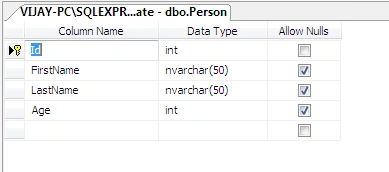
Now, we are eager to fire off Visual Studio 2010.
Let's Create Some Web Application Project in Version .NET 4.0.
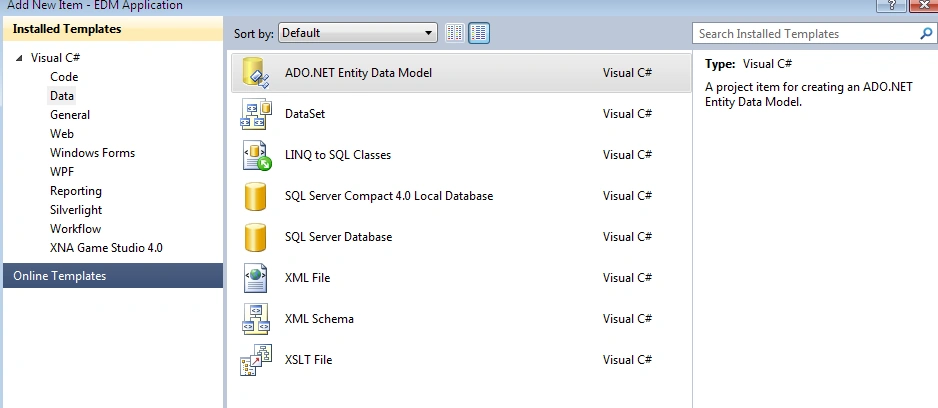
So, let's add a new Item to the Project.
So go data Tab and Click on ADO.NET Entity Data Model.
Where the Complete Screen looks like this.
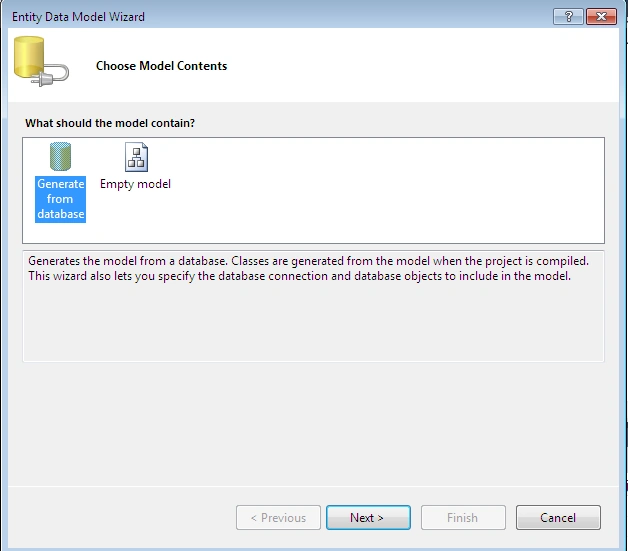
Click next,
where The Screen looks like this, now click on generate from database and click
next.
Next The
Screen looks like this where you need to pass on database name and One Main Important thing here to remember
is DataContextObject Name. The Data Context Name here is: Candidate Entities.
So, the
Complete Screen looks like this:
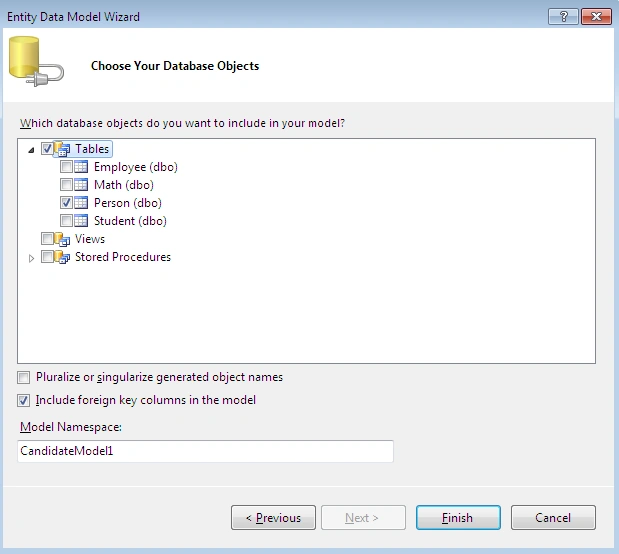
After Clicking Next, Select the table which you want to perform the operation. So the Screen here looks like this:
And Finally
Click Finish, Which will create an ADO.NET-EDM Framework for you
Now, let's
get Started with Actual Fun.
So Let's
Create a New Web Form.
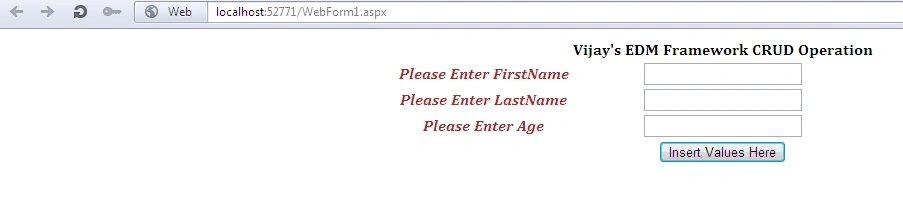
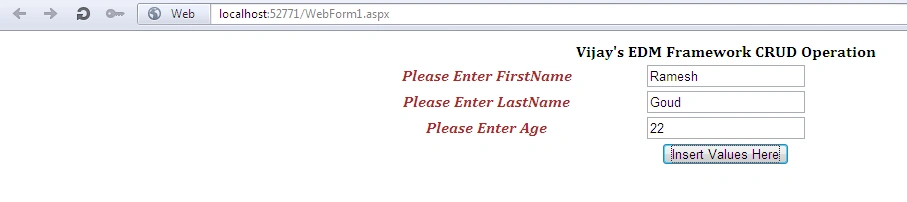
Now, let's perform an insert operation to database. So The
Complete Code of WebForm1.aspx looks like this:
<%@
Page Language="C#"
AutoEventWireup="true"
CodeBehind="WebForm1.aspx.cs"
Inherits="EDM_Application.WebForm1"
%>
<!DOCTYPE
html PUBLIC
"-//W3C//DTD XHTML 1.0 Transitional//EN"
"http://www.w3.org/TR/xhtml1/DTD/xhtml1-transitional.dtd">
<html
xmlns="http://www.w3.org/1999/xhtml">
<head
id="Head1"
runat="server">
<title></title>
<style
type
="text/css">
.div
{
font-family:Cambria;
}
</style>
</head>
<body>
<form
id="form1"
runat="server">
<div
class="div">
<center>
<table>
<tr>
<td>
</td>
<td>
<asp:Label
ID="Label5"
runat="server"
Text="Vijay's EDM
Framework CRUD Operation" Font-Bold="true"></asp:Label>
</td>
</tr>
<tr>
<td>
<asp:Label
ID="Label1"
runat="server"
Text="Please Enter
FirstName" ForeColor="Brown"
Font-Italic="true"
Font-Bold="true"></asp:Label>
</td>
<td>
<asp:TextBox
ID="TextBox1"
runat="server"></asp:TextBox>
</td>
</tr>
<tr>
<td>
<asp:Label
ID="Label2"
runat="server"
Text="Please Enter
LastName" Font-Italic="true"
ForeColor="Brown"
Font-Bold="true"></asp:Label>
</td>
<td>
<asp:TextBox
ID="TextBox2"
runat="server"></asp:TextBox>
</td>
</tr>
<tr>
<td>
<asp:Label
ID="Label3"
runat="server"
Text="Please Enter
Age" Font-Italic="true"
ForeColor="Brown"
Font-Bold="true"></asp:Label>
</td>
<td>
<asp:TextBox
ID="TextBox3"
runat="server"></asp:TextBox>
</td>
</tr>
<tr>
<td></td>
<td>
<asp:Button
ID="Button1"
runat="server"
Text="Insert Values
Here"
onclick="Button1_Click"
/>
</td>
</tr>
</table>
<table>
<tr>
<td>
</td>
<td>
<asp:Label
ID="Label4"
runat="server"
Visible="true"
ForeColor="Brown"></asp:Label>
</td>
</tr>
</table>
</center>
</div>
</form>
</body>
</html>
The Complete Code of WebForm1.aspx.cs looks like this:
using System;
using System.Collections.Generic;
using
System.Linq;
using System.Web;
using
System.Web.UI;
using System.Web.UI.WebControls;
Namespace
EDM_Application
{
public
partial class
WebForm1 : System.Web.UI.Page
{
protected
void Page_Load(object sender, EventArgs e)
{
TextBox1.Focus();
}
protected
void Insert()
{
var
objEntities = new CandidateEntities();
try
{
if(TextBox1.Text==""||
TextBox2.Text==""||TextBox3.Text=="")
{
Label4.Text = "<b>Please Enter Some Values";
Label4.Visible = true;
}
else
{
var objPerson = new Person();
objPerson.FirstName = TextBox1.Text;
objPerson.LastName = TextBox2.Text;
objPerson.Age = Convert.ToInt32(TextBox3.Text);
objEntities.AddToPerson(objPerson);
objEntities.SaveChanges();
TextBox1.Text = "";
TextBox2.Text = "";
TextBox3.Text = "";
Response.Redirect("~/WebForm2.aspx");
}
}
catch (Exception
exception)
{
exception.Message.ToString();
}
}
protected
void Button1_Click(object sender, EventArgs e)
{
Insert();
}
}
}
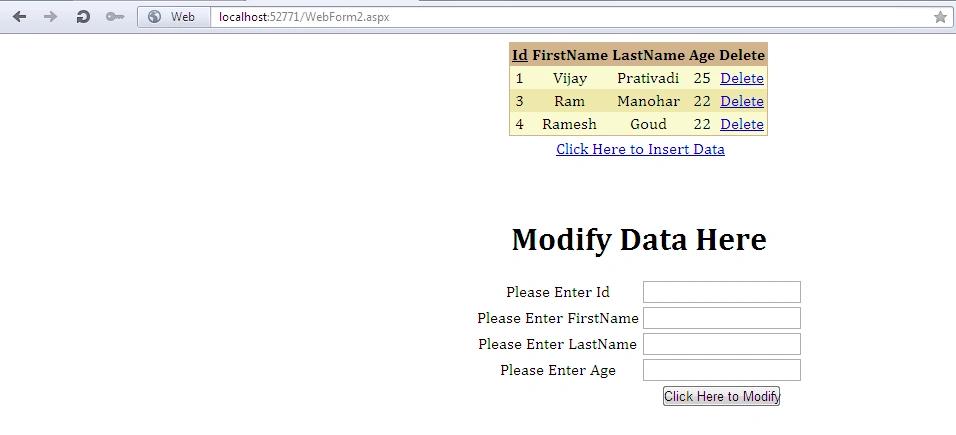
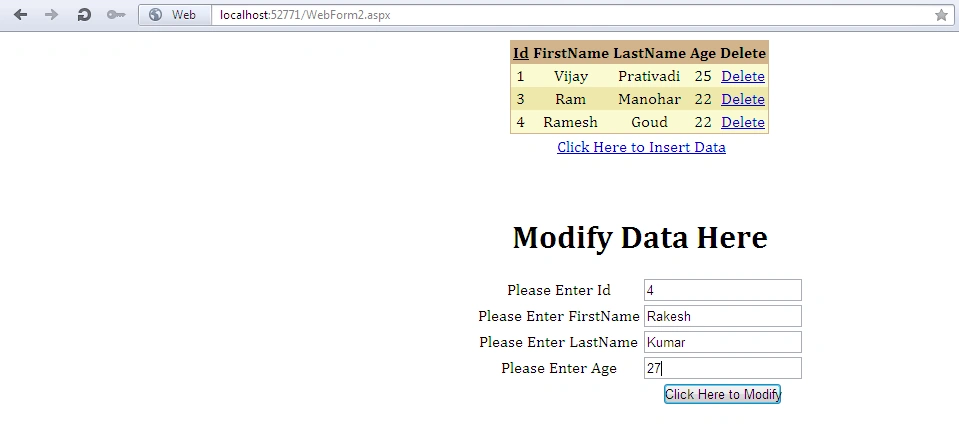
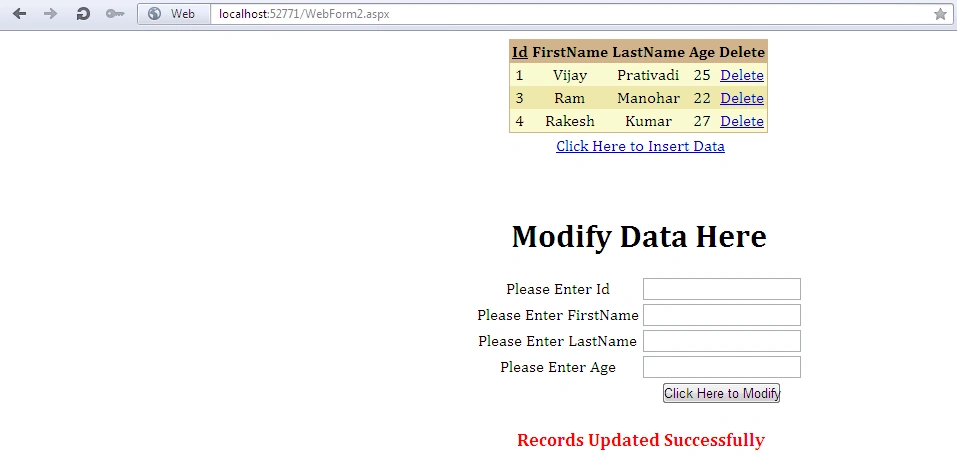
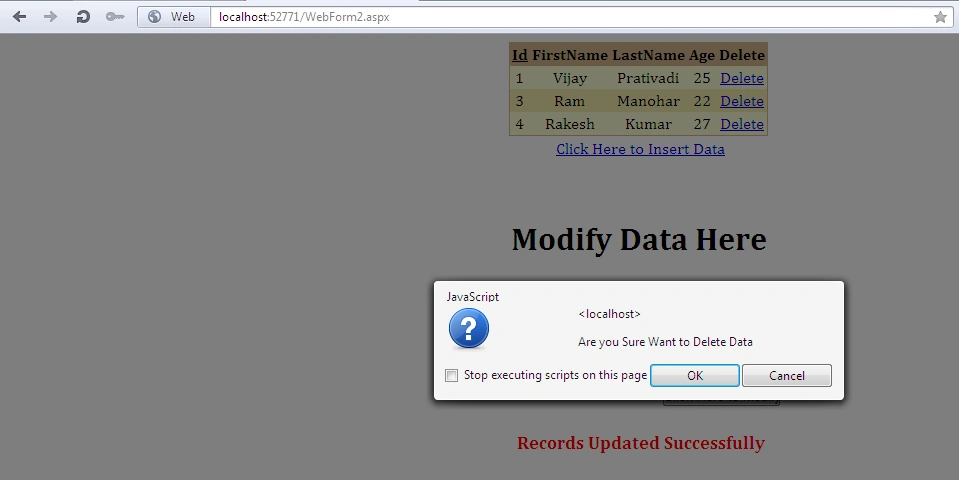
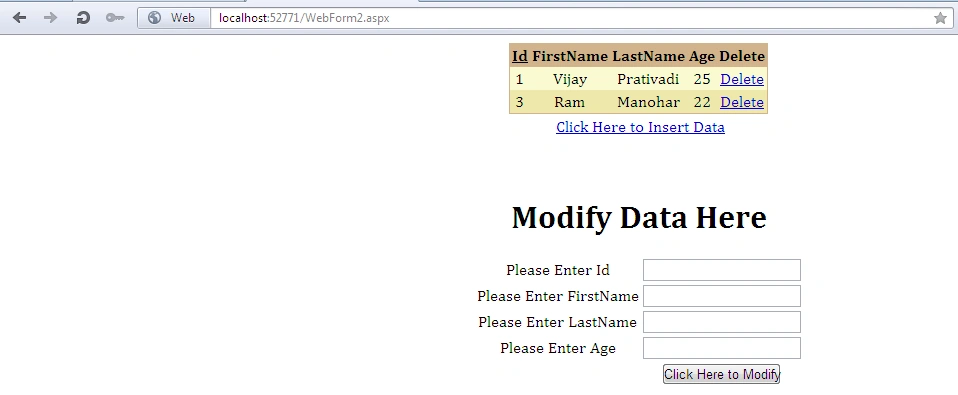
Now, after user is inserted values, let's create a new web form again where the page needs to be redirected after insertion. So, here we are going to perform deletion, retrieval and modification operations.
So
the Complete Code of WebForm2.aspx looks like this:
<%@
Page Language="C#"
AutoEventWireup="true"
CodeBehind="WebForm2.aspx.cs"
Inherits="EDM_Application.WebForm2"
%>
<!DOCTYPE
html PUBLIC
"-//W3C//DTD XHTML 1.0 Transitional//EN"
"http://www.w3.org/TR/xhtml1/DTD/xhtml1-transitional.dtd">
<html
xmlns="http://www.w3.org/1999/xhtml">
<head
id="Head1"
runat="server">
<title></title>
<style
type="text/css">
.div
{
font-family:
Cambria;
}
</style>
</head>
<body>
<form
id="form1"
runat="server">
<div
class="div">
<center>
<asp:GridView
ID="GridView1"
runat="server"
BackColor="LightGoldenrodYellow"
AutoGenerateColumns="False"
Monika AroraPosted Jan 10, 2012, 11:32 PM
Hi Vijay. You have presented your article very nicely. Everything is clearly understood.
Alec StewartPosted Jan 10, 2012, 12:11 PM
Thoroughly explained..really very easy to understand
Arjun PanwarPosted Jan 10, 2012, 10:53 AM
Thanks for Sharing