

Steps for enabling archival policies in Form library
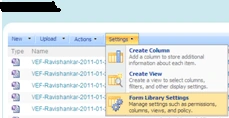
- Open the form library, Go to Settings-> Form Library Settings
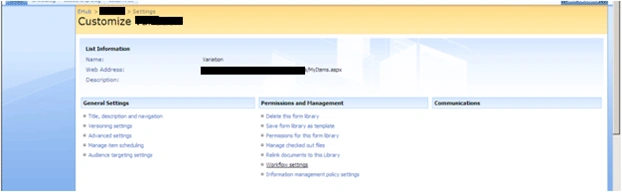
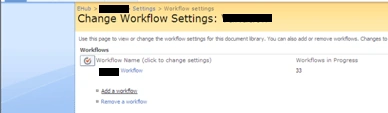
- Click on Workflow settings->Add workflow
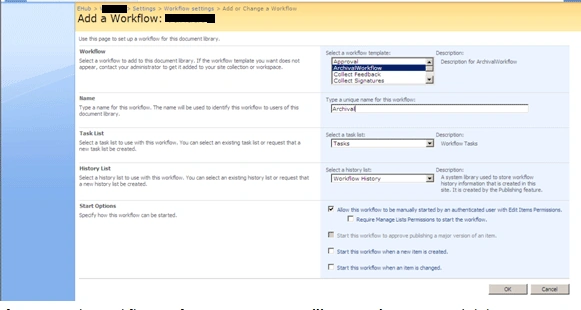
- Add a Workflow in the form library by selecting the
"ArchivalWorkflow" from the workflow listbox. Give some name e.g.
"Archival" and make it workflow start manually.
- After setting the workflow configuration, go to Form library
settings again and click on Information management policies setting
under Permissions and Management section.
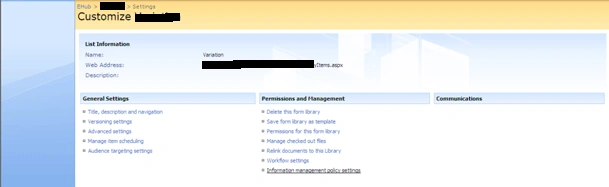
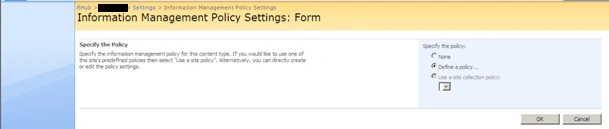
Click on Define policy
Click on checkbox Enable expiration . Select the field (e.g. Created) and time period(e.g. 3 Months).Select the action "Start workflow" and set the "Archival workflow".
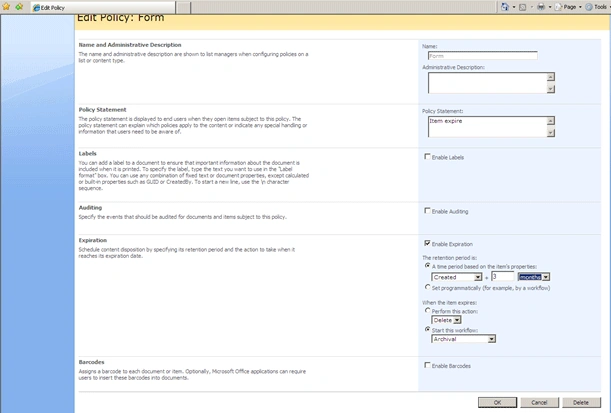
- Done with the settings, now archival policy is ready.
Join the conversation! Your thoughts help the community grow.