


Introduction
The Content Editor Web Part (CEWP) is a versatile tool in SharePoint that allows users to add and customize HTML, CSS, and JavaScript content on SharePoint pages. However, users may sometimes find that the CEWP option is missing from their SharePoint site. This article provides a comprehensive article to troubleshoot this issue and enable the CEWP option so you can leverage its powerful customization features.
Steps to Get the Content Editor Web part option
1. Log in to SharePoint
- Open your web browser and navigate to your SharePoint site.
- Enter your credentials to log in.
2. Access Site Settings
- Click on the gear icon (Settings) in the top right corner of the SharePoint site.
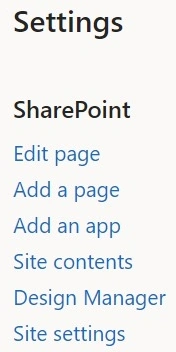
- Select Site Settings from the dropdown menu.
3. Enable SharePoint Server publishing infrastructure
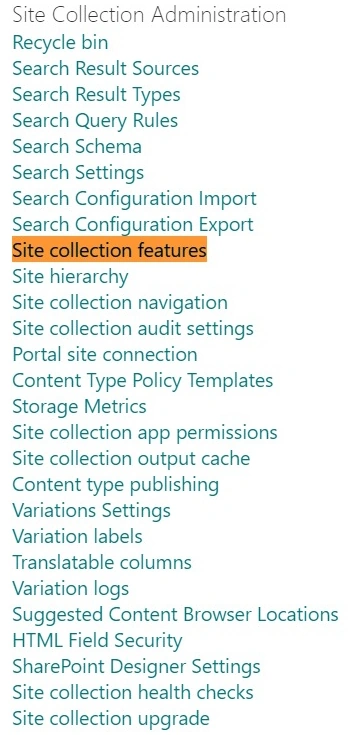
- Under the Site Collection Administration section, click on Site Collection features.

- Search for SharePoint Server Publishing Infrastructure in the list of features.
- Click the Activate button next to this feature. This may take a few seconds to a minute to complete.
4. Enable SharePoint Server Publishing
- After activation, return to Site Settings.
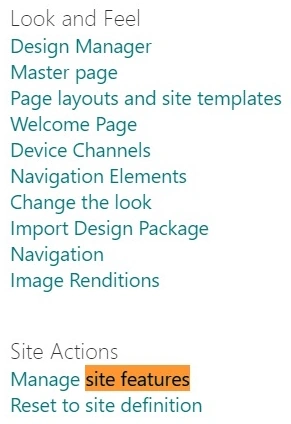
- Under the Site Actions section, click on Manage site features.

- Search for SharePoint Server Publishing in the list of features.
- Click the Activate button next to this feature. This may also take a few seconds to a minute.
5. Enable Custom Script
- To enable a custom script, navigate to the SharePoint Admin Center.
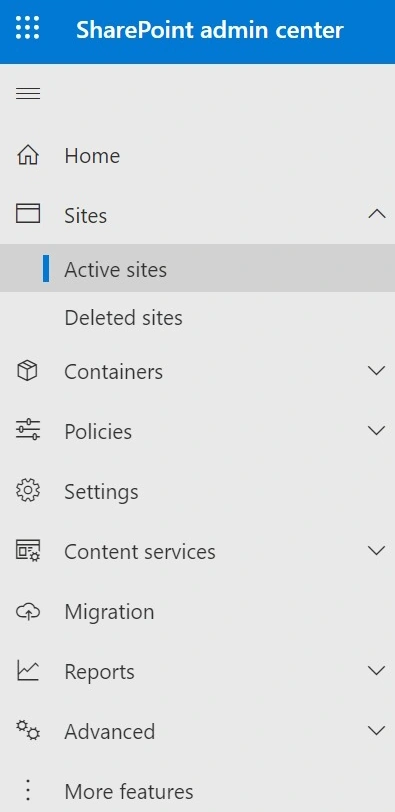
- Click on Active Sites in the left-hand menu.
- Select your site by checking the checkbox next to it.
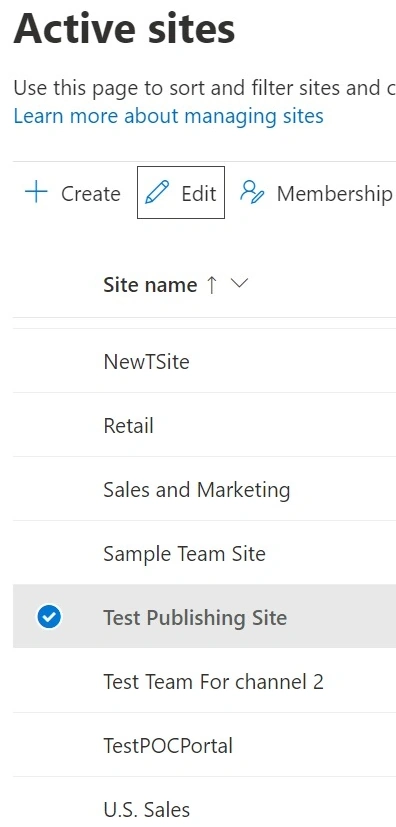
- Click on the Edit button to modify settings.
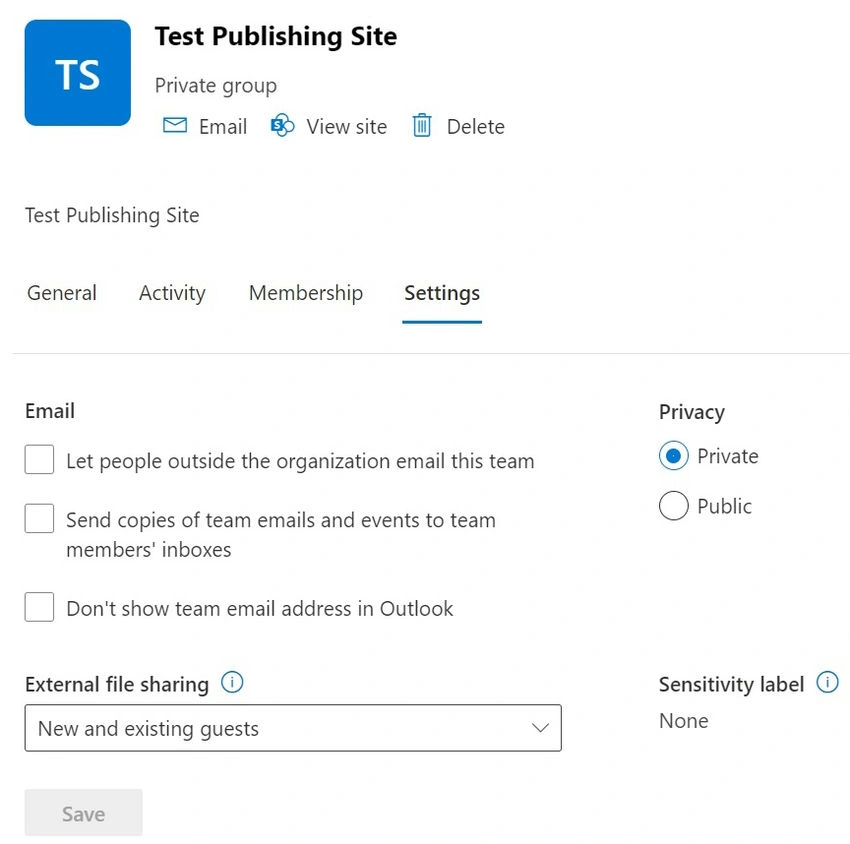
- Go to the Settings tab.
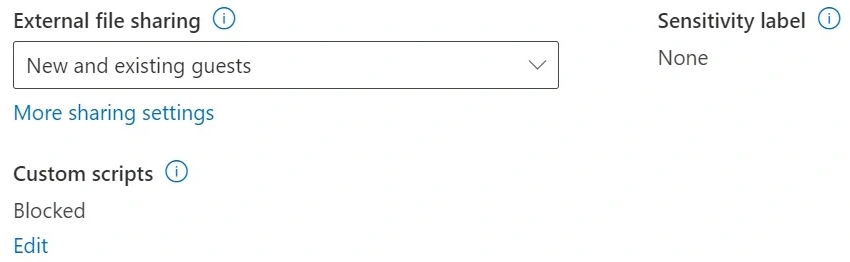
- Under Custom Script, click Edit and select Allow.
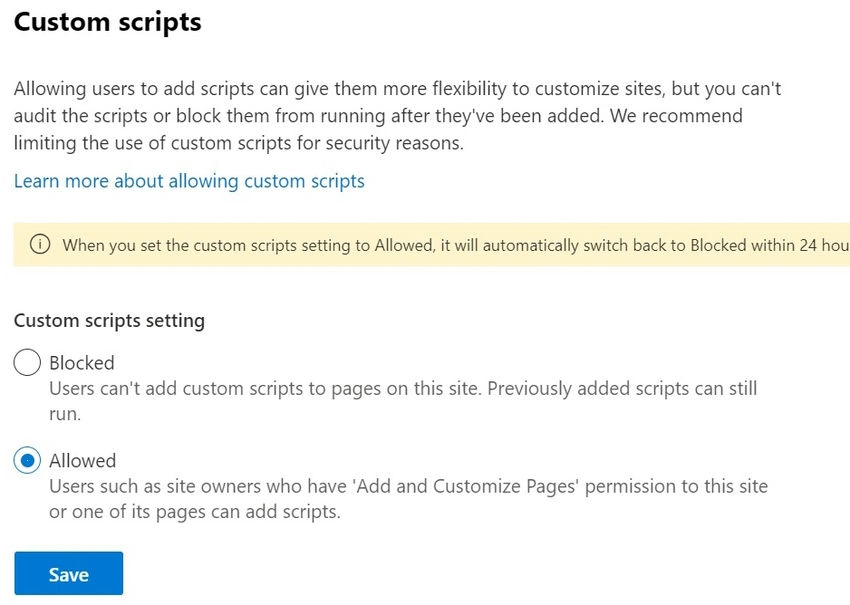
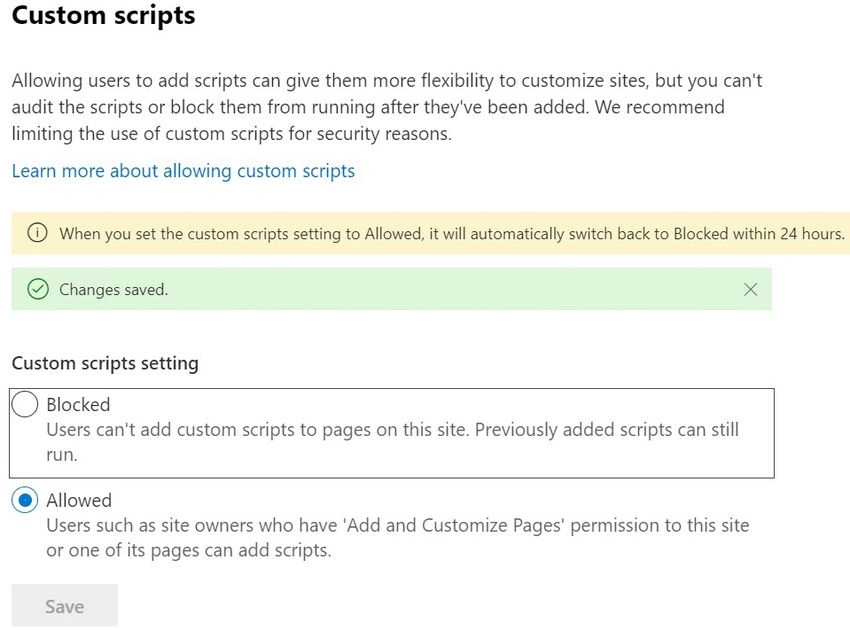
- Save your changes.
6. Validate and Check
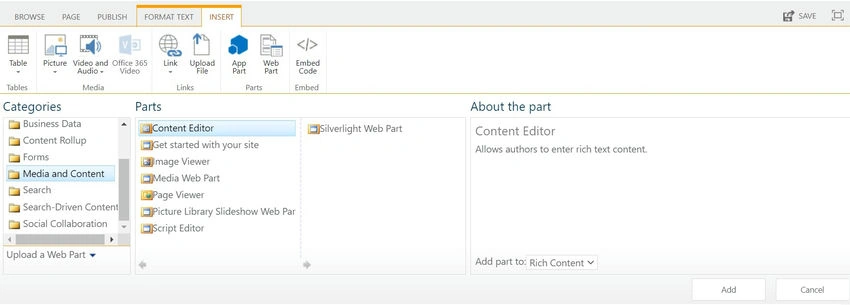
- To confirm that the Content Editor Web Part option is now available, add a new page to your site.
- Edit the page and check for the Content Editor Web Part under Add a Web Part.
- If the CEWP is listed, it means the feature has been successfully enabled.
Conclusion
Enabling the Content Editor Web Part in SharePoint is a straightforward process once you know the steps. By following the instructions to activate the necessary site collection and site features and ensuring that custom scripts are allowed, you can restore access to the CEWP. This powerful tool will then be available for use, allowing you to enhance your SharePoint pages with custom HTML, CSS, and JavaScript.
If you encounter any issues during this process, such as the CEWP still not appearing after following these steps, consider checking your SharePoint version and permissions. Additionally, you might need to clear your browser cache or refresh your SharePoint site. By resolving these issues, you can fully utilize the Content Editor Web Part and customize your SharePoint experience to meet your needs.
Vinay AyinapurapuPosted Oct 11, 2024, 1:45 PM
Nice article. However the CEWP is being discouraged and it only works on classic SPO sites. MSFT is routing towards modern interface. There are better alternatives for CEWP using Markdown, Code-Snippet if custom using SPFx appcustomizers.