

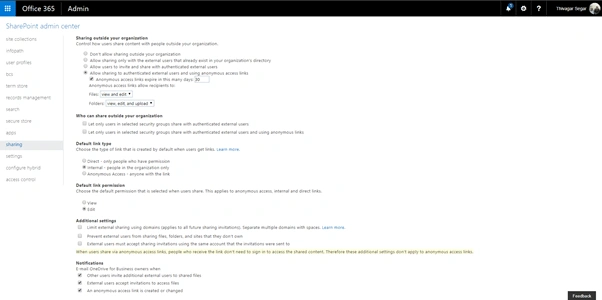
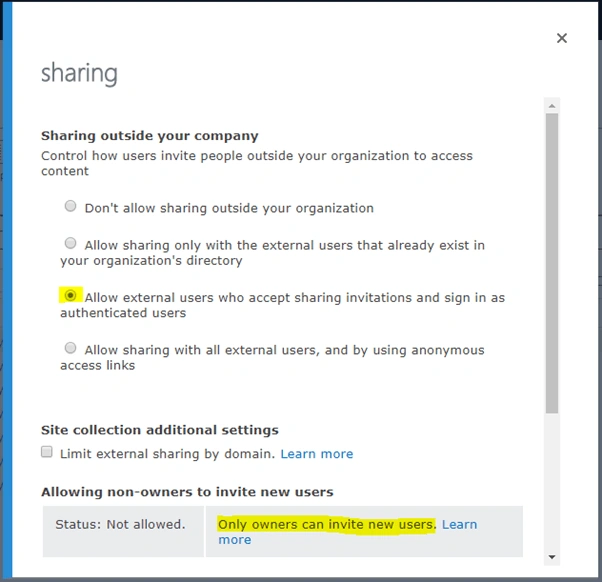
- Don’t allow sharing outside your organization.
- Allow sharing only with the external users that already exist in your organization’s directory.
- Allow external users who accept sharing invitations and sign in as authenticated users.
- Allow sharing with all external users, and by using anonymous access links.
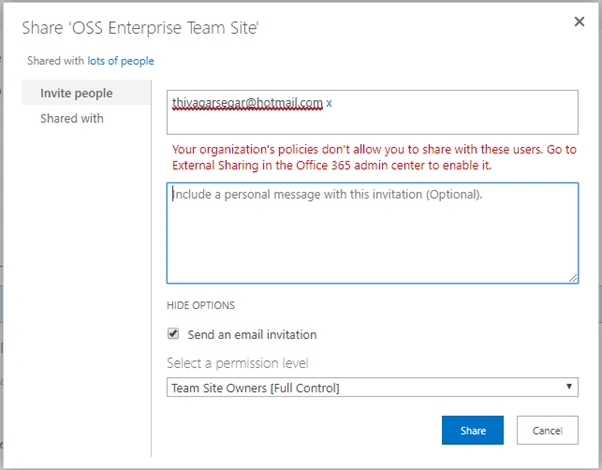
Initially, when the end-user is trying to share some document, folder, or site to the external users, where the external access is not enabled, they will get the error message like below.
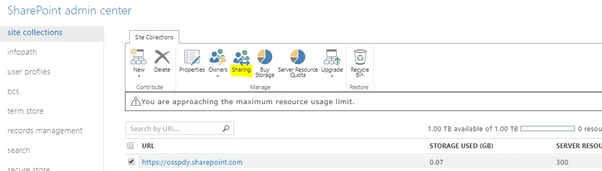
When the user reports this kind of problem, we directly go to SharePoint Admin Center and select the site collection which the user is trying to share to external users, and click the "Sharing" option on the ribbon, like highlighted below.
Then, you will see some options like in the below image and as per your organization policy, you can select one of them and click "OK".
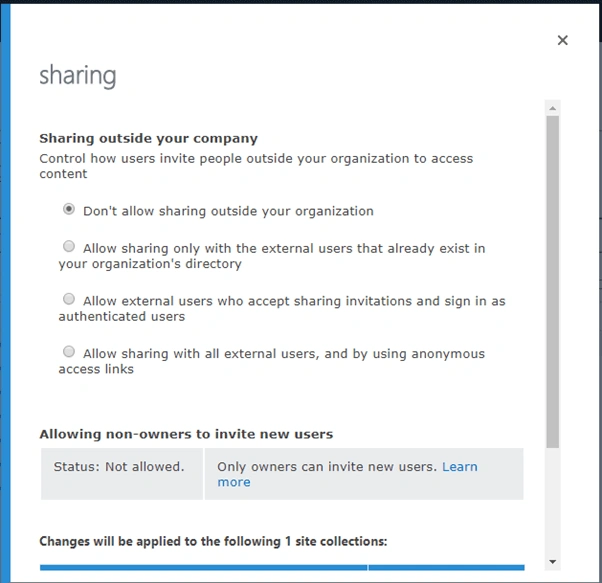
In my scenario, I am selecting the third option “Allow external users who accept sharing invitations and sign in as authenticated users” and the site owners only can invite the external users for better security purpose.

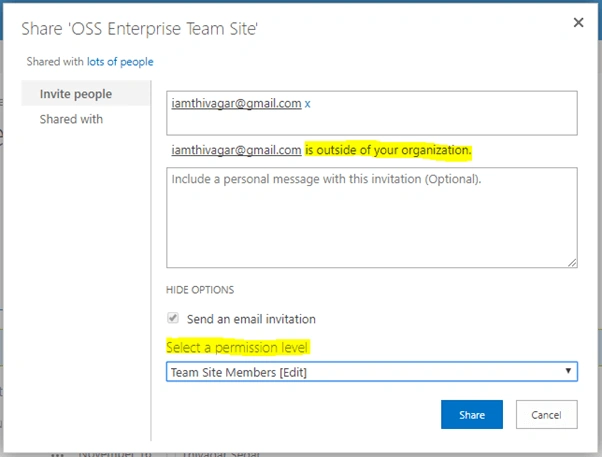
Once you click the "Share" button, the external user will get an e-mail notification, like” <username> wants to share you <Document Name>”
And, we can do this operation via PowerShell also. Find the PowerShell script below.
- // Connect the SharePoint Admin center
- Connect-SPOService -Url https://tenant-admin.sharepoint.com
- // Get the site collect URL
- $siteCollectionURL = “https://tenant.sharepoint.com/sitepages/home.aspx”
- // Set the Sharing facility disable
- Set-SPOSite -Identity $siteCollectionURL -SharingCapability Disabled
- // Set the Sharing facility only authenticated users
- Set-SPOSite -Identity $siteCollectionURL -SharingCapability ExternalUserSharingOnly
- // (Optional) – this will set only site owners can invite the external users
- Set-SPOSite -Identity $siteCollectionURL -DisableSharingForNonOwners
- // Set sharing facility as anonymous access
- Set-SPOSite -Identity $siteCollectionURL -SharingCapability ExternalUserAndGuestSharing
Eric J.Posted Nov 12, 2020, 7:31 AM
Is it possible to do this through Power Automate/REST API? I am using Power Automate to create sites, but they are being created with more restrictive sharing settings than my global settings.
Former memberPosted Mar 9, 2019, 7:32 PM
This is an awesome article. I am wondering if you could show me how to un-expire an expired anonymous link. We have several anonymous links that have expired and we would like to be able to flip them back to active. Any assistance is greatly appreciated.