

Introduction
In this article, we will learn how to use the symmetric key for encrypting and decrypting data in C#.
symmetric key in C#
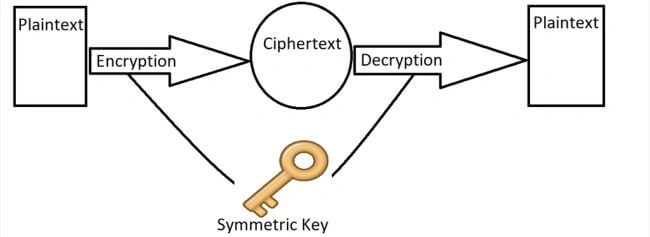
The symmetric key is a string used to encrypt the data, and with the exact string, we can decrypt the data, which means a single string is required for encryption and decryption.
We will see the sample code in the console application, so let's start.
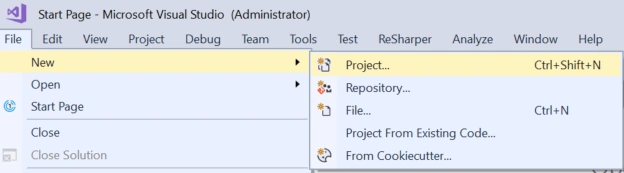
Open Visual Studio and click on File -> New -> Project, as shown in the below image.
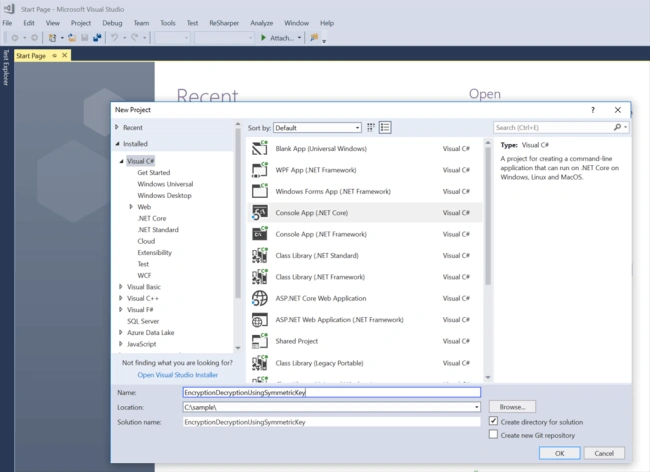
Choose Console App (.NET Core) Visual C# and enter the project name, such as - "EncryptionDecryptionUsingSymmetricKey."
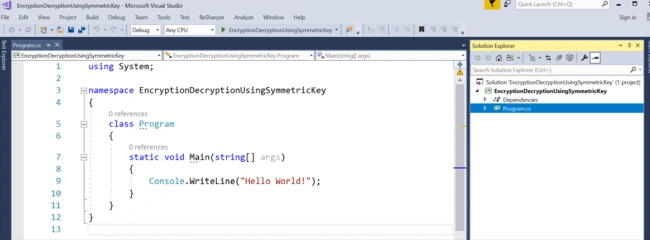
Now, we will get a Program class as per the below image.
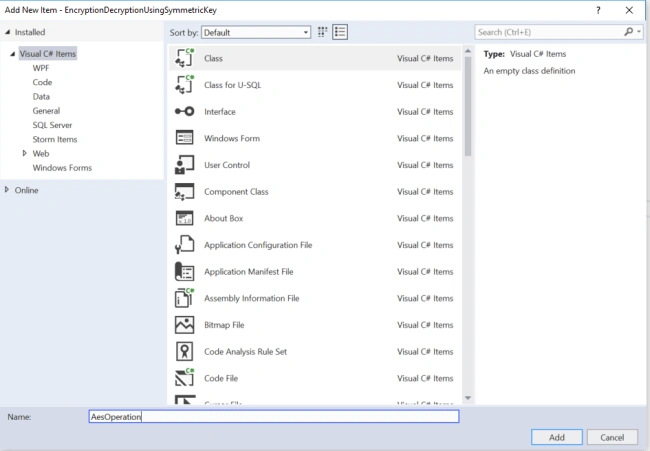
Right-click on Project and click Class -> Add.

Give the class name "AesOperation," as in the below image.
Now, write the following code into this file.
using System;
using System.IO;
using System.Security.Cryptography;
using System.Text;

namespace EncryptionDecryptionUsingSymmetricKey
{
    public class AesOperation
    {
        public static string EncryptString(string key, string plainText)
        {
            byte[] iv = new byte[16];
            byte[] array;

            using (Aes aes = Aes.Create())
            {
                aes.Key = Encoding.UTF8.GetBytes(key);
                aes.IV = iv;

                ICryptoTransform encryptor = aes.CreateEncryptor(aes.Key, aes.IV);

                using (MemoryStream memoryStream = new MemoryStream())
                {
                    using (CryptoStream cryptoStream = new CryptoStream((Stream)memoryStream, encryptor, CryptoStreamMode.Write))
                    {
                        using (StreamWriter streamWriter = new StreamWriter((Stream)cryptoStream))
                        {
                            streamWriter.Write(plainText);
                        }

                        array = memoryStream.ToArray();
                    }
                }
            }

            return Convert.ToBase64String(array);
        }

        public static string DecryptString(string key, string cipherText)
        {
            byte[] iv = new byte[16];
            byte[] buffer = Convert.FromBase64String(cipherText);

            using (Aes aes = Aes.Create())
            {
                aes.Key = Encoding.UTF8.GetBytes(key);
                aes.IV = iv;
                ICryptoTransform decryptor = aes.CreateDecryptor(aes.Key, aes.IV);

                using (MemoryStream memoryStream = new MemoryStream(buffer))
                {
                    using (CryptoStream cryptoStream = new CryptoStream((Stream)memoryStream, decryptor, CryptoStreamMode.Read))
                    {
                        using (StreamReader streamReader = new StreamReader((Stream)cryptoStream))
                        {
                            return streamReader.ReadToEnd();
                        }
                    }
                }
            }
        }
    }
}
In the above code, we used a predefined Aes class in System.Security.Cryptography namespace that uses the same key for encryption and decryption. AES algorithm supports 128, 198, and 256-bit encryption.
We can also see in the above code that we used an initialization vector (IV) which is 16 bytes, the algorithm's block size. IV is optional.
Now, we will write the following code in the Main method inside the Program.cs file.
using System;

namespace EncryptionDecryptionUsingSymmetricKey
{
    class Program
    {
        static void Main(string[] args)
        {
            var key = "b14ca5898a4e4133bbce2ea2315a1916";

            //Console.WriteLine("Please enter a secret key for the symmetric algorithm.");
            //var key = Console.ReadLine();

            Console.WriteLine("Please enter a string for encryption");
            var str = Console.ReadLine();
            var encryptedString = AesOperation.EncryptString(key, str);
            Console.WriteLine($"encrypted string = {encryptedString}");

            var decryptedString = AesOperation.DecryptString(key, encryptedString);
            Console.WriteLine($"decrypted string = {decryptedString}");

            Console.ReadKey();
        }
    }
}
In the given code, we are using a hardcoded value as a key, but in real-time, we can get a key at runtime, and also, we can also use the optional initialization vector (IV) as per the complexity we need.
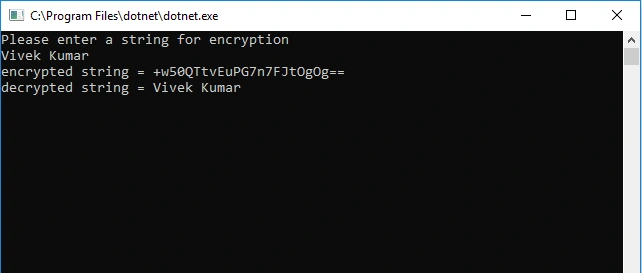
It is time to run the above code and see the output.
Conclusion
In this article, we learned how to use a symmetric key for encryption and decryption in C#. As per our requirement, we can also use different methods present inside the Aes Class.
If you have any suggestions or questions, please mention them in the comments section.
Cody TappingPosted Feb 19, 2023, 5:53 PM
This works perfectly for encrypting hiding sensitive MySQL connection strings, and remotely obtaining the public key from server in order to decrypt and resume normal operations! Thank you so much. Working very well.
Vivek DeshmukhPosted Jan 26, 2023, 2:39 AM
Hi Vivek, Getting error as "'Invalid length for a Base-64 char array or string.'". Tried to encode "PEDEMO" and it generated encrypted string as: KSPfZNe pgefnAyhSde/Cg== . Any Clue what could be wrong in this?
Dontthinkonce DontthinkoncePosted Oct 17, 2021, 9:33 PM
How do you generate the var key value b14ca5898a4e4133bbce2ea2315a1916 ?
Farrukh LiaqatPosted Jan 4, 2021, 2:42 PM
Love you bhai you made my day thanks
shlomo weinbergPosted Dec 15, 2020, 1:42 PM
Thank you. It is very clear. You saved me a few days of R&D.
Dhanesh KumarPosted Oct 27, 2020, 1:37 AM
Please Suggest me , How to Generate " var key = "b14ca5898a4e4133bbce2ea2315a1916"; "?
Tim RobinsonPosted Jun 4, 2020, 11:44 AM
It looks like you are not initializing the IV, so your IV will always be zeroes. this is not very secure and not how AES was intended to be use
ashish agrawalPosted Oct 28, 2019, 11:55 AM
Aes.Mode = CipherMode.ECB; aes.KeySize = 128; aes.BlockSize = 128; aes.FeedbackSize = 128; aes.Padding = PaddingMode.None; aes.Key = Encoding.UTF8.GetBytes(key); aes.IV = iv;
ashish agrawalPosted Oct 28, 2019, 11:55 AM
Used various aes modes to get the desired output :
ashish agrawalPosted Oct 28, 2019, 11:55 AM
Use various modes to decrypt the data :
sunil kumarPosted Jun 11, 2019, 4:18 AM
The input data is not a complete block
Sanjit Kumar SinghPosted Apr 2, 2019, 8:19 AM
Awesome Post @Vivek
Subin ThomasPosted Mar 11, 2019, 6:45 AM
Nice info was working on this few days back