

This article shows how to show images in a data list from a directory and on the click of an image how to enlarge that image using JQuery.
The following is my aspx code:
- <%@ Page Language="C#" AutoEventWireup="true" CodeBehind="Default.aspx.cs" Inherits="EnlargeImageOnClick.Default" %>
- <!DOCTYPE html>
- <html xmlns="http://www.w3.org/1999/xhtml">
- <head runat="server">
- <title>jQuery: Enlarge an Image</title>
- <link href="StyleSheet.css" rel="stylesheet" />
- <script type="text/javascript" src="http://ajax.googleapis.com/ajax/libs/jquery/1.8.3/jquery.min.js"></script>
- <style type="text/css">
- .imgthumb {
- height: 100px;
- width: 100px;
- }
- .imgdiv {
- background-color: White;
- margin-left: auto;
- margin-right: auto;
- padding: 10px;
- border: solid 1px #c6cfe1;
- height: 500px;
- width: 450px;
- }
- </style>
- <script type="text/javascript">
- $(function () {
- $("img.imgthumb").click(function (e) {
- var enlargeImage = '<img src=Images/' + $(this).attr("alt") + '></img>';
- $('#divImgEnlarge')
- .html($(enlargeImage)
- .animate({ height: '300', width: '450' }, 1500));
- });
- });
- </script>
- </head>
- <body>
- <form id="form1" runat="server">
- <table cellpadding="1" cellspacing="1" width="880px" align="center" class="BlueBorder"
- style="background: White;">
- <tr>
- <td style="height: 50px; background-color: skyblue; padding-left: 10px;">
- <span style="font-size: 20pt; font-weight: bold; color: blue;">jQuery: Image Enlarge On Image Click</span>
- </td>
- </tr>
- <tr>
- <td>
- <asp:DataList ID="dListImages" runat="server" RepeatColumns="8">
- <ItemTemplate>
- <table border="1">
- <tr>
- <td>
- <img alt='<%#Eval("Text") %>' src='<%#Eval("Value") %>' class="imgthumb" /></td>
- </tr>
- </table>
- </ItemTemplate>
- </asp:DataList>
- </td>
- </tr>
- <tr>
- <td style="text-align: center; vertical-align: central; border: solid 2px red;">
- <div id="divImgEnlarge"></div>
- </td>
- </tr>
- </table>
- </form>
- </body>
- </html>
- using System;
- using System.Collections.Generic;
- using System.IO;
- using System.Linq;
- using System.Web;
- using System.Web.UI;
- using System.Web.UI.WebControls;
- namespace EnlargeImageOnClick
- {
- public partial class Default : System.Web.UI.Page
- {
- protected void Page_Load(object sender, EventArgs e)
- {
- if (!IsPostBack)
- {
- BindImages();
- }
- }
- public void BindImages()
- {
- string[] filePaths = Directory.GetFiles(Server.MapPath("~/Images/"));
- List<ListItem> files = new List<ListItem>();
- foreach (string filePath in filePaths)
- {
- files.Add(new ListItem(Path.GetFileName(filePath), filePath));
- }
- dListImages.DataSource = files;
- dListImages.DataBind();
- }
- }
- }
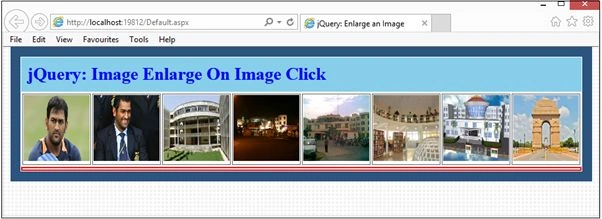
Image 1.
Click on an image.
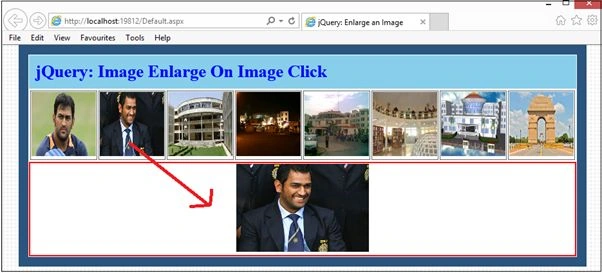
Image 2.

Image 3.

Image 4.

Image 5.
Mahesh ChandPosted Feb 2, 2015, 1:32 PM
Nice. Does is maintain aspect ratio? I see many developers don't focus on aspect ratio and images look stretched.