

In this article we can learn how to configure SharePoint 2013 Search. In SharePoint 2013 the two search engines "SharePoint Search" and "FAST Search Server for SharePoint" was combined into one Search Engine. Much of the search enhancement is due to Analytics moving into search. This will make an Analytics Processing Component in SharePoint Server 2013 run various analytics jobs to analyze content in the search index and user actions that were performed on a site to identify items that users perceive as more relevant than others.
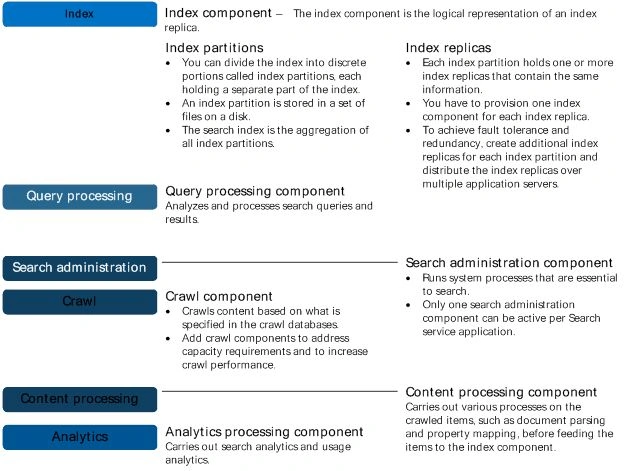
Search components
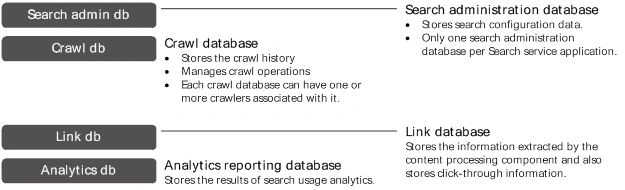
Search databases
Crawl component
The crawl component crawls the content sources. You can crawl a wide variety of content sources, for example file shares, SharePoint content, line of business applications and many more. To retrieve information, the crawl component connects to the content sources by invoking the appropriate indexing connector or protocol handler. After retrieving the content, the crawl component passes crawled items to the content processing component.
Content processing component
The content processing component processes crawled items and sends these items to the index component. The content processing component performs operations such as document parsing and property mapping. It also performs linguistics processing such as language detection and entity extraction. The component transforms crawled items into artifacts that are included in the search index. The content processing component also writes information about links and URLs to the link database. In turn, the analytics processing component writes information related to the relevance of these links and URLs to the search index through the content processing component.
Analytics processing component
The analytics processing component analyzes crawled items, which is referred to as search analytics, and how users interact with search, which is referred to as usage analytics. Examples of search analytics are links, anchor texts and metadata. An example of usage analytics is the number of times an item is viewed. The analytics processing component analyzes search analytics and usage analytics. Search analytics information is stored in the link database and usage analytics information in the analytics reporting database.
Index component
The index component is the logical representation of an index replica. In the search topology, you have to provision one index component for each index replica. The index component receives processed items from the content processing component and writes those items to an index file. Index files are stored on a disk in an index replica. The index component receives queries from the query processing component and returns result sets. You can divide the search index into discrete portions, called index partitions. Each index partition holds one or more index replicas. The search index is the aggregation of all index partitions.
Query processing component
The query component analyzes and processes queries and results. When the query processing component receives a query, it analyzes and processes the query to optimize precision, recall and relevance. The processed query is submitted to the index component. The index component returns a result set based on the processed query to the query processing component, which in turn processes that result set, before returning it to the front-end.
Search administration component
The search administration component runs the system processes for search. This component performs provisioning, which is to add and initialize instances of the other search components.
Crawl database
The crawl database stores tracking information and details about crawled items. For example, it stores information about the last crawl time, the last crawl ID and the type of update during the last crawl.
Link database
The link database stores information extracted by the content processing component. It also stores information about the number of times people have clicked on a search result. The information is stored unprocessed; the analytics processing component performs the analysis.
Analytics reporting database
The analytics reporting database stores the results of usage analytics and extracts information from the link database when it is required.
Search administration database
The search administration database stores search configuration data and the access control list (ACL) for the crawl component. There can be only one search administration database per search service application.
Configure a Search service application in SharePoint Server 2013
In this session, we have to follow the following main tasks:
- Create accounts - certain domain user accounts are required specifically for a Search service application.
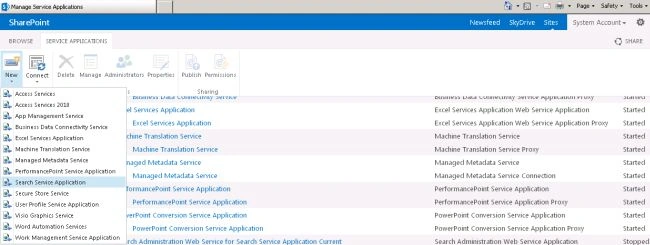
- Create a Search service application - A Search service application provides enterprise search features and functionality.
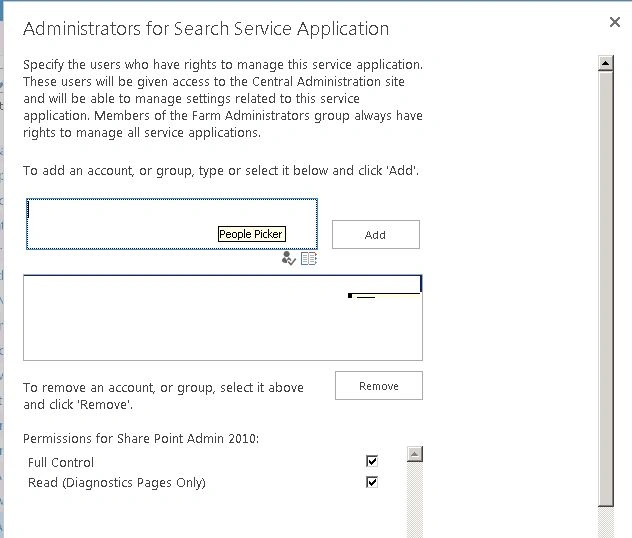
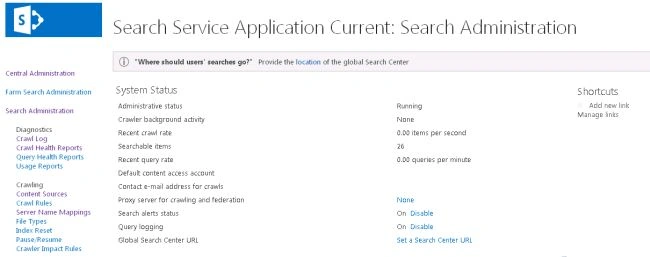
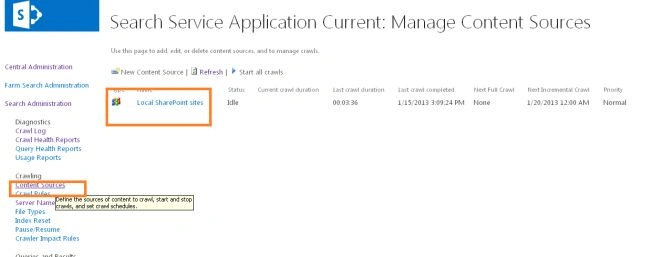
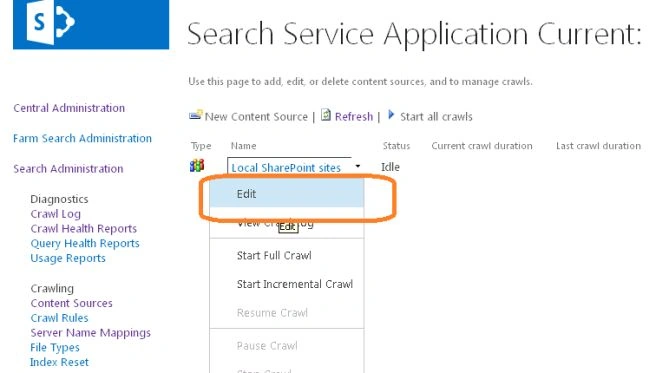
- Configure the Search service application - Basic configuration of a Search service application includes configuring a default content access account, an email contact, and content sources.
- Configure the Search service application topology - you can deploy search components on various servers in the farm. You can also specify which instance of SQL Server is used to host the search-related databases.
Create accounts that are required for a SharePoint Search service application
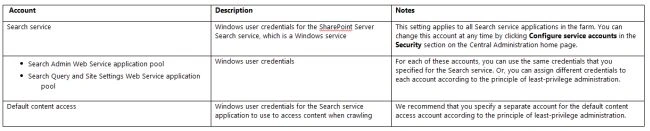
The following table lists the accounts that are required when a Search service application is created.
To register a managed account
Use the following procedure to register a managed account:
- On the "Central Administration" home page, in the "Quick Launch", click "Security".
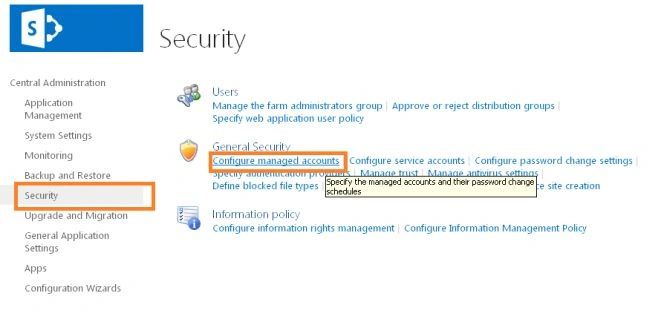
- On the Security page, in the "General Security" section, click "Configure managed accounts".
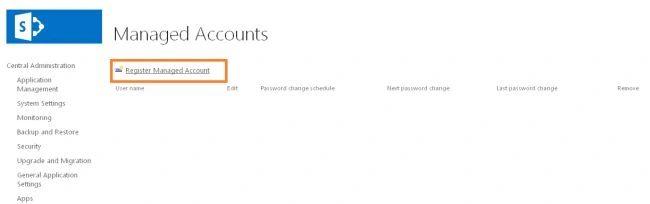
- On the "Managed Accounts" page, click "Register Managed Account".
- On the "Register Managed Account" page, in the "Account Registration" section, type the user name and password that you want to use as credentials for the service account.
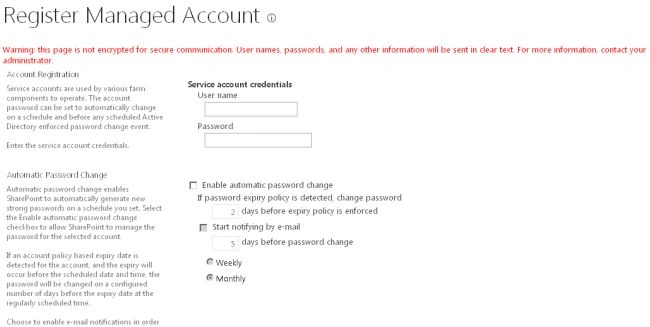
- If you want SharePoint Server 2013 to manage password changes for this account, select the "Enable automatic password change" check box and configure the parameters for automatic password change.
- Click OK.
Create a SharePoint Search service application
Each Search service application has a separate content index. You can create multiple Search service applications if you want to have various content indexes for various sets of content. For example, if you want to segregate sensitive content (such as employee benefits information) into a separate content index, you can create a separate Search service application to correspond to that set of content.
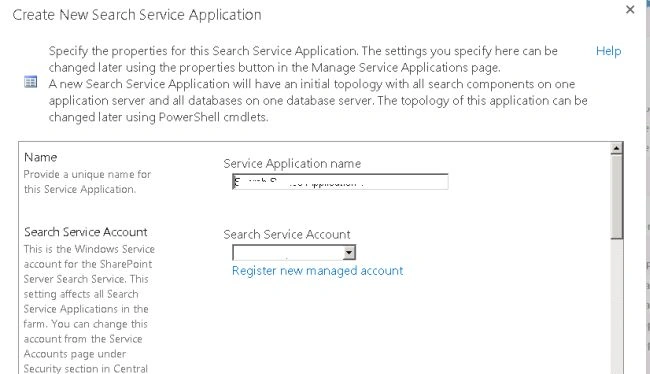
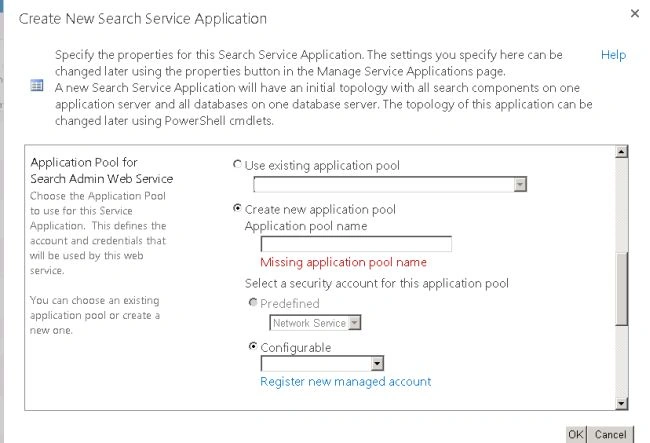
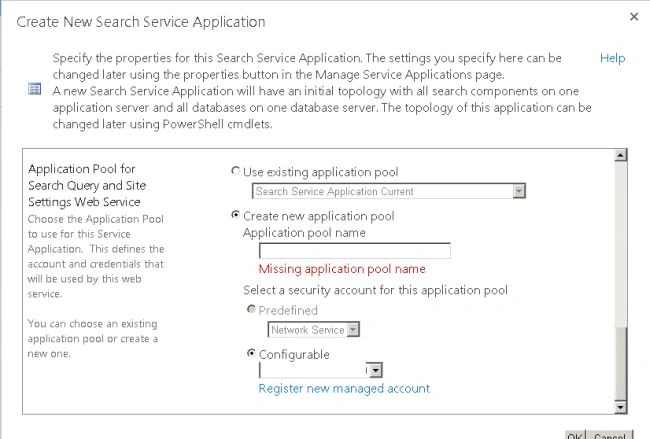
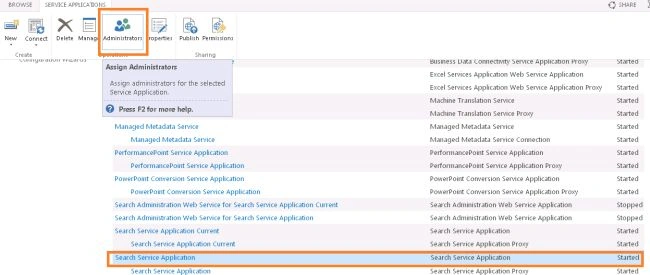
How to create a Search Service application
Use the following procedure to create a Search Service application:
-
Verify that the user account that is performing this procedure is a member of the Farm Administrators group for the farm for which you want to create the service application.
-
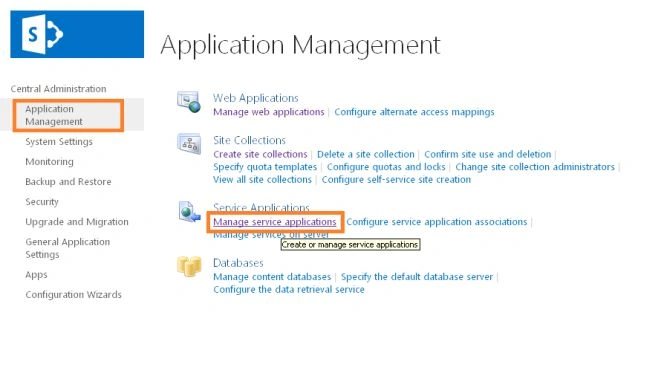
On the "Central Administration" home page, in the "Application Management" section, click "Manage service applications".
Pavan KalyanPosted Oct 30, 2018, 12:14 PM
Very Good Article. Everything covered. I referred this while creating the search service in our environment. Thank you very much.
Akash KumharPosted Sep 5, 2018, 10:47 PM
Great Article Sir..
siva prasadPosted Feb 14, 2016, 11:32 AM
nice article ...Thanks for posting like this :)
Kiran ViradiyaPosted Sep 10, 2015, 7:52 AM
Thanks. Nice Article.
Gowtham RajamanickamPosted Jul 2, 2015, 4:53 AM
good one...
Ranganayaki sPosted Jul 21, 2014, 10:39 AM
thank you very much
Destin JoyPosted Jan 21, 2013, 10:37 AM
Thank you Venkatesh:)
Venkatesh KumarPosted Jan 17, 2013, 9:36 AM
Thanks for detailed Post Destin Sir...