

The serialization and deserialization process is one of the techniques we use most often when working with data in XML, JSON, etc., formats, which are external technologies on the .NET platform. In this article, we will talk about the essentials of serialization and binary serialization. We will have a separate article for each type of serialization.
PS: You can download the codes from here.
What is the process of Serialization and Deserialization?
The serialization process is the process of converting the MOVCUD object into another technological unit (XML, JSON, binary, etc.).
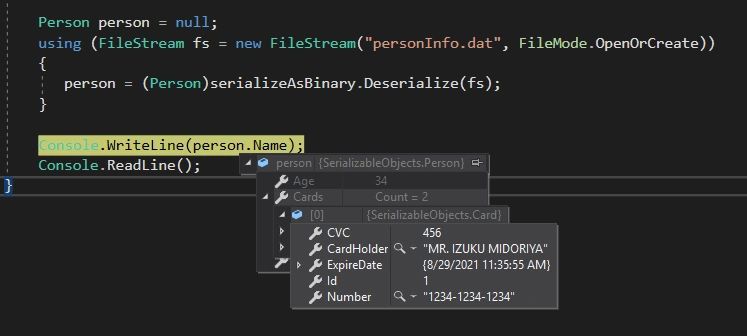
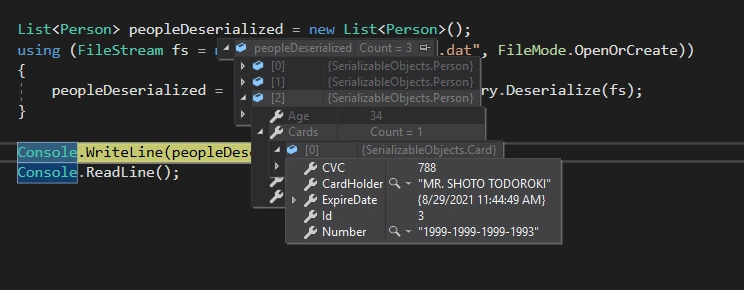
Deserialization is the process of converting information stored in that technological unit back into a .NET object.
When is serialization used?
The serialization process is most often used to transfer or store data contained in objects on the .NET platform, transforming them into another technological unit. Example: If we have any object and we need to save the data in this object in XML format or convert it to XML or JSON and send it through the service, then we serialize that object.
Serialization is not conversion!
The serialization process is usually similar to the conversion process. Suppose the conversion is simply the name used to convert from one type to another within the .NET ecosystem. In that case, serialization goes further and is the process of converting to a technological entity that exists independently outside the .NET platform.
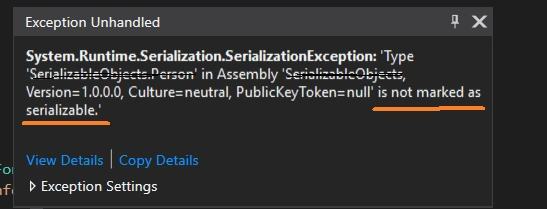
For the object to be serializable, it is necessary to specify the class with the Serializable attribute. If we do not specify this attribute during serialization, we encounter the following problem.
If we do not want any member of the class to be serialized, then we mark that member with the NonSerializable attribute. This attribute is not valid for properties! That member must be a field at serialization time.

Since the attribute cannot be passed to the child class at the derivation time, the deriving class must also be marked with the Serializable attribute.
There are 4 basic forms of serialization in the .NET platform:
- Binary serialization
- XML serialization
- JSON serialization
- SOAP serialization
Binary serialization
If you need to serialize and store any object in binary format or send it from one computer to another with RPC, then you need to serialize that object.
It is possible to serialize the given information in binary format through the BinaryFormatter class located inside the Mscorlib assembly. For this, you need to add the System.Runtime.Serialization.Formatters.Binary namespace.
Note that the IFormatter interface designed for Binary and SOAP serialization has the following functionality.
public interface IFormatter {
    SerializationBinder Binder {
        get;
        set;
    }
    StreamingContext Context {
        get;
        set;
    }
    ISurrogateSelector SurrogateSelector {
        get;
        set;
    }
    object Deserialize(Stream serializationStream);
    void Serialize(Stream serializationStream, object graph);
}
We will use the FileStream class in the System.IO namespace to serialize the given object because the serializable object is written to the file system. If you don't want to write the Object to the hard disk, but to store it in the RAM or transfer it over the network, then you can use other Stream options.
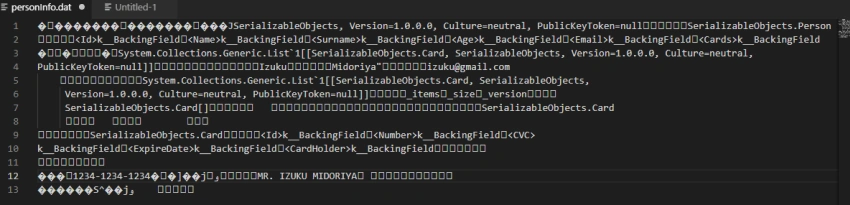
To serialize the object, we use the Serialize() method of the BinaryFormatter class. This method basically takes 2 arguments. In one of the arguments, we indicate the Stream object, exactly where we want to write the object. In the second argument, we indicate which object to serialize.
Join the conversation! Your thoughts help the community grow.