

Introduction
Once a machine learning model is trained, the next crucial step is evaluating its performance and scoring new data. In Azure Machine Learning (Azure ML), model scoring is the process of applying a trained model to unseen data to generate predictions. This step is critical in determining how well the model generalizes and provides insights for real-world applications.
Scoring a model in Azure ML can be done in multiple ways, including batch inference for large datasets and real-time scoring via endpoints. This guide explores various approaches, tools, and best practices for scoring models in Azure ML efficiently.
1️⃣ Understanding Model Scoring in Azure ML
Model scoring involves running new data through the trained model and capturing predictions. The effectiveness of a model is determined by evaluating its accuracy, precision, recall, and other performance metrics.
Azure ML provides several ways to score models:
- ✔ Real-Time Inference: Ideal for applications requiring immediate responses (e.g., fraud detection, chatbots). Models are deployed as managed online endpoints and respond to requests via REST APIs.
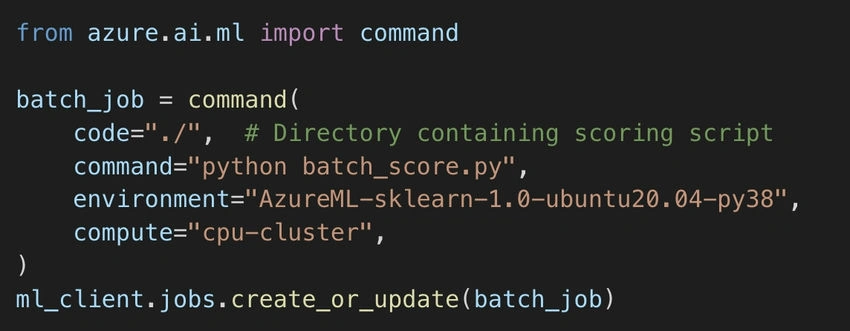
- ✔ Batch Inference: Used for scoring large datasets in bulk (e.g., customer segmentation, forecasting). This is typically executed using Azure ML pipelines or jobs.
- ✔ Local Testing: Before deploying, models can be tested locally to verify performance using sample data.
Choosing the right method depends on your use case, scalability needs, and latency requirements.
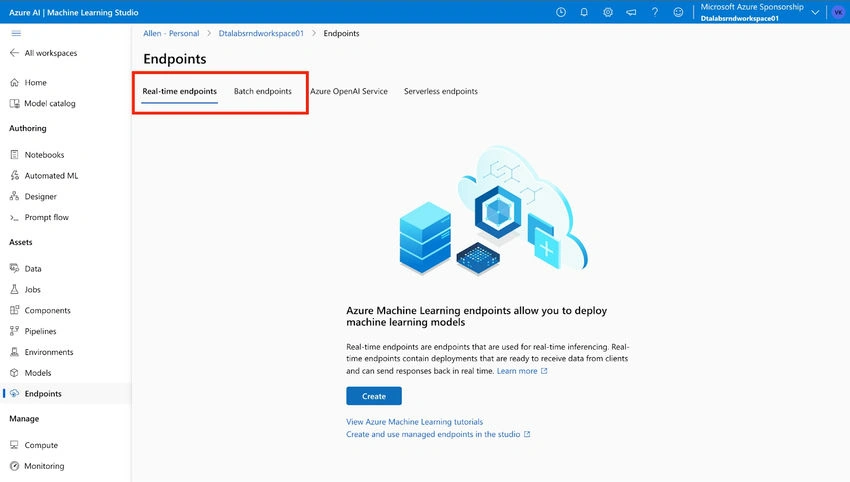
2️⃣ Deploying a Model for Scoring
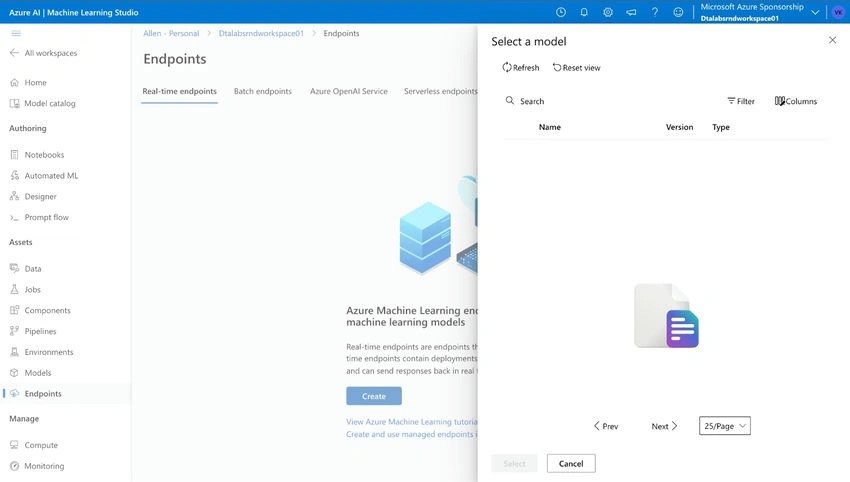
Before scoring, the model must be registered in Azure ML and deployed as an endpoint for easy access.
Registering the Model

📌 Why Register?
- Centralized access for multiple applications.
- Enables version tracking and model lifecycle management.
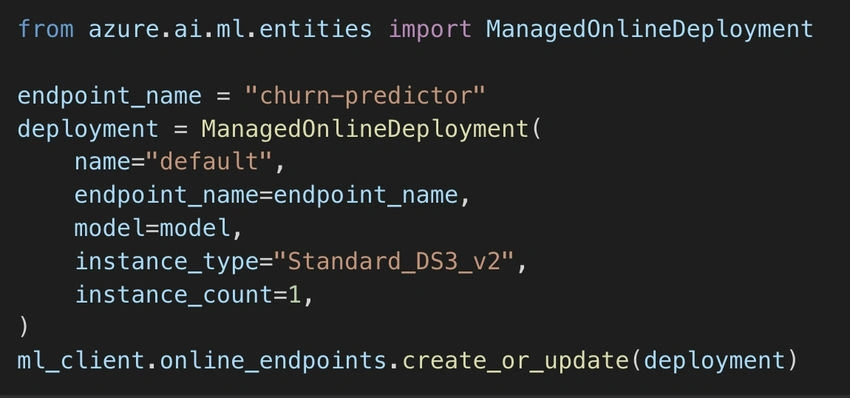
Deploying as a Managed Endpoint
Once registered, deploy the model as an online endpoint to facilitate real-time predictions.

Join the conversation! Your thoughts help the community grow.