
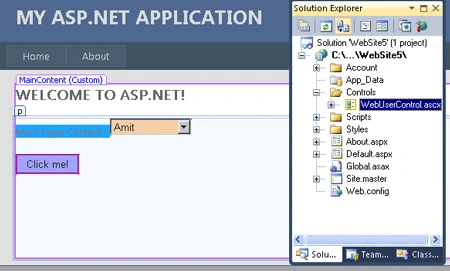
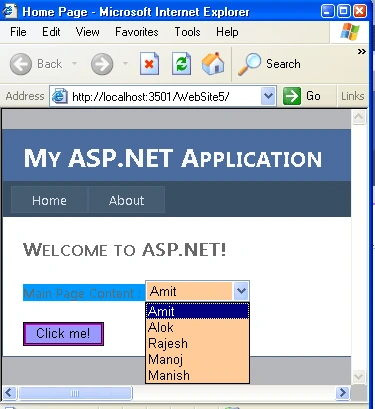
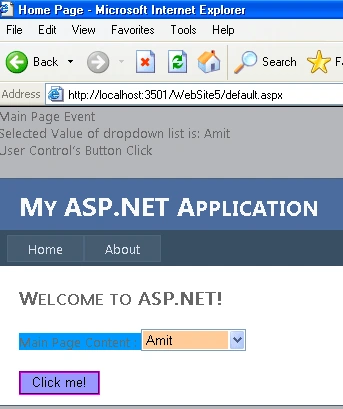
Introduction: In this Article we will discuss about how to create and raise the event for user control which is being used on the application. So as much as we know about the delegate which is normally known as function pointer in C# by using a delegate we have to raise an event to the user control which will show the content of the event on the main page or .aspx page. Here I am going to show you a simple example of delegate. Here I have one user control and one .aspx page. In which user control have a button only and .aspx page have a label and a dropdown list whenever we select any value from the drop down list and click on the button it will show the name of content at the main page. here we will call a method on main page using delegate.
Now we are going to make the project let us see how it is created follow the steps given below.
Step 1:
-
Open the Visual Studio 2010.
-
Open the web site application.
-
Give any name.
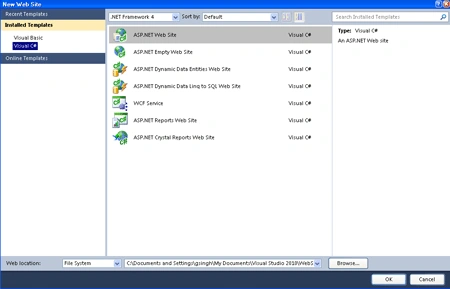
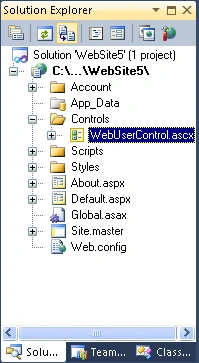
Step 2: Now add a new folder to the site name as controls
-
Add new item name as Web User Control to that folder.
-
Click OK.
-
It will look like as into the website shown below.
Step 3: Now we are going to drag and drop a button control on the Controls/WebUserControl.ascx. We can add the button control to the user control by writing the code given below to the source page of Controls/WebUserControl.ascx file which is given below.
Code:
<%@
Control Language="C#"
AutoEventWireup="true"
CodeFile="WebUserControl.ascx.cs"
Inherits="Controls_WebUserControl"
%>
<asp:Button
ID="Button1"
runat="server"
Text="Click me!"
BackColor="#9999FF"
BorderColor="Fuchsia"
BorderStyle="Groove"
onclick="Button1_Click"
/>
Step 4: Further you have to write the code in the Controls/WebUserControl.ascx.cs file of the user control.
Code :
using
System;
using
System.Collections.Generic;
using
System.Linq;
using
System.Web;
using
System.Web.UI;
using
System.Web.UI.WebControls;
public
partial class
Controls_WebUserControl : System.Web.UI.UserControl
{
// Delegate declaration
public
delegate void
btn_Click(string str);
// Event declaration
public event
btn_Click btnHandler;
// Page load
protected void
Page_Load(object sender,
EventArgs e)
{
}
protected void
Button1_Click(object sender,
EventArgs e)
{
// Check if event is null
if (btnHandler !=
null)
btnHandler(string.Empty);
// Write some text to output
Response.Write("User Control's Button
Click <BR/>");
}
}
Code Description: In the above code we have written simple a delegate and an event handler and on click event of the button we have to check whether the event handler is empty or not if it have any argument then it will raise the event.
Step 5: Now we have to open the source file of default.aspx and write the code given below.
Code :
Join the conversation! Your thoughts help the community grow.