

Event handlers in JavaScript
- onClick
- onFocus
- onLoad
- onMouseOver
- onMouseOut
- onSelect
- onUnload
1. onClick
onClick handlers execute something only when the user clicks on buttons, links, and so on.
- <script>
- function abhi() {
- alert("Thank you!")
- }
- </script>
- <form>
- <input type="button" value="Click here" onclick="abhi()">
- </form>
The function abhi() is invoked when the user clicks the button.
Note: Event handlers are not added inside the <script> tags, but rather, inside the Html tags.
2. onLoad, onunLoad
The onload event handler is used to execute JavaScript after loading.
- <body onload="abhi()">
- <frameset onload="abhi()">
- <img src="abhijeet.gif" onload="abhi()">
The onunload executes JavaScript while someone leaves the page.
- <body onunload="alert('Thank you. See you soon')">
- <a href="#" onMouseOver="document.write(‘hello buddy!"> Welcome!</a>
- <a href="#" onMouseOut="alert('Be happy!')">Bye Bye!</a>
4. onFocus
5. onSelect
The onSelect event fires when the target element has its text selected (highlighted by the user).
Example
- <form>
- <input onfocus="this.value=''" type="text" value="Your email">
- </form>
- <html>
- <head>
- <script type="text/javascript">
- function addmyEvent() {
- var ta = document.getElementById('abhi');
- abhi.onselect = selectionHandler;
- function selectionHandler() {
- alert("Its me " + this.id);
- }
- }
- window.onload = addmyEvent;
- </script>
- </head>
- <body>
- <textarea id="abhi">Highlight me</textarea>
- </body>
- </ html >
Output
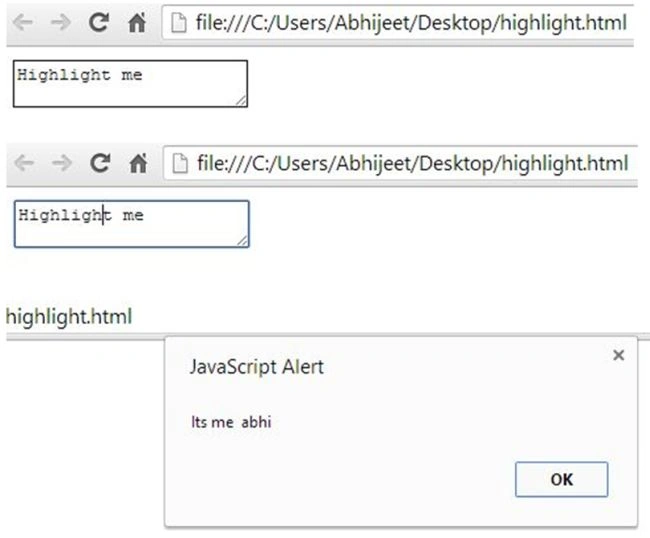
Join the conversation! Your thoughts help the community grow.