

Introduction
In this article, you will learn about events in JavaScript. An event is just doing a specific task in the browser. This is what happens when the user clicks a button. There are many different types of events in JavaScript.
What is the event?
Events are actions that can be performed or detected by JavaScript. By using JavaScript, we have the ability to create dynamic interfaces of web pages. Every element on the web page has certain events that trigger JavaScript. Events are commonly used in combination of functions.
For example, we can use the onclick event of a button element to indicate that a function will run when the user clicks on the button.
The most common Events in JavaScript
-
Onclick
-
Onload
-
Onchange
-
Onkeydown
-
Onmouseover and
-
On mouseout
Onclick Event
Onclick event will execute a specific code when clicking on an HTML object that has Onclick properties. An onclick event occurs when the user clicks an element. Mostly this event is used in button attributes.
Syntax
In HTML Syntax,
- <element onclick = “Some code”>
In JavaScript Syntax,
- object.onclick = “Some code”
Example
This example demonstrates the JavaScript onclick event
- <!DOCTYPE html>
- <html>
- <head>
- <meta charset="utf-8">
- <title>Onclick Event in JavaScript</title>
- </head>
- <body>
- <h2>Click the button show a Welcome message in alert box</h2>
- <script type="text/javascript">
- function msg(){
- alert("Welcome to My WebPage!");
- }
- </script>
- <button onclick="msg()">Click_here</button>
- </body>
- </html>
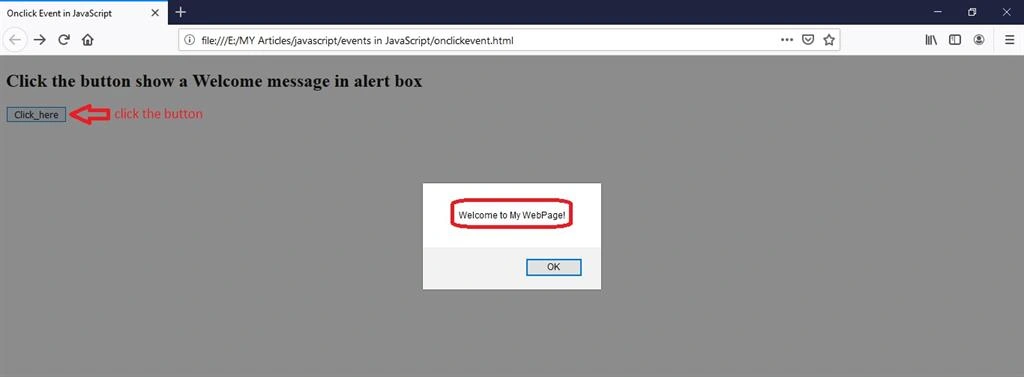
Output
Here is an output of onclick event.
Onload Event
An onload event occurs when an object is loaded. Mostly this event is used in <body> attributes. It loads images, alert messages, next page, etc…
Syntax
In HTML Syntax,
- <element onload = “Some code”>
In JavaScript Syntax,
- object.onload = “Some code”
Example
This example demonstrates a JavaScript onload event:
- <!DOCTYPE html>
- <html>
- <head>
- <meta charset="utf-8">
- <title>Onload Event</title>
- </head>
- <body onload="pageload()">
- <h2>Onload event in Javascript</h2>
- <h3>Once the page loaded the alert message will be displayed</h3>
- <script type="text/javascript">
- function pageload() {
- alert("Page loaded Successfully!");//refersh the web page and check it
- }
- </script>
- </body>
- </html>
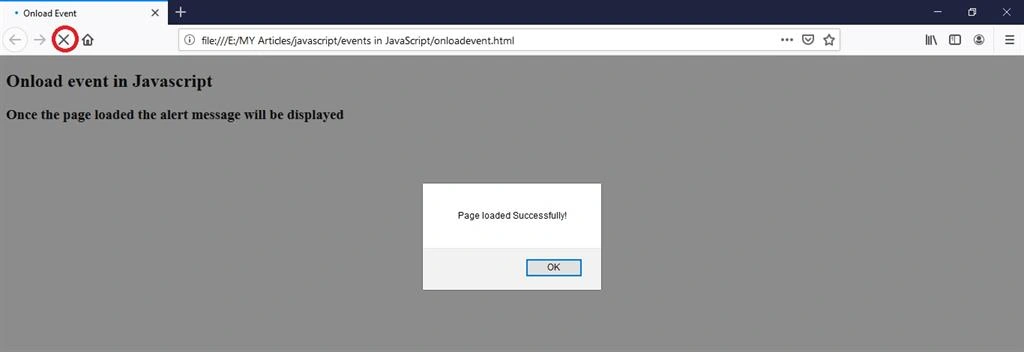
Output
Here is an output of onload event.
Onchange Event
An onchange event occurs when the value of an HTML element is changed. The onchange event supports all web browsers.
Syntax
In HTML Syntax,
- <element onchange = “Some code”>
In JavaScript Syntax,
- object.onchange = “Some code”
Example
This example demonstrates a JavaScript onchange event.
- <!DOCTYPE html>
- <html>
- <head>
- <meta charset="utf-8">
- <title>Events in Jvascript</title>
- </head>
- <body>
- <h2>Onchange evetns in Javascript</h2>
- <h3>select the Gender using onchange event</h3>
- <select onchange="">
- <option value="Male">Male</option>
- <option value="Female">Female</option>
- <option value="Others">Others</option>
- </select>
- </body>
- </html>
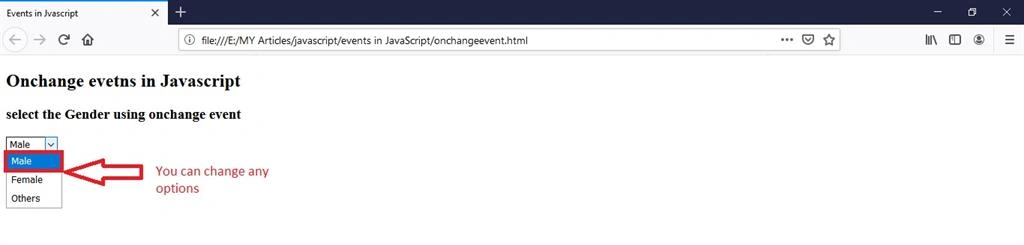
Output
Here is an output of onchange event.
Onkeydown
Syntax
In HTML Syntax,
- <element onkeydown = “Some code”>
In JavaScript Syntax,
- object.onkeydown = “Some code”
Example
This example demonstrates JavaScriptOnkeydownevent:
- <!DOCTYPE html>
- <html>
- <head>
- <meta charset="utf-8">
- <title>onkeydown event</title>
- </head>
- <body>
- <h2>Press any key in keyboard change color</h2>
- <input type="text" id="kydwn" onkeydown="myfun()">
- <script>
- function myfun() {
- document.getElementById("kydwn").style.backgroundColor = "green";
- }
- </script>
- </body>
- </html>
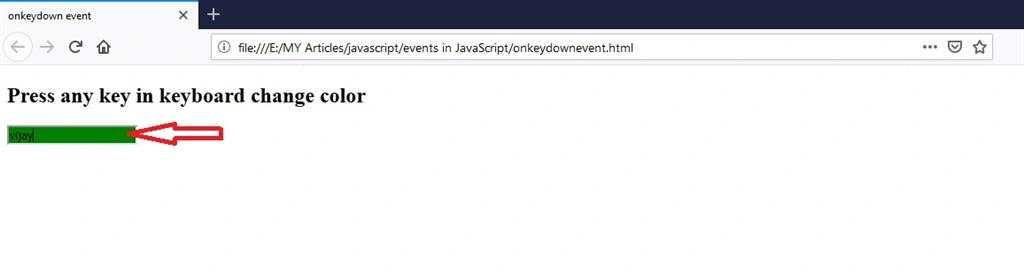
Output
Here is the output of Onkeydown event.
Onmouseover and mouseout Event
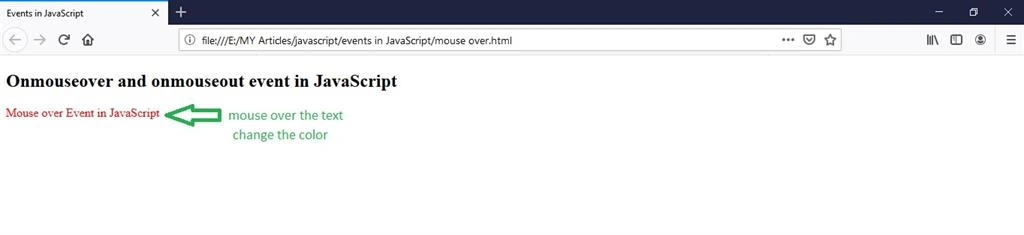
These events move the cursor over the text to change the color. All browsers support both events.
Syntax
In HTML Syntax,
- <element onmouseover = “Some code”>
- <element onmouseout = “Some code”>
In JavaScript Syntax,
- object.onmouseover = “Some code”
- object.onmouseout = “Some code”
Example
This example demonstrates JavaScriptOnmouseoverand onmouseout event:
- <!DOCTYPE html>
- <html>
- <head>
- <title>Events in JavaScript</title>
- </head>
- <body>
- <h2>Onmouseover and onmouseout event in JavaScript</h2>
- <script>
- function musovr() {
- document.getElementById("chngclr").style.color = "red";
- }
- function musout() {
- document.getElementById("chngclr").style.color = "green";
- }
- </script>
- <p id="chngclr" onmouseover="musovr()" onmouseout="musout()">Mouse over Event in JavaScript</p>
- </body>
- </html>
Output
Here is the output of Onmouseover and mouseout event.
Conclusion
In this article we have seen about events in JavaScript. I hope this article is useful to you. Thanks for reading!
Join the conversation! Your thoughts help the community grow.