Introduction
In Java, we can determine various things using these examples. These examples are very important for beginners.
Get Host Name in Java
This is used to determine the hostname in Java.
Example
- package test;
- import java.net.*;
- import java.io.*;
- public class Test {
- public static void main(String[] args) {
- try {
- InetAddress adrs = InetAddress.getLocalHost();
- byte[] ipAdrs = adrs.getAddress();
- String hostname = adrs.getHostName();
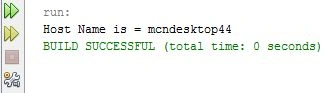
- System.out.println("Host Name is = " + hostname);
- } catch (UnknownHostException e) {}
- }
- }
Output
Get Memory in Java
We can easily determine the memory size in Java using the following code.
Example
- package test;
- public class Test {
- public static void main(String[] args) {
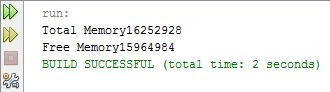
- System.out.println("Total Memory" + Runtime.getRuntime().totalMemory());
- System.out.println("Free Memory" + Runtime.getRuntime().freeMemory());
- }
- }
Output
Get Current Month in Java
This example will show you how to get the current month in Java.
Example
- package test;
- import java.util.Calendar;
- public class Test {
- public static void main(String[] args) {
- String[] months_name = {"JAN", "FEB", "MAR", "APR", "MAY", "JUN",
- "JUL", "AUG", "SEP", "OCT", "NOV", "DEC"
- };
- Calendar calndr = Calendar.getInstance();
- String month = months_name[calndr.get(Calendar.MONTH)];
- System.out.println("Month Name is : " + month);
- }
- }
Output
Get Class Name in Java
This example will print the class name in Java.
Example
- public class Test {
- public static void main(String args[]) {
- new Test().hi();
- }
- void hi() {
- try {
- throw new Exception("Exception");
- } catch (Exception e) {
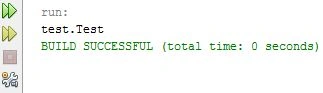
- System.out.println(e.getStackTrace()[1].getClassName());
- }
- }
- }
Output
Get Character from String
In this example, we will remove characters from the string.
Example
- package test;
- public class Test {
- public void StringToChar() {
- String strng = "LAPTOP";
- char[] chr_arr = strng.toCharArray();
- for (char c: chr_arr)
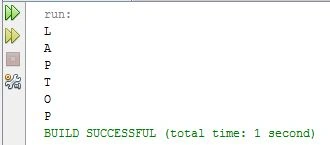
- System.out.println(c);
- }
- public static void main(String[] args) {
- new Test().StringToChar();
- }
- }
Output
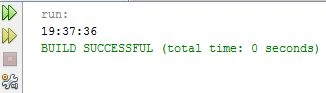
Get Current Time in Java
This example will give you the current time in Java.
Example
- package test;
- public class Test {
- public static void main(String[] args) {
- java.util.Date current_time = new java.util.Date();
- System.out.println(new java.sql.Time(current_time.getTime()));
- }
- }
Output
Get Difference of Two Dates
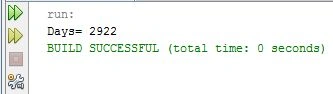
This example will determine the difference between two given dates in a number of days.
Example
- package test;
- import java.util.*;
- public class Test {
- public static void main(String args[]) {
- Test diff = new Test();
- }
- Test() {
- Calendar calndr1 = new GregorianCalendar();
- Calendar calndr2 = new GregorianCalendar();
- calndr1.set(2005, 12, 12);
- calndr2.set(2013, 12, 12);
- System.out.println("Days= " + Between(calndr1.getTime(), calndr2.getTime()));
- }
- public int Between(Date D1, Date D2) {
- return (int)((D2.getTime() - D1.getTime()) / (1000 * 60 * 60 * 24));
- }
- }
Output
Summary
This article provided various examples using get in Java.



Join the conversation! Your thoughts help the community grow.