

How to start VBA in Excel?
First, enable the developer tab in Excel 2007 to follow the below steps.
- Open Excel 2007 and create a new worksheet.
- In the menu, just right-click any tab.
- In that, click "Customize Quick Access Toolbar".
- Move to the popular section and click the option "Show developer tab in the ribbon".
- Then you find the developer tab in the following.

- Click Visualbasic, select sheet 1, and write the code attached to this article.
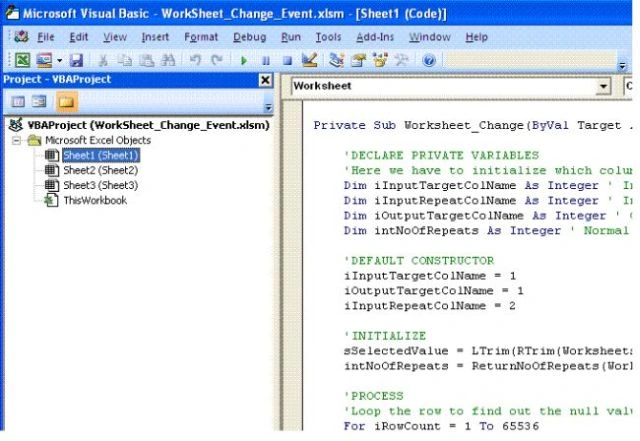
- Select the dropdown list; it will be automatically updated into the next sheet with the help of the following code.
Private Sub Worksheet_Change(ByVal Target As Range)
    ' Your code processing here
End Sub
Note. In Excel 2007 to 2010, use the "Developer" ribbon click on the "Macro Security" button. Check the second level "Disable all Macros with Notification," and you are set.
Conclusion
With the help of VBA, it is a very user-friendly development environment. VBA procedures developed in the VB Editor and its the part of workbook in which they are developed and saved the VBA components.
Vivek AbyzPosted Jan 23, 2018, 6:29 AM
Any event for DropDownlist Excel using C#.net
Surendra KumarPosted Dec 28, 2015, 12:29 AM
What's the password to the code for the downloaded file? It is asking for a password.
Sauli PalorantaPosted Nov 17, 2014, 2:59 AM
Password?
Mark minshullPosted Jul 4, 2013, 9:38 AM
OK what is the password?
chinh phamPosted Apr 13, 2013, 7:37 AM
what is the password for your vba project???
Seniloli KoroiPosted Jan 19, 2012, 8:44 PM
What's the password to the code for the downloaded file? It is asking for a password.