

Excel Services
Excel Services is a Shared Service Application in SharePoint 2013. The following are the properties of Excel Services:
- Can render an Excel sheet in a browser.
- Only available in Enterprise Edition of SharePoint.
- Business Intelligence category.
Excel Services consists of the following three:
- Excel Calculation Services.
- Excel Web Access web part.
- Excel Web Services.
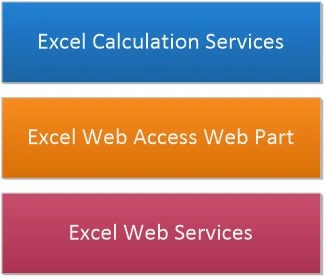
- Excel Calculation Services is the engine that loads the work book, does calculations, resolves external connections and maintains sessions.
- Excel Web Access Web Part takes care of rendering the web part in browser.
- Excel Web Services provides an API for developers.
Excel Services Application
Excel Services Application is required to be created as the first step of configuration. Open Central Administration and click the Manage service applications link.
Ensure that the following service application named Excel Service Application is created.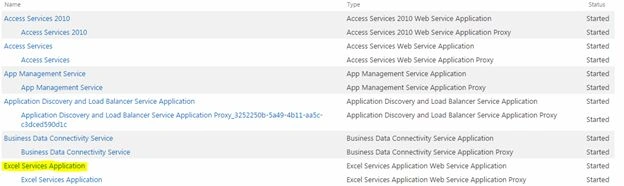
If it is not created, choose the New > Excel Service Application link to create one.
Excel Calculation Services
Excel Calculations Services must be turned on. Open Central Administration and click Manage services on the server link.
Ensure that the following service Excel Calculation Services is started.
If it is not started, you can click the link to start it.
Manage Excel Service Application
Click the Excel Service Application from Service Applications. You will get the screen below.
- Global Settings allows load balancing, memory management, security, external data, cache and so on.
- Trusted File Locations allows specifying trusted file location from which the Excel Services can load files.
- Trusted Data Providers allow managing of external data providers like SQL Server.
- Trusted Data Connection Libraries allows management of trusted data connection libraries.
- User Defend Function Assemblies allows management of custom assemblies.
- Data Model Settings allows management of SQL Server Analysis Services instances.
References
Overview of Excel Services in SharePoint Server 2013.
Configure Excel Services in SharePoint Server 2013
Summary
This article provided an overview of Excel Services in SharePoint 2013.
Join the conversation! Your thoughts help the community grow.