

Introduction
This is the Advanced JavaScript article series. In this series, we are talking about JavaScript. Already we have explained various important concepts of JavaScript. You can read them here.
- Advance JavaScript: History and role of JavaScript behind modern web
- Advance JavaScript: play with object in JavaScript
- Advance JavaScript: Function Definition Style in JavaScript
- Advance JavaScript: Understand undefined in JavaScript
- Advance JavaScript: Understand "class"-ical concept of JavaScript
- Advance JavaScript: Implement inheritance in JavaScript
- Advance JavaScript: Callback design pattern and callback function in JavaScript
- Advance JavaScript: Exception handling in JavaScript
- Advance JavaScrip: Scope of Variable in JavaScript
- Advance JavaScript: closure in JavaScript
In this article, we will learn exception handling in JavaScript. We know that exception handling is a very important concept of any programming language, and JavaScript is not an exceptional case. We can implement our well-known try-catch block to catch exceptions in JavaScript.
Raise our own exception
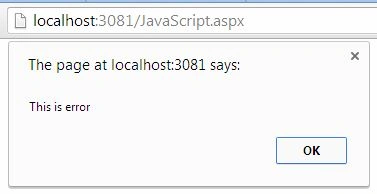
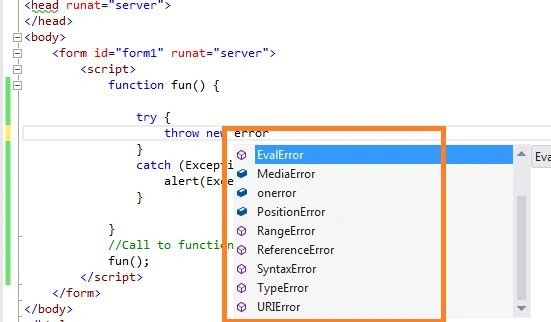
Like C# and other languages, we can raise our own exception using the throw new Error() statement. Try to understand the following code.
- <%@ Page Language="C#" AutoEventWireup="true" CodeBehind="JavaScript.aspx.cs" Inherits="JavaScript.JavaScript" %>
- <!DOCTYPE html>
- <html xmlns="http://www.w3.org/1999/xhtml">
- <head runat="server">
- </head>
- <body>
- <form id="form1" runat="server">
- <script>
- function fun() {
- throw new Error("This is error");
- }
- try {
- fun();
- }
- catch (Error) {
- alert(Error.message);
- }
- </script>
- </form>
- </body>
- </html>
Catch exception in normal operation
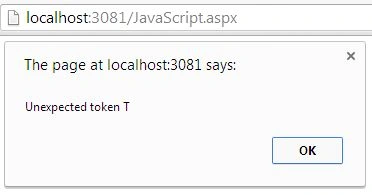
In the example above we have seen how to throw our own exception. Just as in any other function, we can trap an exception in normal function execution. Here we are trying to trap an exception in JSON parsing.
- <%@ Page Language="C#" AutoEventWireup="true" CodeBehind="JavaScript.aspx.cs" Inherits="JavaScript.JavaScript" %>
- <!DOCTYPE html>
- <html xmlns="http://www.w3.org/1999/xhtml">
- <head runat="server">
- </head>
- <body>
- <form id="form1" runat="server">
- <script>
- function fun() {
- try{
- JSON.parse("Thsi is not JSON");
- }
- catch (Exception) {
- alert(Exception.message);
- }
- }
- //Call to function
- fun();
- </script>
- </form>
- </body>
- </html>
Join the conversation! Your thoughts help the community grow.