

Introduction

In this article, we will learn how to create a group by column list view in PowerApps using nested gallery controls to expand and collapse views like the SharePoint list.
Below is the SharePoint list view that we are going to replicate in PowerApps.
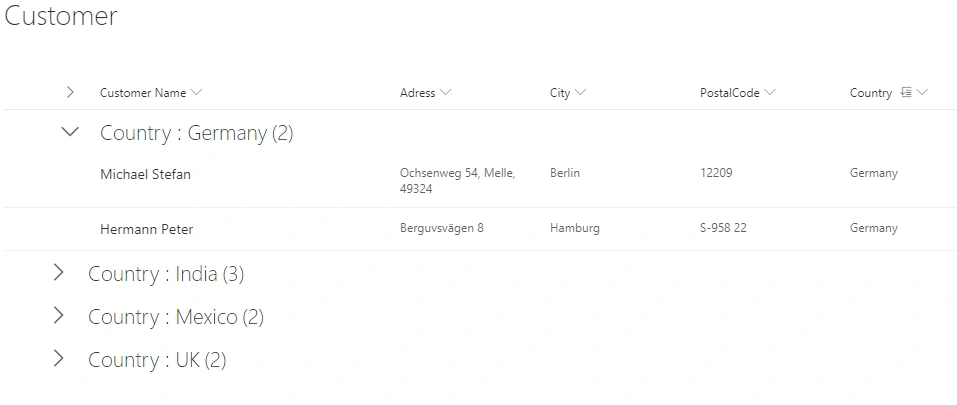
Now, let’s go step by step and create the same group by column list view in PowerApps.
Step 1
First, you need to create one custom SharePoint list to use in PowerApps to bind this list data into gallery controls. For this article, I’ve created the list called “Customer”. Customer Name, Address, City, Postal Code are a single line of text, and Country column is a choice field.
Step 2
Log in to the https://powerapps.microsoft.com/ and select the blank canvas app. Provide the name of your app, select tablet format, and click on the create button.
Step 3
Create a SharePoint data source. Click on the View button from the top bar menu, click on data sources, and select the SharePoint from the connectors. You need to provide SharePoint site URL and select the list (Customer) which you wish to use.
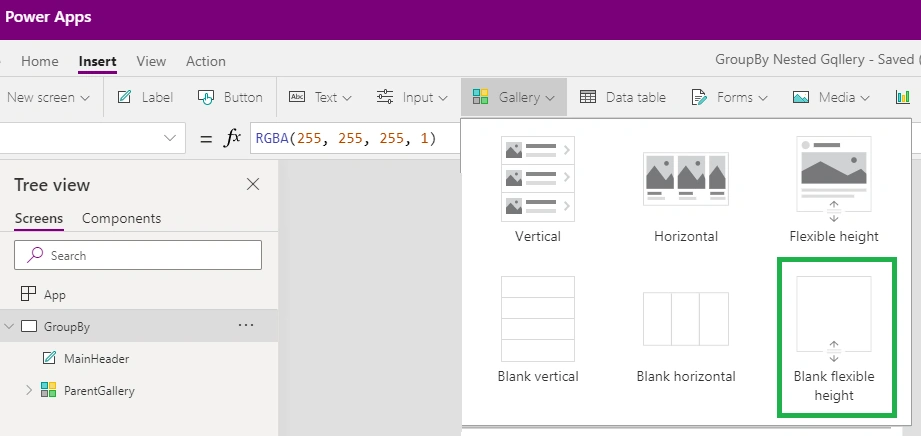
Insert the gallery control on the blank screen. Click on the insert menu from the top bar, click on the Gallery section and select the blank flexible height gallery control, and select the SharePoint data source.
Change the name of gallery control to “ParentGallery”.
Step 4
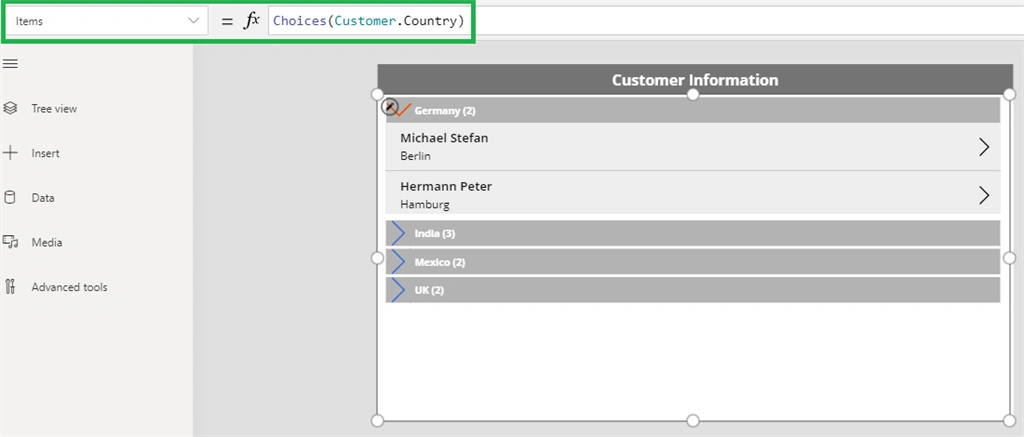
Set the Items property of parent gallery control as shown in the below screenshot.
Step 5
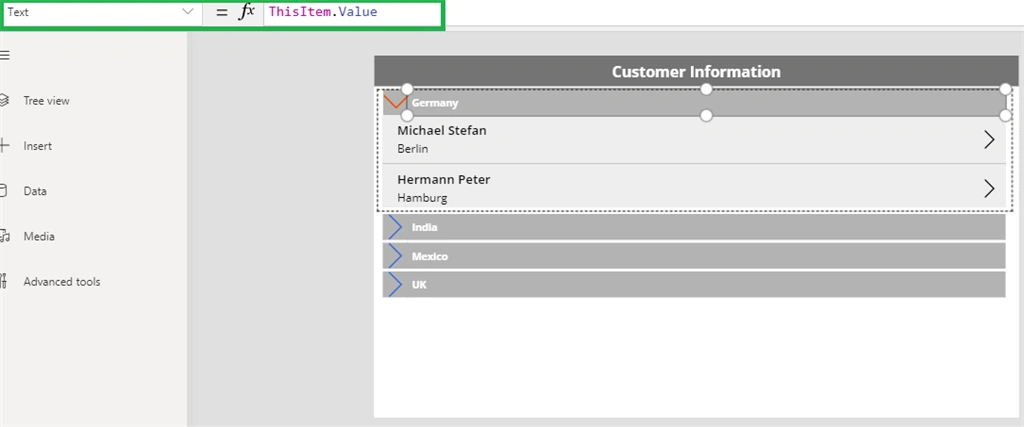
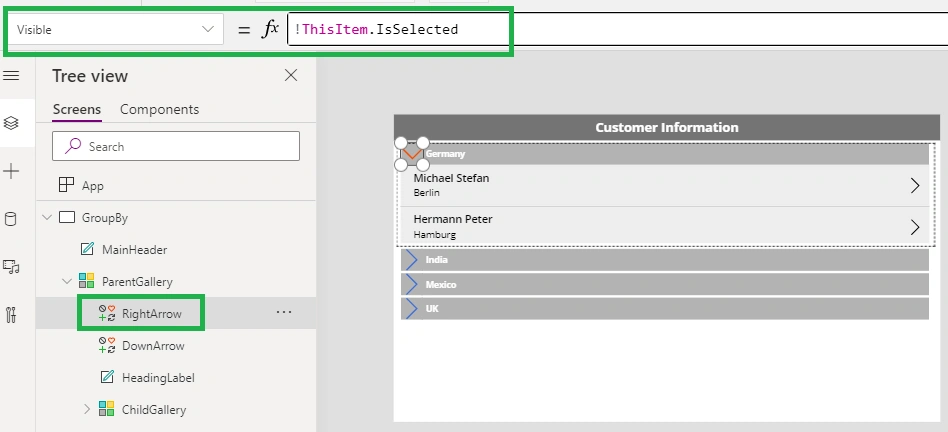
Insert the label inside parent gallery control and rename it to HeadingLabel and set the Text property of the label to ThisItem.Value and it will display all the countries from the SharePoint list.
Balla SravaniPosted Aug 14, 2024, 10:15 AM
What should be the template size of parent gallery
ajay kerePosted Feb 10, 2023, 12:04 PM
Hi Can you please share this app...
Dorinda ReyesPosted Oct 17, 2022, 5:24 PM
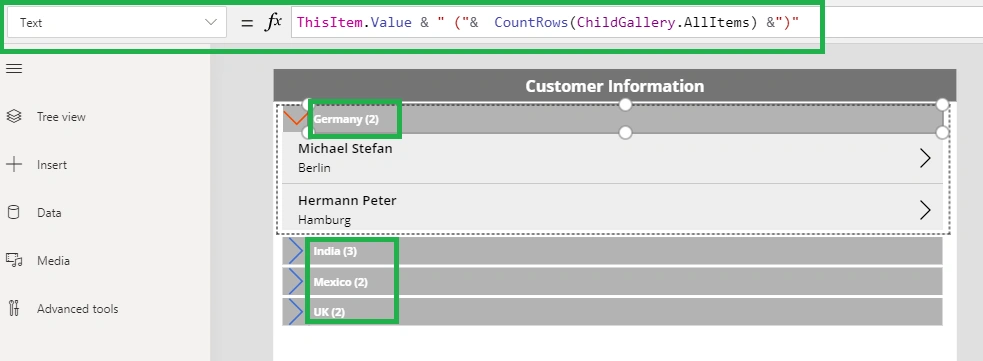
I love this approach but I am wondering if I can bring in more information on the Label in step 8. please let me know, also I want to show all of the item collasped
prasad kPosted Nov 19, 2020, 10:15 AM
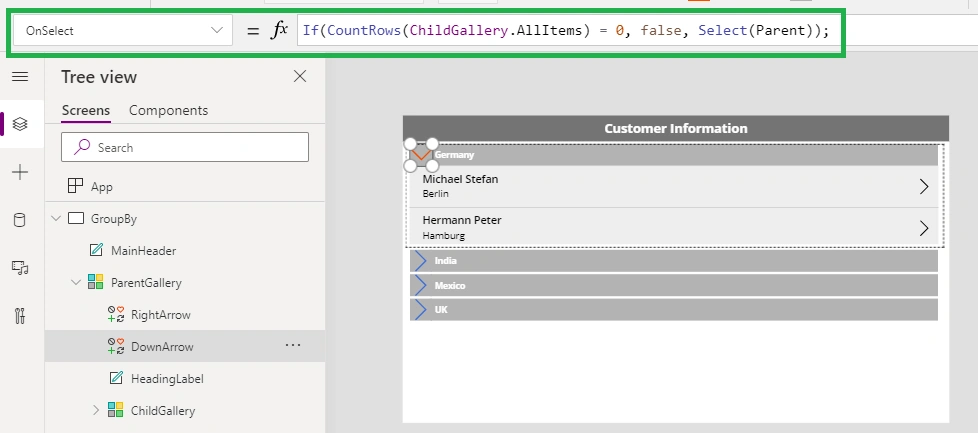
How to set label to true if there are 0 records?