

Please go through the articles given below to understand about Azure Functions.
After creating Azure function app, I noted that an Azure Storage Account got created, as shown below in the Resource Group contents.
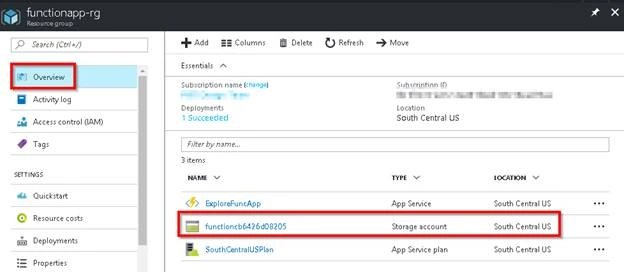
Let’s discuss about why and how this storage account is being used by Azure functions.
Click Storage Account name to navigate to the storage account, as shown below.
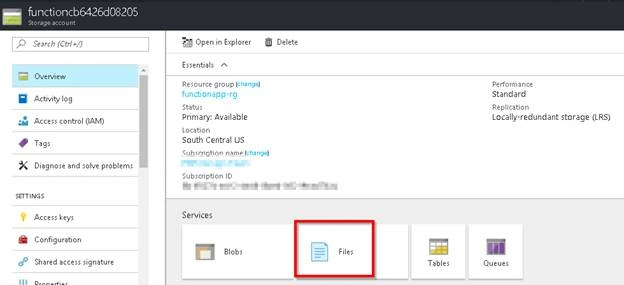
To view the files that Azure Function stores, click Files Service, as shown above.
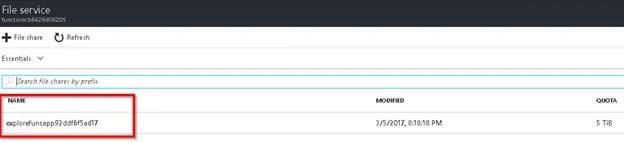
Click File Share, as shown above to view the folder.
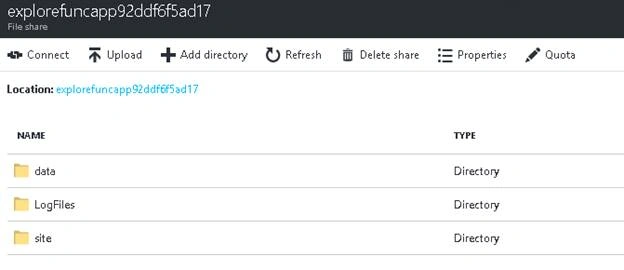
You can view the folders given below.
- Data
This folder stores the host configuration file and all the function level configuration files of all Azure functions of Function app.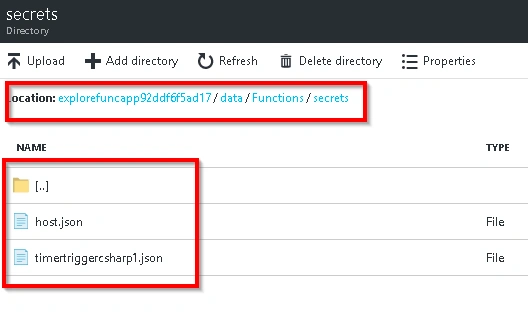
- Log Files
This folder contains the log of all Azure functions. The example is given below of a Log file for one of the Azure functions, which we have created in our previous article "Create First Azure Function App".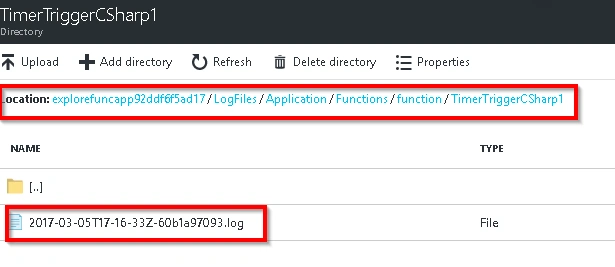
- Site
This folder contains the source code of all Azure functions.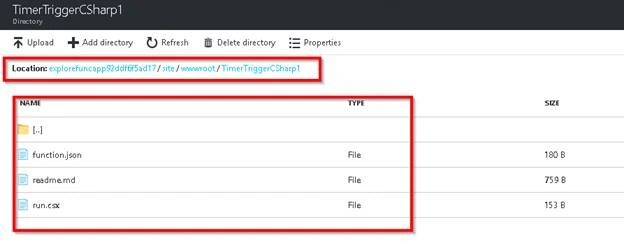
We have learned and explored the items that are stored in the storage account, which are created for the Function app.
Join the conversation! Your thoughts help the community grow.