

Introduction To Enums
Enums are user-defined data types. Inside they are integers and play a very important role in application development. They solve most of the problems and help us define the boundaries for allowed values.
Let us explore the number of ways to work with enum in C#.
Key Points
- Enums are part of the System namespace.
- They are by default non-nullable value types and behave like structs.
- The hierarchy is as follows, Objects → System.ValueType → System.Enum → (or enum)
Enums are of 2 types,
- Simple Enum Declaration
- Flag Enum Declaration
Simple Declaration
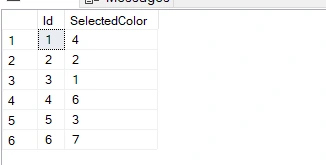
These are simple enum declarations, we create an enum and by default value gets assigned starting from 0 or we can explicitly assign numerical value to each enum value.
public enum SingleColor {
    RED,
    GREEN,
    BLUE
}
Flag Enums Declaration
These are much more powerful than simple Enums and support multiple values assignment. Underneath, they work based on bits value and the numeric assignment for these values should not be a simple sequence. We will see this next. To use this we need to declare a flag attribute at the top of an enum.
[Flags]
public enum Colors {
    RED = 1,
        GREEN = 2,
        BLUE = 4
}
Setting enum values
Simple Enum
Reading a simple enum is straightforward.
var selectedColor = SingleColor.BLUE;
Console.WriteLine(selectedColor); //BLUE
Flag Enum
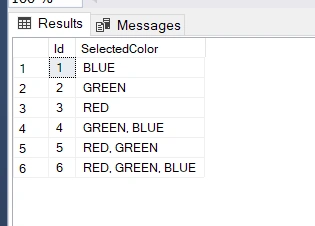
Flag Enums contains multiple values and works on the bits data type. So, there are multiple ways to read flag Enums.
var selectedColors = Colors.BLUE | Colors.GREEN | Colors.RED;
Console.WriteLine(selectedColors); //RED, GREEN, BLUE
Extending enum properties
For extending, we can use Extension methods. Let us understand one example. We will use the extension method to check if color exists in Flag Enum.
public static bool IsSelectedColor(this Colors colors, Colors color) {
    return colors.HasFlag(color);
}
var selectedColorBG = EnumsHandler.Colors.BLUE | EnumsHandler.Colors.GREEN;
Console.WriteLine("Is Blue Selected: " + selectedColorBG.IsSelectedColor(EnumsHandler.Colors.BLUE)); //True
Console.WriteLine("Is Red Selected: " + selectedColorBG.IsSelectedColor(EnumsHandler.Colors.RED)); //False
Enums in .NET Web API
In this example, we will check how enums work in Web API requests. What happens when we don’t validate and how we can validate it.
We are going to use the Colors enum used above. We will test with Flag enum. This code will also work for simple enum except that it will return only 1 value.
The controller's code is below,
[Route("api/[controller]")]
[ApiController]
public class ValuesController: ControllerBase {
    [HttpPost]
    public IActionResult Colors(EnumRequest request) {
        return Ok(new {
            result = "Selected Color is : " + request.ColorRequest
        });
    }
}
Without Validation
Now, we will create a request model without validation.
public class EnumRequest {
    public EnumsHandler.Colors ColorRequest {
        get;
        set;
    }
}
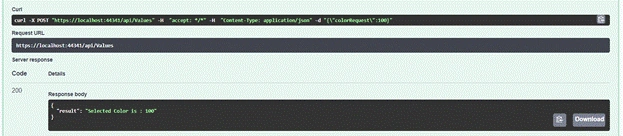
We will send the value 100, and the output will look like below. This case will return 100 because no enum uses 100 as an assignment. In the next section, we will look for ways to avoid such invalid requests.
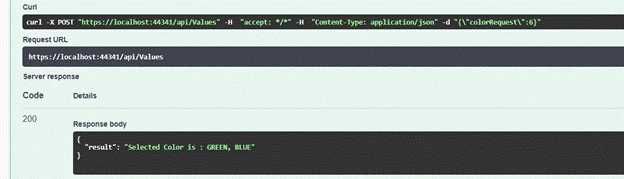
Next, we can send valid values i.e. 1/2/4 or their combination since it is a flag enum. In this case, I will send 6 which returns 2 colors using 2+4 logic in simple words. Let’s see what the response is.
With Validation
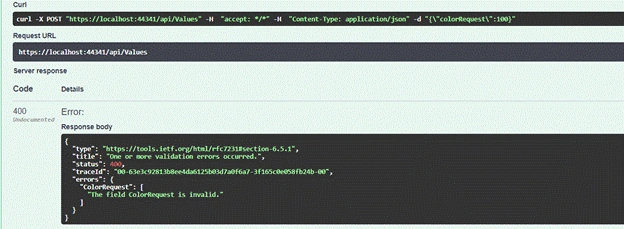
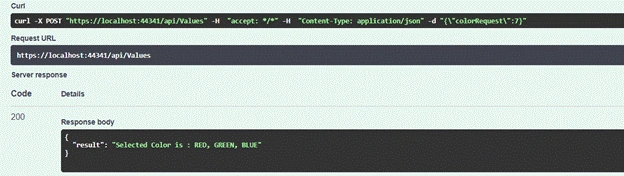
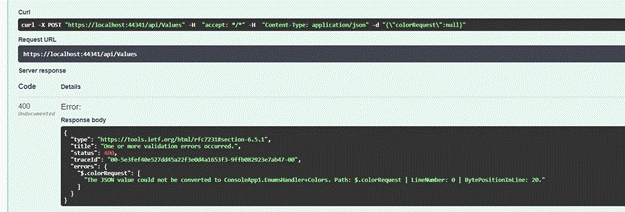
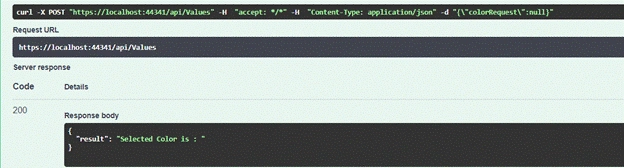
Validating enums is easy, we have enum data type attribute available. This will restrict the use of values depending upon enum boundaries. It will return 400 Bad Request for Invalid requests and 200 as a convention when the value is valid.
Venkatasubbarao PolisettyPosted Aug 31, 2021, 11:13 AM
Useful Article