

XML is a markup language designed to transport and store data and Excel is a spreadsheet in which you can create tables and calculate and analyze data. XML and Excel are totally different, but you can convert some XML data to an Excel file or Excel file to an XML file. Look at the following procedure.
Convert File
Use the following procedure to convert an Excel file to an XML file:
- Look at the following Excel data:
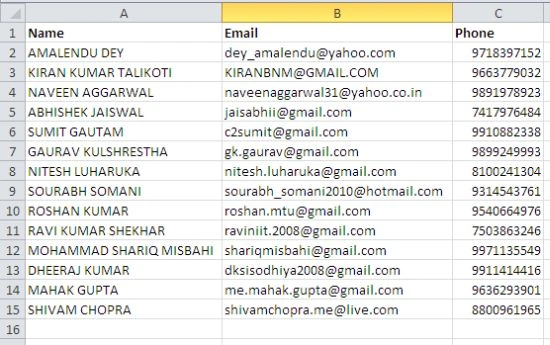
- First, turn on the developer tab in Excel, right-click on the menu bar and select "customize the ribbon".
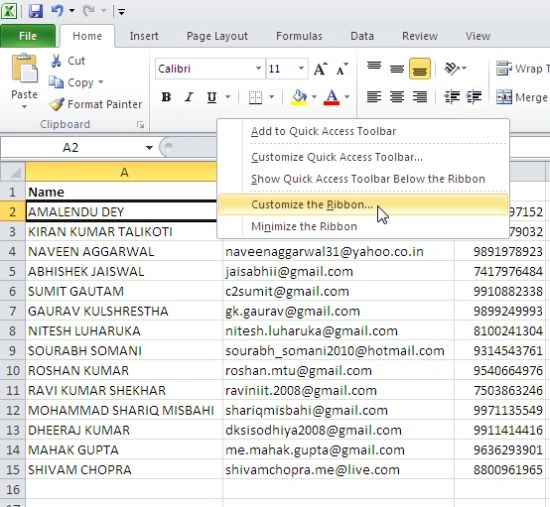
- Select "Developer" and click "OK".

- Finally a new tool (Developer) is added to your menu bar. Now open Notepad and add the following lines:
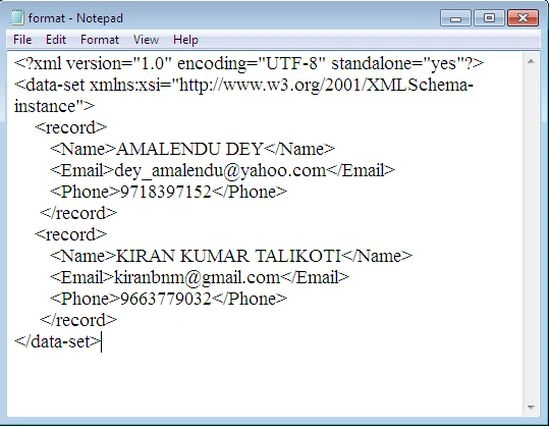
Note: tags are referred to as column names.
- Save the file as format.xml.
- Open the Excel file, go to the developer tab and click on Source:
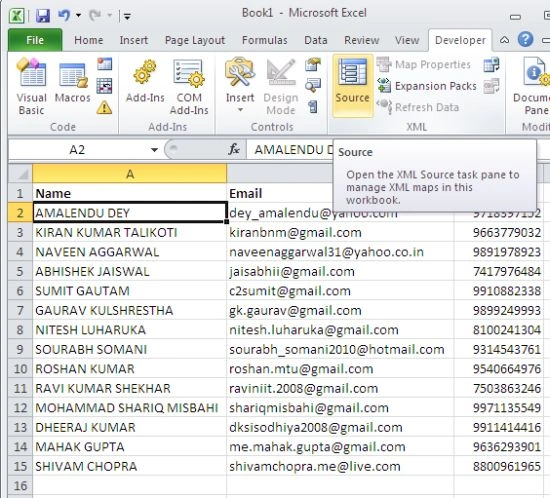
- Click XML Maps:
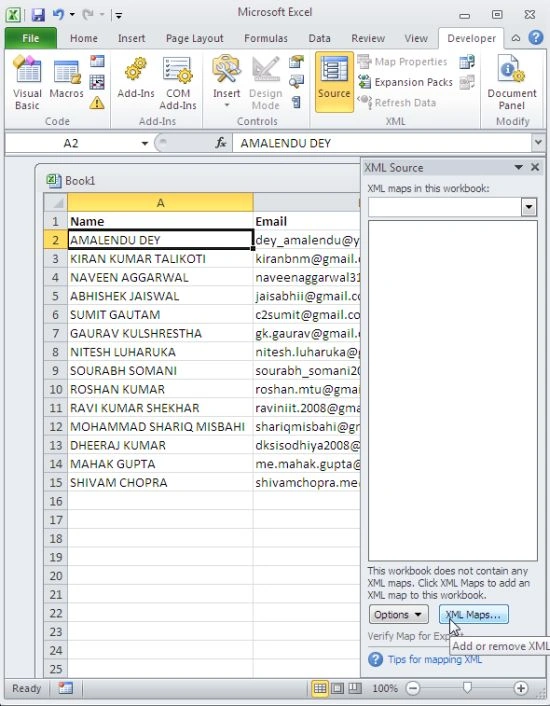
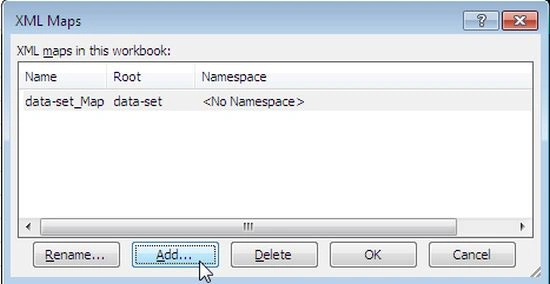
- Click add, select file "format.xml" and then click add:
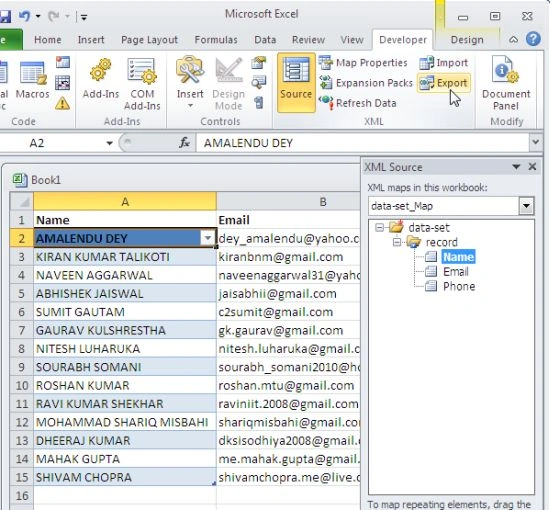
- Now you can see drag (map) the 3 elements from the tree onto the worksheet (row 1).

- Now, on the developer tab, click "Export":
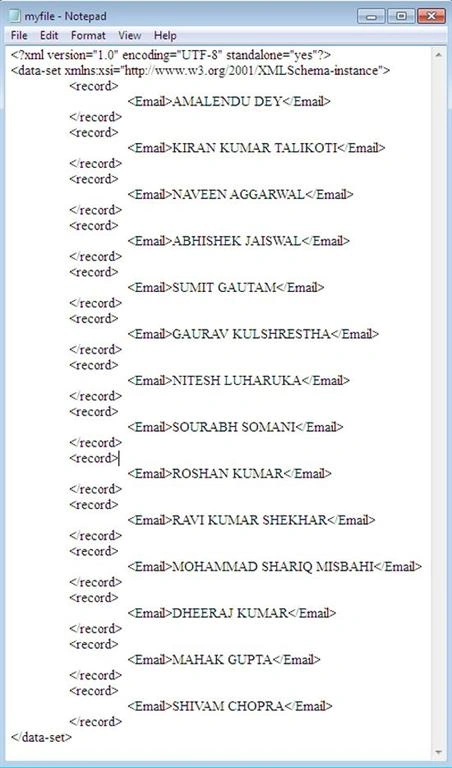
- Save your file as myfile.xml and the open. See the result:
Join the conversation! Your thoughts help the community grow.