

Here I will show how to export a HTML table, grid view controls and image control to Excel sheet.
Download the source code for more details.
This article will help explain the following points:
- Export HTML table content to Excel sheet.
- Export Grid View to Excel sheet.
- Export server-side controls and image to Excel sheet.
Also this article will help to sort the following issue.
- Control "GridView1" of type "GridView" must be placed inside a form tag with runat=server.
- RegisterForEventValidation can only be called during Render();
1. Export HTML table content to Excel sheet
I have created the following simple HTML table.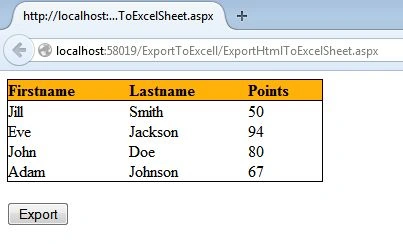
When I click on the export button, my exported Excel sheet will be: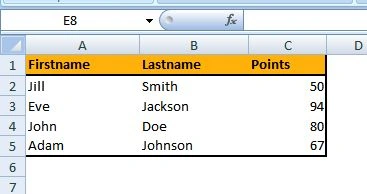
Code
- Just create an HTML table and put that table in a div.
- Provide an Id to the div with runat=”server”.
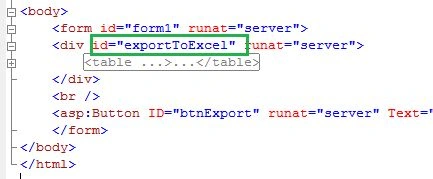
- Provide this id in you C# code as in the following:
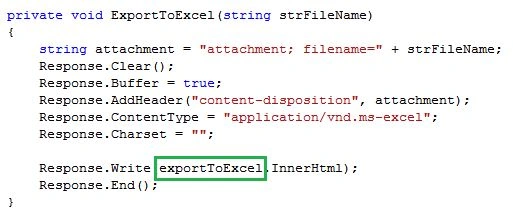
Note: If the table has a CSS class then that CSS class design will not be exported to the Excel sheet.
2. Export Grid View to Excel sheet
I have created the following simple Grandview.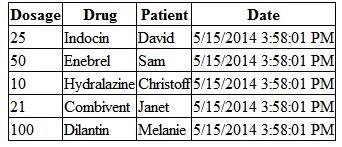
When I click on the export button, I will get the following error.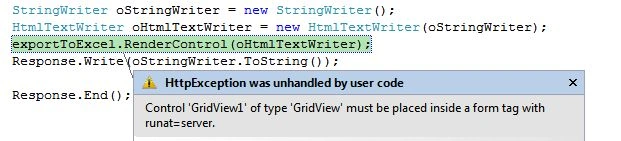
To fix this error, add the following function.
Final output: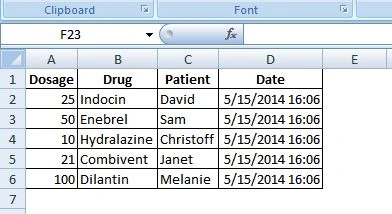
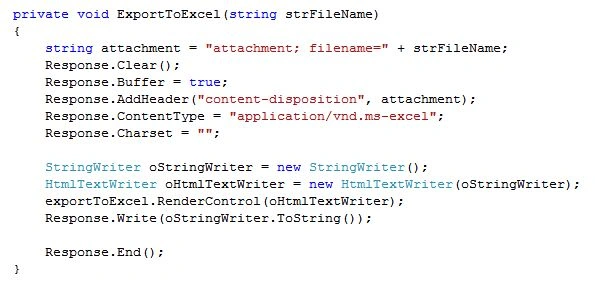
Code
- Just create a grid view and put that table in a div.
- Provide an Id to a div with runat=”server”.
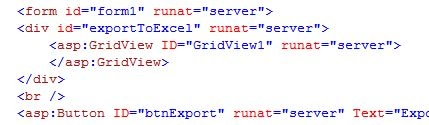
- Provide this id in you C# code:
3. Export server-side controls and image to Excel sheet
I have created an image and a button and I need to export these to an Excel sheet.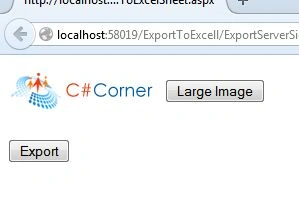
When I click on the export button, I will get the following error: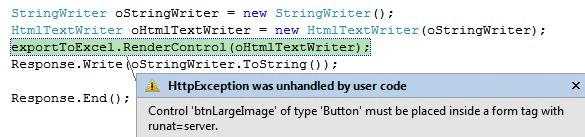
To fix this error, add the following function:
When you click again on the export button, you will get the following error: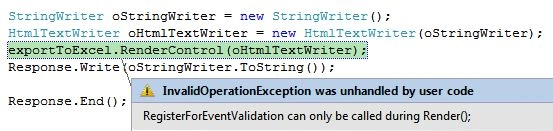
This error has occurred because of the “button” control. To fix this error, add the following attribute:
Final output: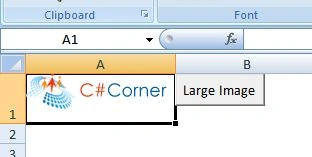
Code:
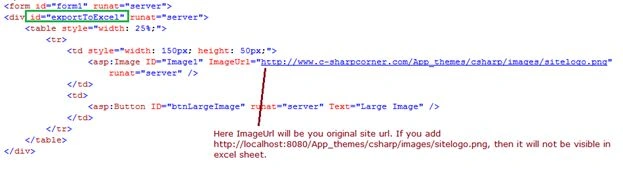
- Just create a button and image controls and put that table in a div.
- Provide an Id to a div with runat=”server”.
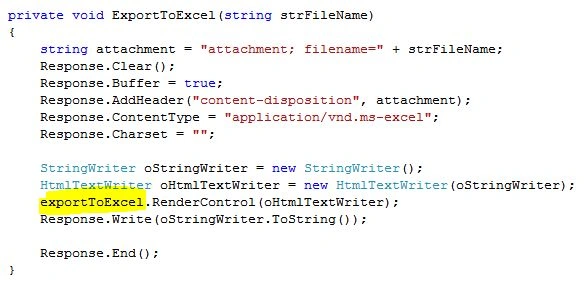
- Provide this id in your C# code:
NOTE
- If the table has a CSS class then that CSS class design will not be exported to an Excel sheet.
- For an image to export you need to provide the main/original URL and not the http://localhot://
- You must create a HTML table to export an image or server-side controls.
Upendra Kumar PandeyPosted Feb 27, 2019, 5:27 AM
Image not exported. Please correct your post.
Upendra Kumar PandeyPosted Feb 27, 2019, 5:27 AM
Image not exported.
ram samujPosted Apr 14, 2017, 12:35 AM
Image is not export to excel its only <div> html code export in excel.
rodrigo mercadoPosted Nov 8, 2016, 9:53 AM
Tiene problemas gn gjgjg gjgkg ghkhgk
KkPosted Aug 2, 2016, 7:29 AM
Can you tell me one page of grid view control and ms-chart control both at a time export to excel possible.
Jonathan CullaPosted Apr 29, 2015, 11:12 AM
On excel (mac) not show image, but on windows is perfect, any idea?
RajPosted Apr 26, 2015, 11:08 AM
can we take html table data and gridview in list