

In my previous article we learned about jobs, and we also created types like T-SQL job, job from a maintenance plan, etc.
In this article, we’ll perform this operation with the help of “SQL Server Import and Export Wizard," then, in our next article, we’ll see the BCP command to export and import any table from one database to another.
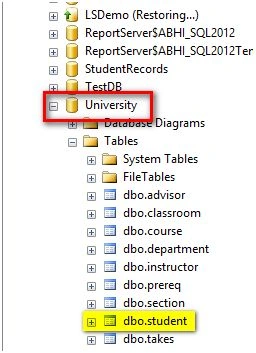
To perform this operation, we have the following source and destination database.
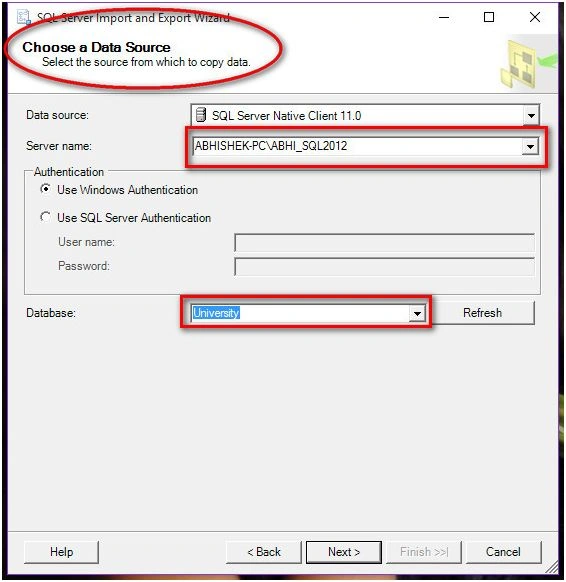
Source: (Named instance)
- Server: (local)\ABHI_SQL2012
- Database: University
- Table: student
Destination: (Default instance)
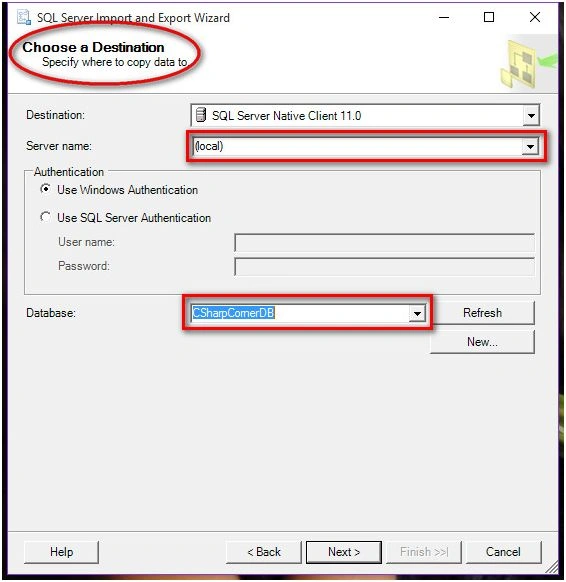
- Server: (local)
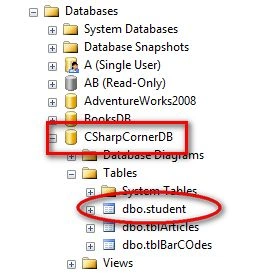
- Database: CSharpCornerDB
- Table: student
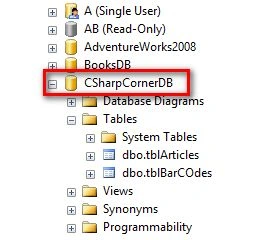
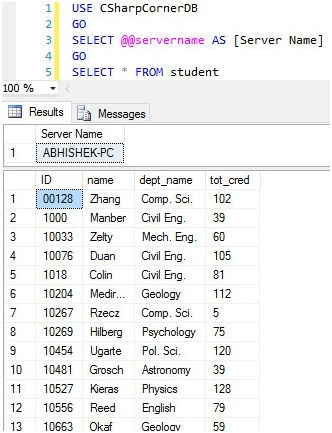
As you can see, we don’t have any student table in our CSharpCornerDB database on local server.
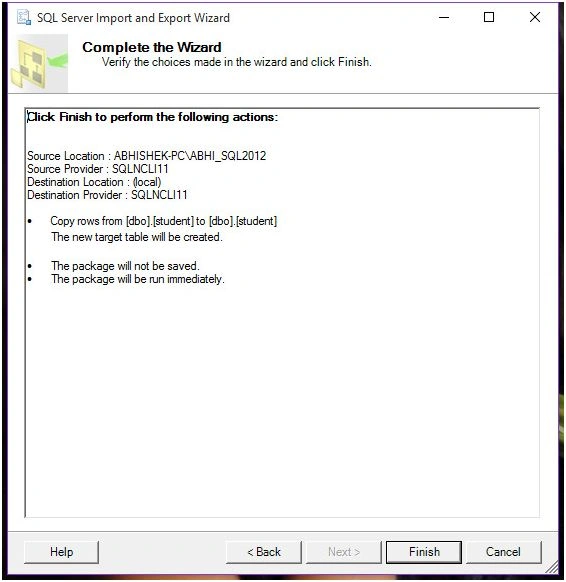
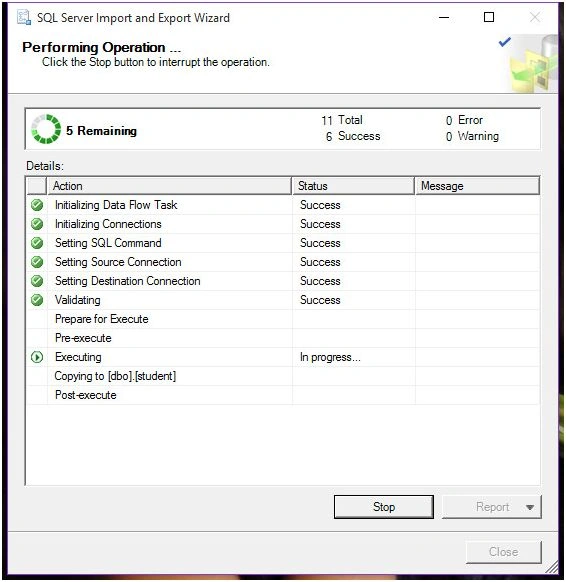
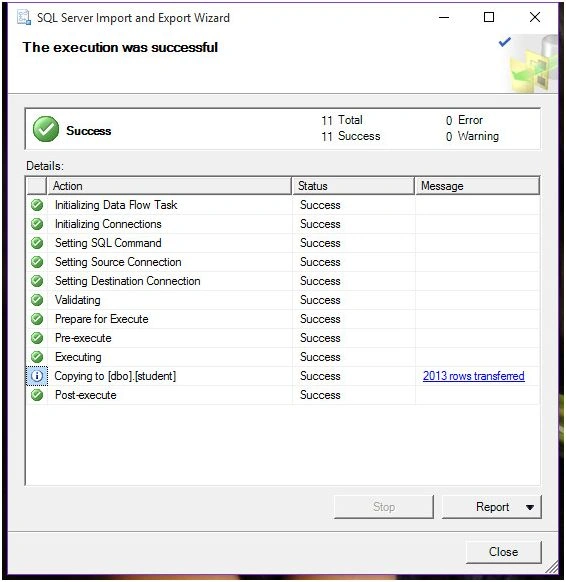
And now, we’ll export the data of the student table from the named instance to the database on a local database i.e. on CSharpCornerDB.
Let’s begin with Export and Import wizard.
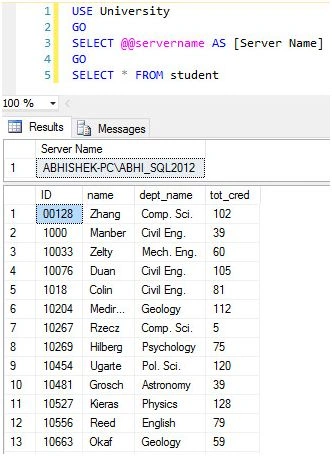
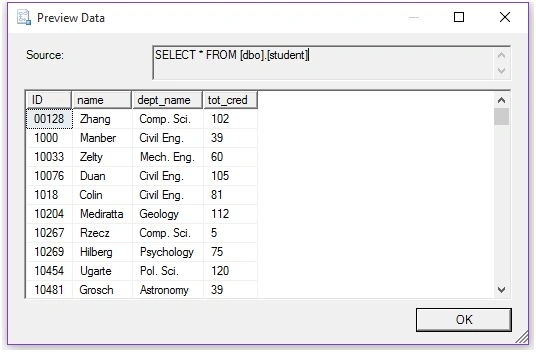
The following is our data in Named Instance student table.
Step 1: Beginning
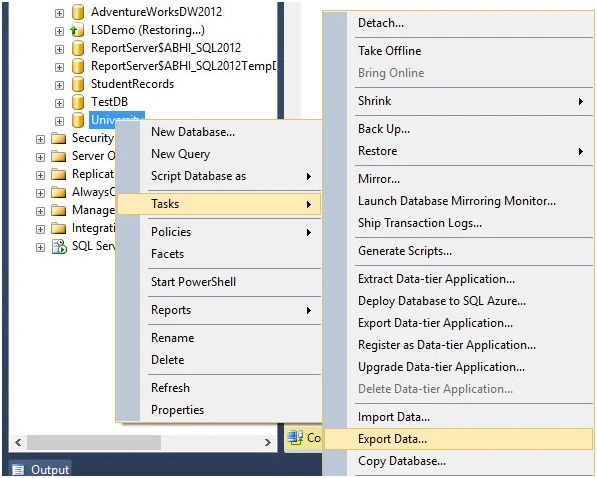
Right click on Database, select Tasks and then select select Export Data.
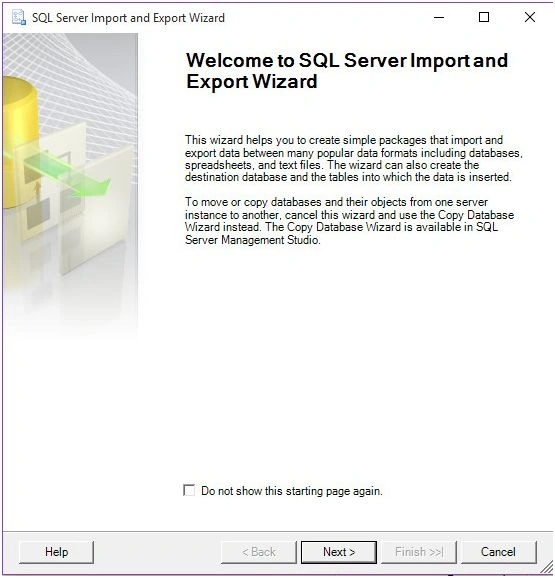
Step 2: Welcome Window
You’ll get the following “Import and Export Wizard” as shown below. Click Next.
Step 3: Data Source
At this step, select your source data and database name. Click Next.
Step 4: Destination.
Select Destination, where you want to export your data. Here I’m selecting Server name as ‘(local)’ and I want to transfer my source table in CSharpCornerDB database as I selected below. Click Next.
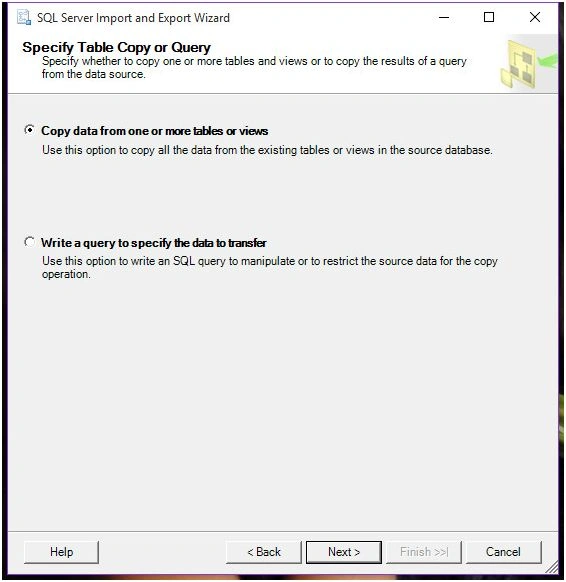
Step 5: Operation Mode
Here either you can select existing tables from source database or you can write your own query to manipulate your data. As we’re exporting entire table, we’ll select the first option.
If you want to select some of the columns or some other kind of manipulation, you can go with option 2. Click Next.
Step 6: Table Selection
In this window, select your desired tables which you want to import to your destination database.
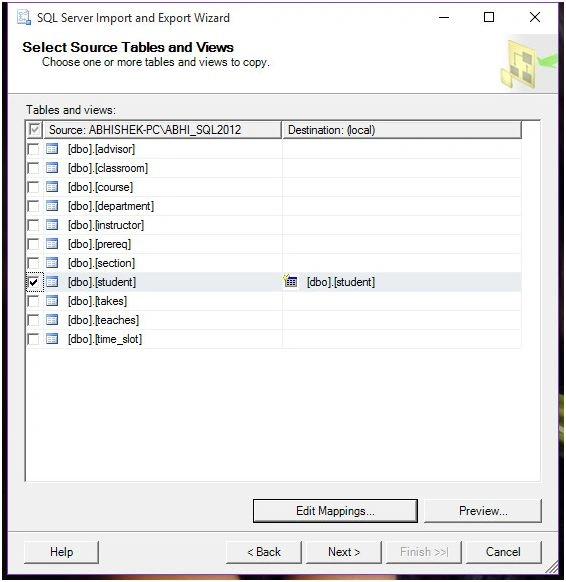
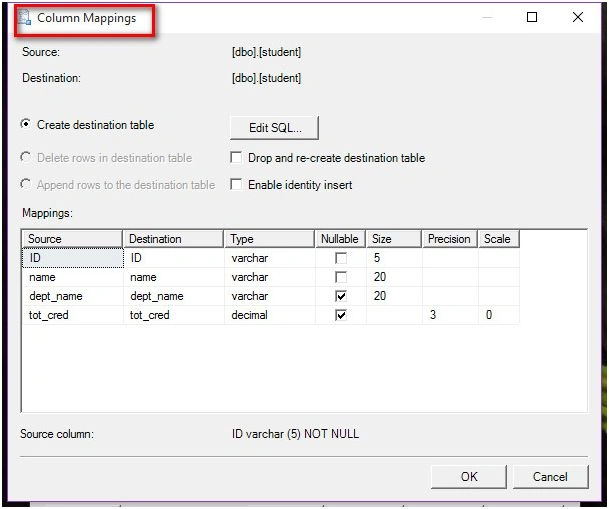
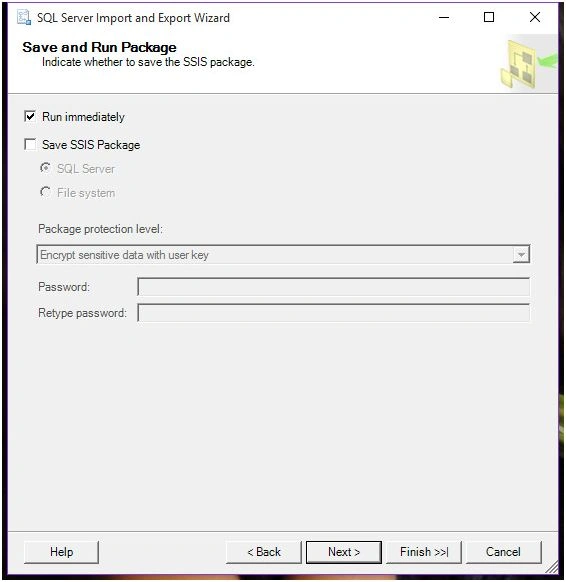
After selecting your tables, you’ll see 2 options below ListView.
Santhakumar MunuswamyPosted Jan 13, 2016, 10:42 AM
Thanks for nice article.
Humayun Kabir MamunPosted Jan 11, 2016, 11:08 PM
Nice...
Aasim AbdullahPosted Jan 11, 2016, 8:27 AM
A good article. Unfortunately, Export wizard is less commonly used on production servers. Most of the time when both databases (on same or separate instances) are accessible through Linked Server Connection, then four part object naming is used to copy data. (Insert into dbo.student SELECT * FROM ABHI2012.University.dbo.student)
Arul RPosted Jan 11, 2016, 8:17 AM
Nice share
Debasis SahaPosted Jan 11, 2016, 7:37 AM
Good One..
Yashwant VishwakarmaPosted Jan 11, 2016, 6:29 AM
Awesome one, thanks for sharing !!