

Data engineers often receive compressed files from external systems, vendors, APIs, and enterprise applications. ZIP files are commonly used because they reduce file size and simplify data transfer. However, before the data can be processed inside a Lakehouse environment, those compressed files must first be extracted.
One of the powerful capabilities of Microsoft Fabric is the ability to perform file extraction directly inside a Fabric Notebook using Python and PySpark. This eliminates the need for external tools or manual decompression before ingestion.
In this article, we will walk through how to extract ZIP files stored in a Fabric Lakehouse using a Fabric Notebook and save the extracted files back into the Lakehouse for downstream analytics and processing.
Why Extract ZIP Files in Fabric?
In modern data engineering solutions, ZIP files are extremely common in scenarios such as:
Daily sales exports
Vendor data delivery
IoT batch uploads
Financial reports
API data dumps
Legacy system integrations
Instead of manually downloading and extracting files locally, Microsoft Fabric allows us to automate the entire process directly within the platform.
Benefits include:
Fully cloud-native processing
Reduced manual intervention
Centralized data ingestion
Scalable ETL pipelines
Seamless integration with Lakehouse architecture
Solution Architecture
The overall process is straightforward:
Upload ZIP file into Fabric Lakehouse Files section
Use Fabric Notebook to read the ZIP file
Extract compressed contents using Python
Prerequisites
Before getting started, ensure you have the following:
Microsoft Fabric Workspace
Fabric Lakehouse
Fabric Notebook
ZIP file uploaded into the Lakehouse Files section
Step 1: Upload ZIP File into Fabric Lakehouse
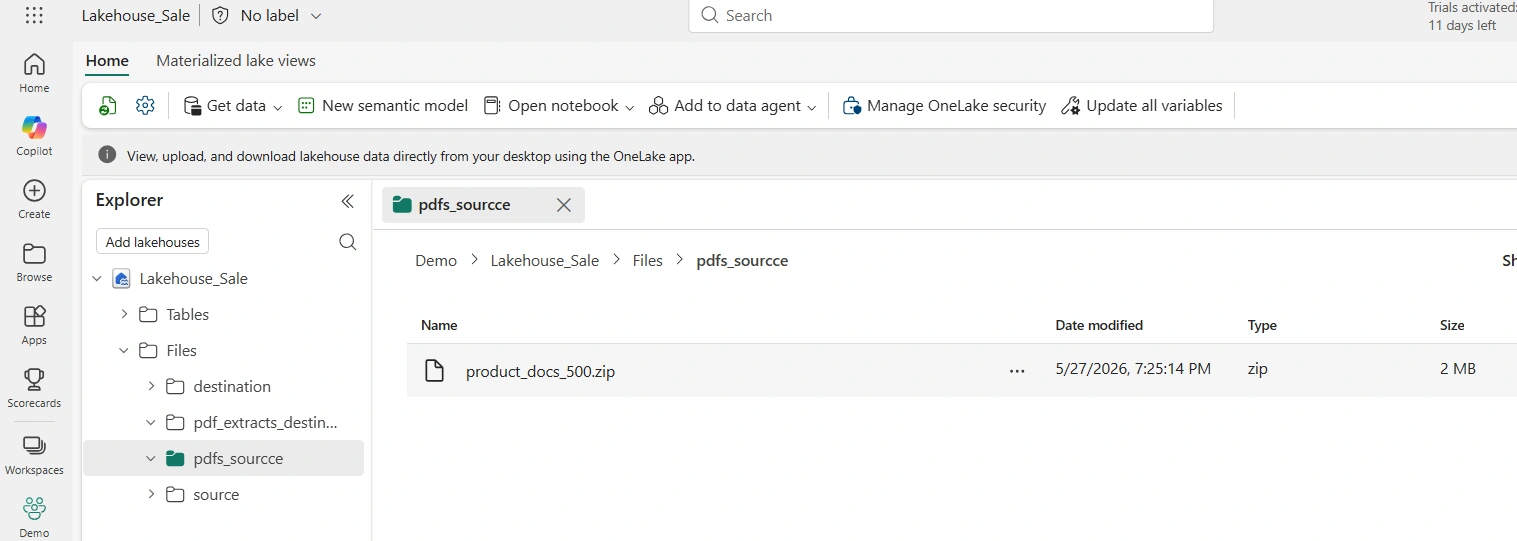
First, in my Lakehouse, I created pdfs_source and pdf_extract_destination subfolders. Then, I uploaded the product_docs_500.zip into the pdfs_source subfolder as seen in the image below.
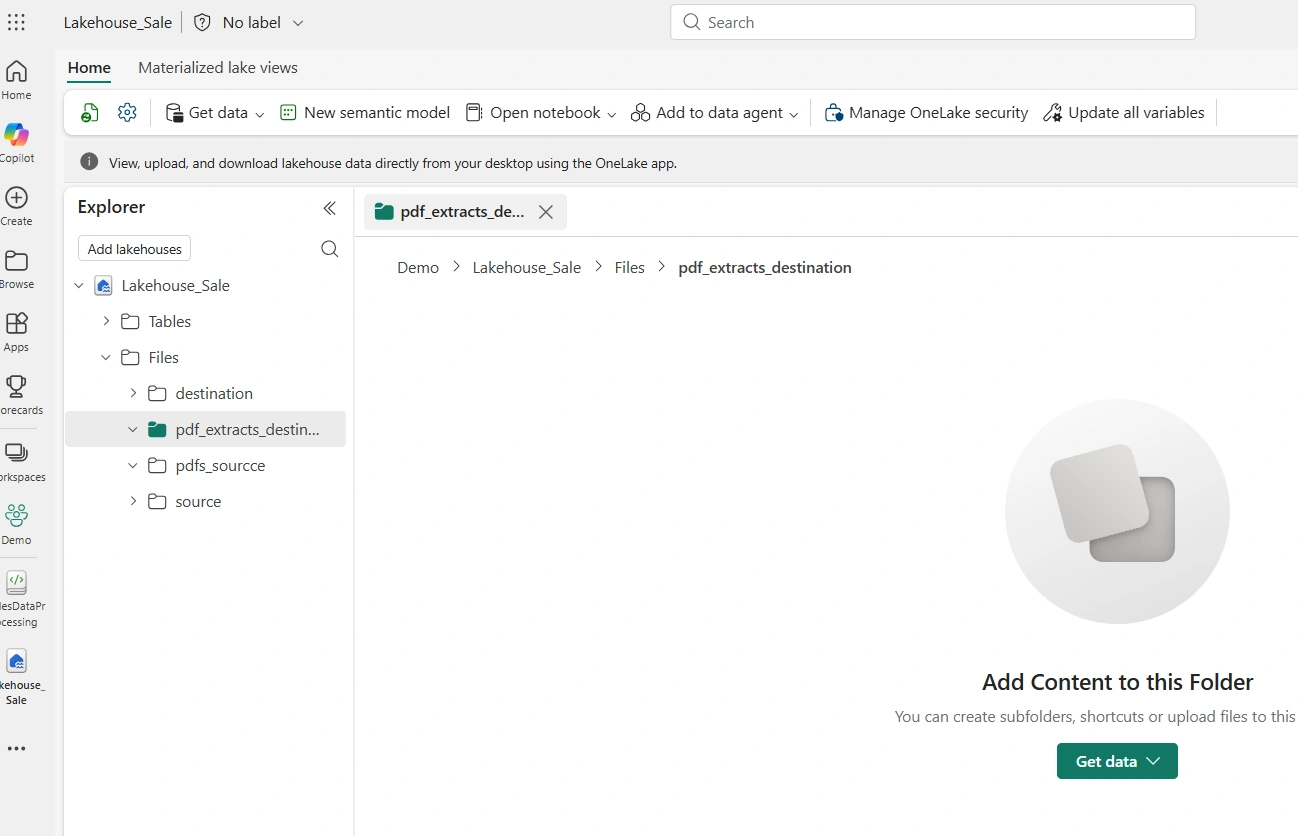
The pdf_extract_destination subfolders is currently empty as seen below
This ZIP file may contain:
CSV files
Excel files
JSON files
Text files
PDF files
Step 2: Create a Fabric Notebook
Next, I created new Fabric Notebook connected to my Lakehouse named SalesDataProcessing. The Lakehouse_Sale which contains the file store subfolders including the products_docs_500.zip can be seen in the image below
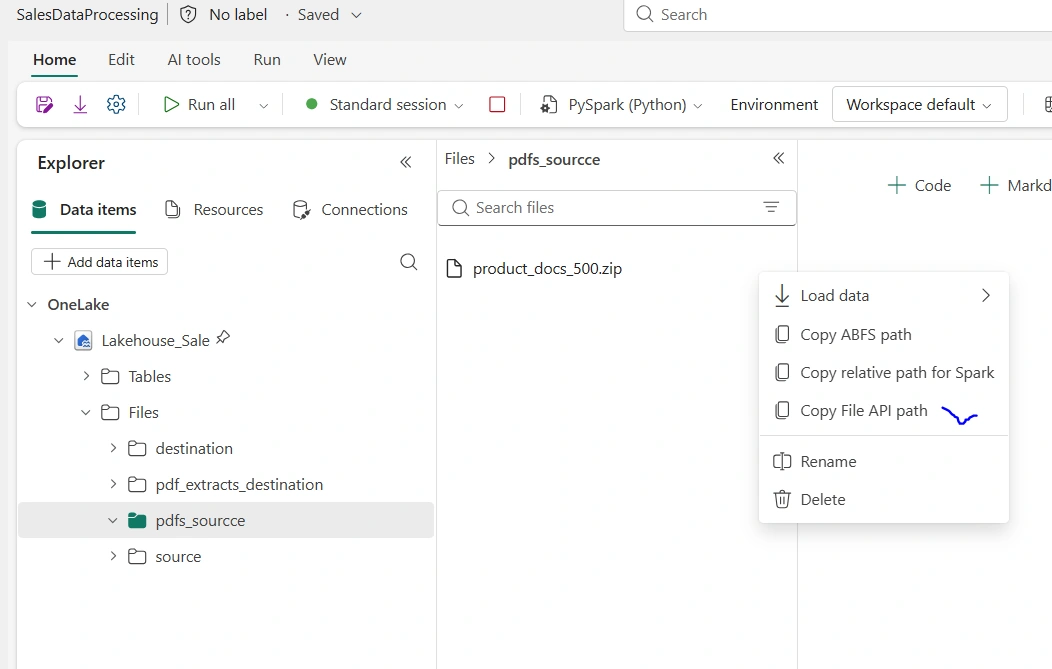
From the image above, I clicked on the product_docs_500.zip ellipsis and copied the Copy File API path needed to be used as input parameters in the pyspark code to perform the extraction.
Step 3: Define the ZIP File Path and Extract the ZIP File
Inside the notebook, I created a cell and authored the code below to perform the extraction of the pdf files.
In the pdf_zip variable, I pasted the Copy File API path value (/lakehouse/default/Files/pdfs_sourcce/product_docs_500.zip)
In the pdf_out, I copied and pasted the value: /lakehouse/default/Files/pdf_extracts_destination and then added /pdfs
# Import zipfile and os modules
import zipfile, os

# Unzip PDFs
pdf_zip = f"/lakehouse/default/Files/pdfs_sourcce/product_docs_500.zip"
pdf_out = f"/lakehouse/default/Files/pdf_extracts_destination/pdfs"
os.makedirs(pdf_out, exist_ok=True)
with zipfile.ZipFile(pdf_zip, 'r') as z:
    z.extractall(pdf_out)
print(f"PDFs extracted: {len(os.listdir(pdf_out))} files")
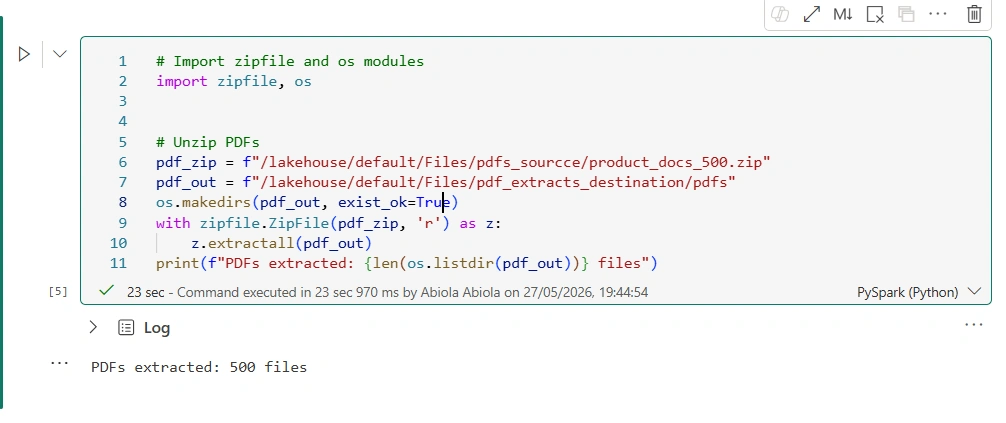
Then, I executed the code in the cell
Step 4: Verify Extracted Files
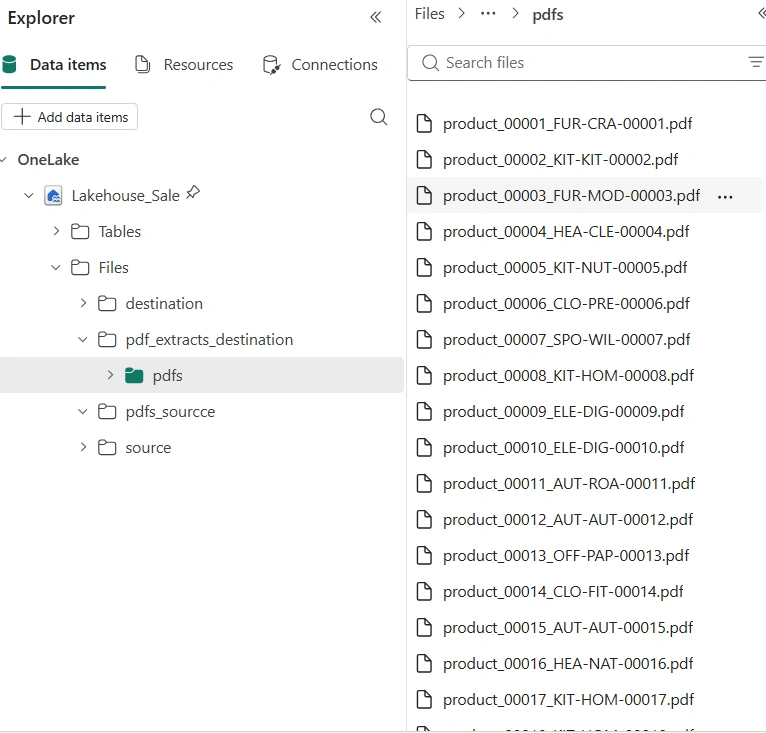
After running the cell, I can see that all the pdf files are now extracted and visible in the pdf_extracts_destination subfolder
Conclusion
Microsoft Fabric provides a modern and scalable approach to handling compressed data ingestion directly within the Lakehouse environment. Using Fabric Notebooks, data engineers can easily automate ZIP file extraction without relying on external systems or manual intervention.
By combining:
Fabric Lakehouse
Fabric Notebook
Python ZIP processing
PySpark transformations
organizations can build powerful enterprise-grade ingestion pipelines capable of handling compressed data efficiently and at scale.
As enterprises continue moving toward unified analytics platforms, Microsoft Fabric simplifies the entire process from raw file ingestion to analytics-ready data - all within a single ecosystem.
Join the conversation! Your thoughts help the community grow.