

SignalR is a library for ASP.NET developers that simplifies the process of adding real-time web functionality to applications. Real-time web functionality is the ability to make server code push the content to connected clients instantly as it becomes available, rather than having the server wait for a client to request the new data.
To Know more about SignalR, you can visit my blogs and articles.
Description
SignalR can be used to add any sort of "real-time" web functionality to your MVC application. While Chat is often used as an example, you can do a whole lot more; examples include dashboards and monitoring applications, collaborative applications such as simultaneous editing of documents, job progress updates, and real-time forms. We must have a way to notify all the connected clients if there are any changes on the server, without a refresh or update the web page. This is the scenario in which ASP.NET SignalR comes handy.
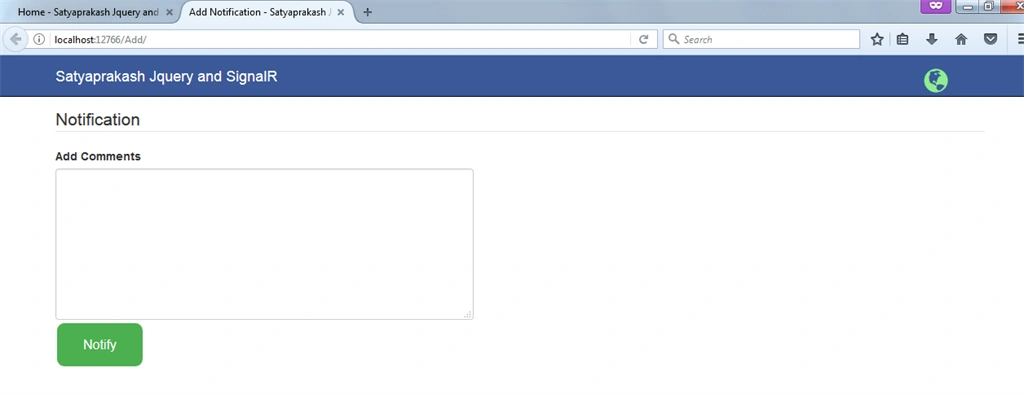
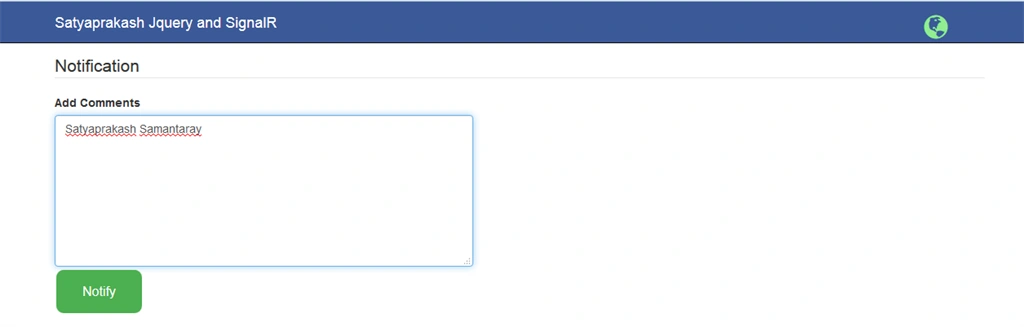
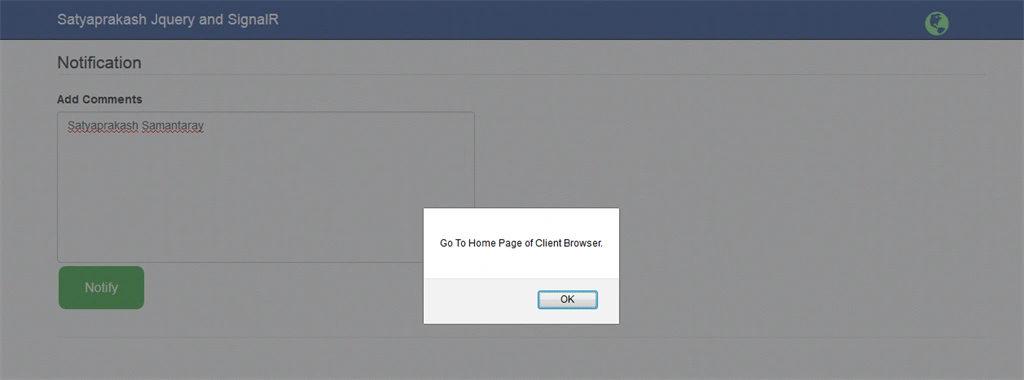
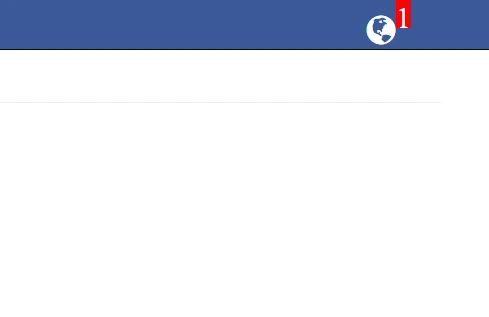
Here, I have created two Views - for home and for Notification entry details. After that, the notifiation message will come with counting the no. of notifications arrived.
SignalR can be used to add any sort of "real-time" web functionality to your MVC application. While Chat is often used as an example, you can do a whole lot more; examples include dashboards and monitoring applications, collaborative applications such as simultaneous editing of documents, job progress updates, and real-time forms. We must have a way to notify all the connected clients if there are any changes on the server, without a refresh or update the web page. This is the scenario in which ASP.NET SignalR comes handy.
Here, I have created two Views - for home and for Notification entry details. After that, the notifiation message will come with counting the no. of notifications arrived.
Link to download my project
Steps to be followed
Step 1
Create one MVC application named "SignalRDemo".
Step 2
Create a table named "tblEmployee". Paste the following code in that.
Step 1
Create one MVC application named "SignalRDemo".
Step 2
Create a table named "tblEmployee". Paste the following code in that.
- SET ANSI_NULLS ON
- GO
- SET QUOTED_IDENTIFIER ON
- GO
- SET ANSI_PADDING ON
- GO
- CREATE TABLE [dbo].[tblEmployee](
- [ID] [int] IDENTITY(1,1) NOT NULL,
- [Name] [varchar](50) NULL,
- [AddedOn] [datetime] NULL,
- PRIMARY KEY CLUSTERED
- (
- [ID] ASC
- )WITH (PAD_INDEX = OFF, STATISTICS_NORECOMPUTE = OFF, IGNORE_DUP_KEY = OFF, ALLOW_ROW_LOCKS = ON,
- ALLOW_PAGE_LOCKS = ON) ON [PRIMARY]
- ) ON [PRIMARY]
- GO
- SET ANSI_PADDING OFF
- GO
Enable Service Broker on the database.
- ALTER DATABASE Your_DB_Name SET ENABLE_BROKER WITH ROLLBACK IMMEDIATE ;
Service Broker is a feature introduced for the first time in SQL Server 2005. By using this feature, external or internal processes can send and receive asynchronous messages reliably by using extensions of Transact-SQL Data Manipulation Language (DML). It is a queued and reliable messaging mechanism used for asynchronous programming model.We need this feature to be enabled since, whenever a change in the table will happen such as Insert/Update/Delete/Truncate, then the SQLDependency should be able to identify that.
It (Service Broker) rather implements a Broker Architecture which publishes the events while the SQL Dependency acts as a subscriber and detects the changes. Using the SqlDependency object, the application can create and register to receive notifications via the OnChangeEventHandler event handler.
How To Check Service Broker on the database Is Enabled Or Not?
How To Check Service Broker on the database Is Enabled Or Not?
- SELECT NAME, IS_BROKER_ENABLED FROM SYS.DATABASES
- WHERE NAME='Your_db_name'

Step4
Add Ado.Net Entity Data Model named "SignalRDataModel.edmx".
Go to Solution Explorer (Visual studio) > Right Click on Project name form Solution Explorer > Add > New item > Select ADO.net Entity Data Model under data > Enter model name > Add.
A popup window will come (Entity Data Model Wizard) > Select Generate from database > Next > Chose your data connection > select your database > next > Select tables > enter Model Namespace > Finish.
Step5
Install SignalR NuGet Package.
Solution Explorer > Right Click on References > Manage NuGetPackages > Search for "SignalR"> Install > Close.
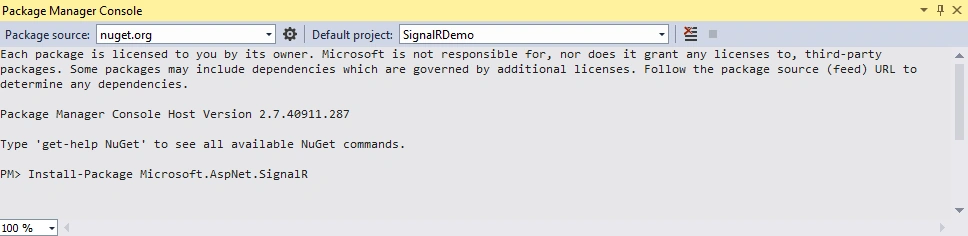
Or you can also install from package manager console.
Go to Tools (top menu) > Library Package Manager > Open "Package Manager Console" and Type below command .
Add Ado.Net Entity Data Model named "SignalRDataModel.edmx".
Go to Solution Explorer (Visual studio) > Right Click on Project name form Solution Explorer > Add > New item > Select ADO.net Entity Data Model under data > Enter model name > Add.
A popup window will come (Entity Data Model Wizard) > Select Generate from database > Next > Chose your data connection > select your database > next > Select tables > enter Model Namespace > Finish.
Step5
Install SignalR NuGet Package.
Solution Explorer > Right Click on References > Manage NuGetPackages > Search for "SignalR"> Install > Close.
Or you can also install from package manager console.
Go to Tools (top menu) > Library Package Manager > Open "Package Manager Console" and Type below command .
- PM> Install-Package Microsoft.AspNet.SignalR
Step6
Add an Owin startup file.
Add an Owin startup class in your application for enabling the SignalR in our application. Add a new class in the project named "Startup.cs"
Code Ref
Add an Owin startup file.
Add an Owin startup class in your application for enabling the SignalR in our application. Add a new class in the project named "Startup.cs"
Code Ref
- using Microsoft.Owin;
- using Owin;
- using System;
- using System.Collections.Generic;
- using System.Linq;
- using System.Web;
- [assembly: OwinStartup(typeof(SignalRDemo.Startup))]
- namespace SignalRDemo
- {
- public class Startup
- {
- public void Configuration(IAppBuilder app)
- {
- app.MapSignalR();
- }
- }
- }
Add a SignalR hub class.
Now, you need to create a SignalR Hub class, this makes possible to invoke the client side JavaScript method from the server side. In this application, we will use this for showing notification.SignalR uses ‘Hub’ objects to communicate between the client and the server.
Add a new class named "NotificationHub.cs".
Code Ref
- using Microsoft.AspNet.SignalR;
- using System;
- using System.Collections.Generic;
- using System.Linq;
- using System.Web;
- namespace SignalRDemo
- {
- public class NotificationHub : Hub
- {
- //Nothing required here
- //public void Hello()
- //{
- // Clients.All.hello();
- //}
- }
- }
Step8
Add connection string into the web.config file.
Open the application root Web.config file and find the element. Add the following connection string to the element in the Web.config file.
Code Ref
Add connection string into the web.config file.
Open the application root Web.config file and find the element. Add the following connection string to the element in the Web.config file.
Code Ref
- <add name="sqlConString" connectionString="Your_Connection_String" />
Add another class file named "NotificationComponent.cs" for register notification for data changes in the database In this class, you need to create a SQL dependency which allows your application to be notified when a data has changed in the database (Microsoft SQL Server).
Write the following in this class...
- RegisterNotification- void method for register notification
- SqlDependency_OnChange- SqlDependency onchnage event, get fired when assigned SQL command produced a different
- GetContacts- This is a method for return the changes happened on the server, here our new inserted contact data
- using Microsoft.AspNet.SignalR;
- using System;
- using System.Collections.Generic;
- using System.Configuration;
- using System.Data.SqlClient;
- using System.Linq;
- using System.Web;
- namespace SignalRDemo
- {
- public class NotificationComponent
- {
- //Here we will add a function for register notification (will add sql dependency)
- public void RegisterNotification(DateTime currentTime)
- {
- string conStr = ConfigurationManager.ConnectionStrings["sqlConString"].ConnectionString;
- string sqlCommand = @"SELECT [ID],[Name] from [dbo].[tblEmployee] where [AddedOn] > @AddedOn";
- //you can notice here I have added table name like this [dbo].[Contacts] with [dbo], its mendatory when you use Sql Dependency
- using (SqlConnection con = new SqlConnection(conStr))
- {
- SqlCommand cmd = new SqlCommand(sqlCommand, con);
- cmd.Parameters.AddWithValue("@AddedOn", currentTime);
- if (con.State != System.Data.ConnectionState.Open)
- {
- con.Open();
- }
- cmd.Notification = null;
- SqlDependency sqlDep = new SqlDependency(cmd);
- sqlDep.OnChange += sqlDep_OnChange;
- //we must have to execute the command here
- using (SqlDataReader reader = cmd.ExecuteReader())
- {
- // nothing need to add here now
- }
- }
- }
- void sqlDep_OnChange(object sender, SqlNotificationEventArgs e)
- {
- //or you can also check => if (e.Info == SqlNotificationInfo.Insert) , if you want notification only for inserted record
- if (e.Type == SqlNotificationType.Change)
- {
- SqlDependency sqlDep = sender as SqlDependency;
- sqlDep.OnChange -= sqlDep_OnChange;
- //from here we will send notification message to client
- var notificationHub = GlobalHost.ConnectionManager.GetHubContext<NotificationHub>();
- notificationHub.Clients.All.notify("added");
- //re-register notification
- RegisterNotification(DateTime.Now);
- }
- }
- public List<tblEmployee> GetData(DateTime afterDate)
- {
- using (SignalRDBEntities dc = new SignalRDBEntities())
- {
- return dc.tblEmployees.Where(a => a.AddedOn > afterDate).OrderByDescending(a => a.AddedOn).ToList();
- }
- }
- }
- }
The details code is explained using comment lines.
Step10
Add a new Controller named "HomeController.cs". Here I have added "Index" Action into "Home" Controller.
Code Ref
Add a new Controller named "HomeController.cs". Here I have added "Index" Action into "Home" Controller.
Code Ref
- public ActionResult Index()
- {
- return View();
- }
Then create one view for home controller.
Code Ref
- @{
- ViewBag.Title = "Home";
- }
- <h2>Index</h2>
- <a target="_blank" href="Add/">Go To Notification page>></a>
This View is only for home page.
Step12
Add another action in HomeController to fetch Employee data.
Add another action in HomeController to fetch Employee data.
- using System;
- using System.Collections.Generic;
- using System.Linq;
- using System.Web;
- using System.Web.Mvc;
- namespace SignalRDemo.Controllers
- {
- public class HomeController : Controller
- {
- //
- // GET: /Home/
- public ActionResult Index()
- {
- return View();
- }
- public JsonResult GetNotifications()
- {
- var notificationRegisterTime = Session["LastUpdated"] != null ? Convert.ToDateTime(Session["LastUpdated"]) : DateTime.Now;
- NotificationComponent NC = new NotificationComponent();
- var list = NC.GetData(notificationRegisterTime);
- //update session here for get only new added contacts (notification)
- Session["LastUpdate"] = DateTime.Now;
- return new JsonResult { Data = list, JsonRequestBehavior = JsonRequestBehavior.AllowGet };
- }
- }
- }
Code Description
The details code is explained using comment lines.
Step13
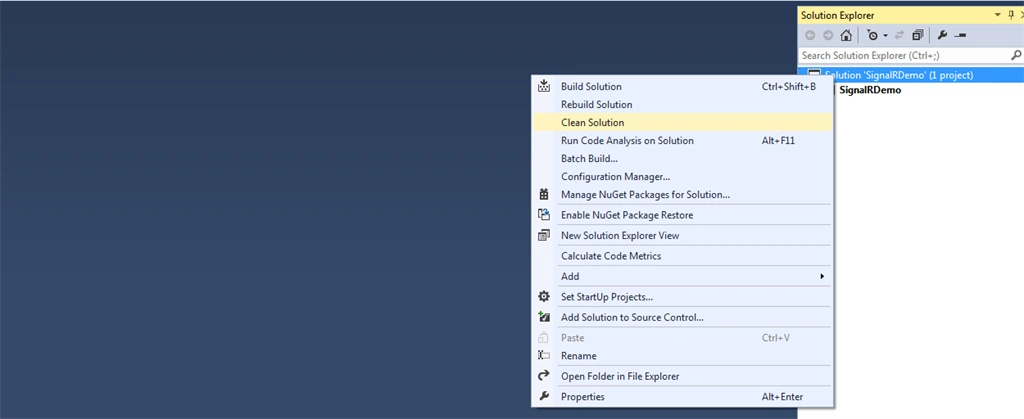
Add and update _Layout.cshtml for showing notification.
Code Ref
Add and update _Layout.cshtml for showing notification.
Code Ref




standford bagasinPosted Jun 4, 2023, 1:55 AM
Is this possible for asp.net?
GauravPosted Feb 25, 2021, 2:25 PM
How can I send push notification from 1 website to other. Like I done an action in administration portal and customer get push notification in their portal.
Esteban ValientePosted Apr 17, 2020, 6:20 PM
Hi, i got a problem with the second connection SignalRDBEntities in the web.config archive, what parameter i need to add in the line 49 of the web.config ? , thank you, best regards
Shreya SakhalkarPosted Mar 13, 2019, 3:54 AM
If the client side browser is closed or user is logged out , upon login is it possible that the user will receive all the missed notifications
san solomanPosted Dec 6, 2018, 10:09 PM
Thanks for sharing
Fadoua DestinPosted Nov 19, 2018, 9:05 AM
Hi, please despite of installing package Microsoft.AspNet.SignalR I'm not finding this script under my Scripts : <script src="~/Scripts/jquery.signalR-2.2.0.min.js"></script> any idea !!. Thanks.
Fadoua DestinPosted Nov 19, 2018, 6:22 AM
Very interesting article .
mudassar rehmanPosted Jun 23, 2018, 11:05 PM
SIR I NEED THIS ARTICLE IN SIMPLE ASP.NET PLEASE HELP
mudassar rehmanPosted Jun 23, 2018, 11:04 PM
SIR I NEED THIS ARTICLE IN SIMPLE ASP,NET
Tridip BhattacharjeePosted Jan 7, 2018, 8:23 AM
@Aqib i heard too that signalr has performance issue. i have doubt that people at all use signalr lib in enterprise level web application?
Tridip BhattacharjeePosted Jan 7, 2018, 8:22 AM
If 500 user will browing your site then how many instance will be created for sql dependency. long time back i got a hint from a web site that we can create max 100 instance of sql dependency. so tell me what will happen if huge no of user browsing your site?
Muhammad Aqib ShehzadPosted Sep 4, 2017, 5:29 AM
Nicely Elaborate article, i have also used the signalR, i have one question as i have used in production plenty of times and whenever i used i have to rollback it due to its long polling nature and also it cause the application to slow. can you let me know what performance affects it cause and how to avoid it to run smoothly in production environment.