

Introduction
When working with SPFx projects, often time we might think of following questions
- How do I share the source code with other team members?
- What are the files to be checked into the source control repository like GitHub, Azure DevOps etc.
When working on .Net projects it is easy to share solutions and packages. The required binaries will be created in debug/bin or release folder, and source code can be zipped and shared with team or source code can be checked in Git repository. But the dependency is the user who is consuming this application should have .Net runtime installed (mostly available on all Windows OS and needs to be installed on other OS such as Linux) and to test and debug the application Visual studio needs to be installed.
Since SPFx (SharePoint Framework) is cross-platform developer environment, the run time will be provided by the NodeJS. Users who are working with the SPFx should have their machines installed with NodeJS application which provides runtime and required files for successful development, testing and packaging the solution. Please refer to the references section for installing node using NVM (node version manager) that has details.
SPFx Folder Structure
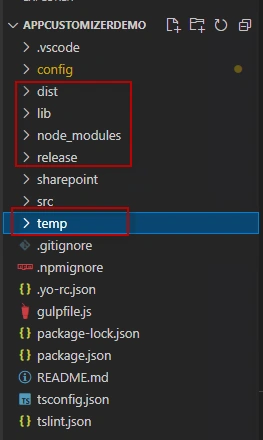
Let’s try to understand the basic SPFx folder structure that gets created. In this article, I have taken the folder structure for Application Customizer. A similar folder structure gets created for other SPFx project types.
| Folder | Purpose | Image |
| src | The main repository for your application, and starting point, is where you write code and initialize the components. | 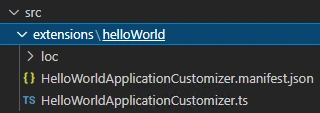 |
| lib | Contains processed code, that gets created during compilation and transpilation | 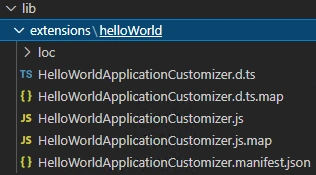 |
| dist | This folder gets created during gulp serve and contains the javascript bundle and manifest. During the testing the local node server will be distributing the content to your application in SharePoint workbench from this folder. | 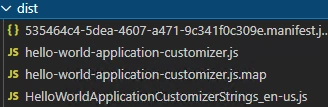 |
| config | Contains set of configuration files used by projects for various build tasks such as how the solution is packaged, and where the static assets and code is hosted. | 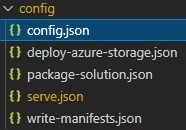 |
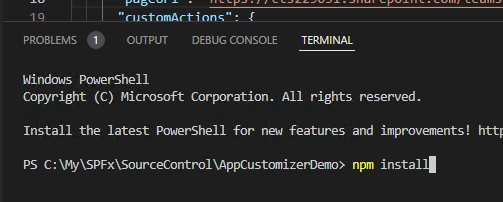
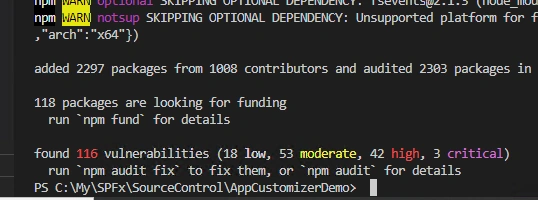
| node_modules | Contains all the run time packages and dependencies which is created as part of npm install. | 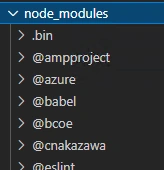 |
| release | Folder gets created during serve, bundle and package commands. This contains assets folder that contains files generated when bundle and packaging the solution. | 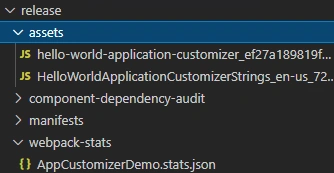 |
| sharepoint | Contains the solution folder that contains sppkg file which is final package that will be deployed to tenant-level or site level app catalog. This also contains assets folder which has details about whether tenant wise install or specific to few sites. | 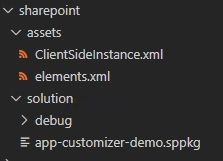 |
| temp | This folder gets created during serve and is used by local node server during testing | 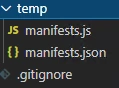 |

Join the conversation! Your thoughts help the community grow.