

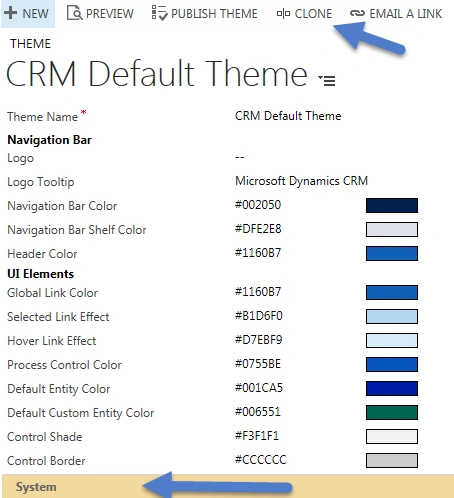
Microsoft Dynamics CRM 2015 Update 1 introduced a very nice feature, “Themes” , which allows us to add colors to different below components in supported way. We can access theme by navigating Settings->Customizations-> Themes. There is one default read only, out of the box theme available in every CRM deployment. We can’t do any modification to this theme but we can make new custom theme or can make clone of existing default theme using Clone button available in command bar.
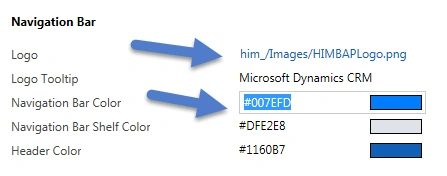
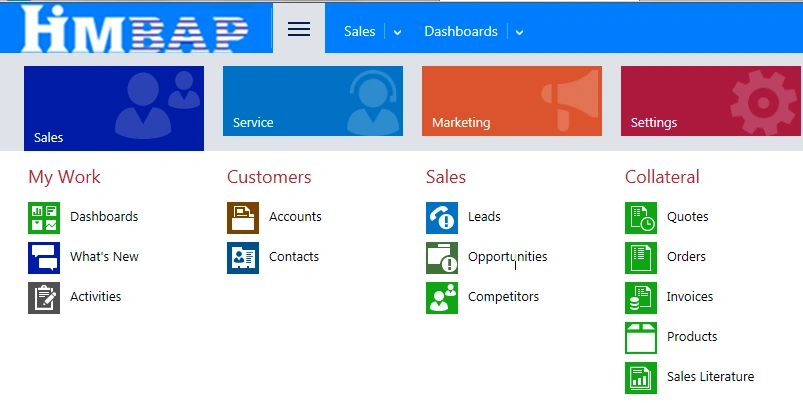
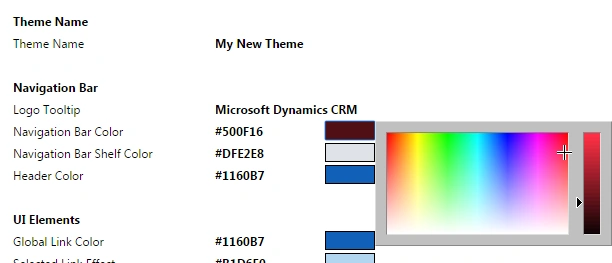
We can also use Dynamics CRM Theme Generator tool to edit theme in dynamic way. We don’t need to install any solution, we can simply navigate to this site and customize your theme. It provides color picker, so we can fill colors using color picker and view your changes on the same screen itself.
Once we are done, we can export and import it in our CRM application easily. Themes are not part of the solution so we can export and import them as excel file. So keep in mind to move theme, when you are moving your customization from dev environment to staging environments.
Mukesh KumarPosted Dec 1, 2015, 8:43 AM
Good Job
Santhakumar MunuswamyPosted Dec 1, 2015, 1:31 AM
Good One
Humayun Kabir MamunPosted Dec 1, 2015, 1:09 AM
Nice...
Raja TPosted Dec 1, 2015, 12:56 AM
Nice , Thanks for sharing
Ankur MistryPosted Dec 1, 2015, 12:09 AM
Good one
Mohammed IbrahimPosted Nov 30, 2015, 1:34 PM
nice
Banketeshvar NarayanPosted Nov 30, 2015, 1:24 PM
Nice Share