

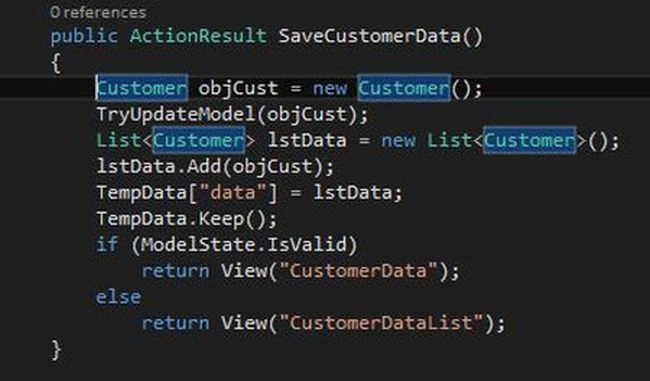
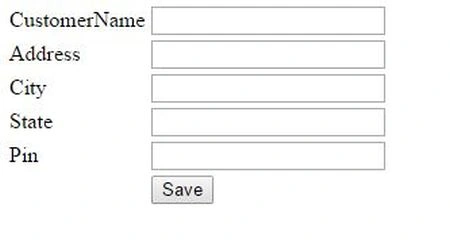
Suppose we want to create a customer information interface to capture customer information and then submit the information, it redirects to another page to display the information in table format.
For doing this, first we create a Customer class as in the following: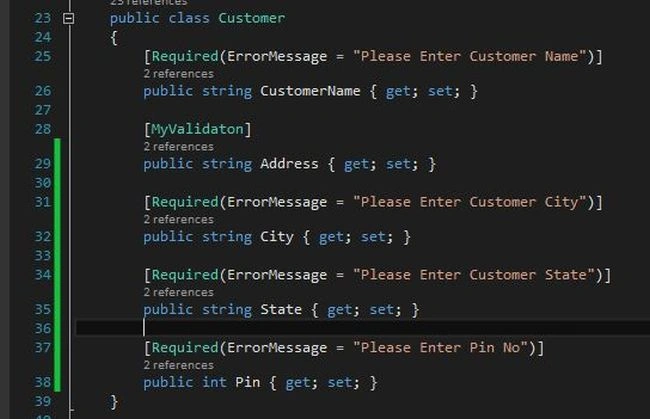
Then I need to create an action result named CustomerData as below: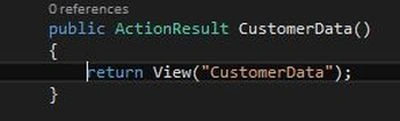
Now, create a view under the view folder with the name CustomerData and write the following code within that view:
- @model Customer.Models.BusinessEntity.Customer
- @{
- Layout = null;
- }
- <!DOCTYPE html>
- <html>
- <head>
- <title>Customer Data</title>
- </head>
- <body>
- <div>
- @using (Html.BeginForm("SaveCustomerData", "Test", FormMethod.Post))
- {
- <table>
- <tr>
- <td>@Html.LabelFor(x => x.CustomerName)</td>
- <td>
- @Html.TextBoxFor(x => x.CustomerName)
- @Html.ValidationMessageFor(x => x.CustomerName)
- </td>
- </tr>
- <tr>
- <td>@Html.LabelFor(x => x.Address)</td>
- <td>
- @Html.TextBoxFor(x => x.Address)
- @Html.ValidationMessageFor(x => x.Address)
- </td>
- </tr>
- <tr>
- <td>@Html.LabelFor(x => x.City)</td>
- <td>
- @Html.TextBoxFor(x => x.City)
- @Html.ValidationMessageFor(x => x.City)
- </td>
- </tr>
- <tr>
- <td>@Html.LabelFor(x => x.State)</td>
- <td>
- @Html.TextBoxFor(x => x.State)
- @Html.ValidationMessageFor(x => x.State)
- </td>
- </tr>
- <tr>
- <td>@Html.LabelFor(x => x.Pin)</td>
- <td>
- @Html.TextBoxFor(x => x.Pin)
- @Html.ValidationMessageFor(x => x.Pin)
- </td>
- </tr>
- <tr>
- <td></td>
- <td><input type="submit" name="submit" value="Save" /></td>
- </tr>
- </table>
- }
- </div>
- </body>
- </html>
Sr KarthigaPosted Apr 19, 2016, 10:51 PM
Nice explanation