
Introduction
Ajax (Asynchronous JavaScript and XML) is a new web development technique for interactive websites. With AJAX help we can develop web applications and retrieve small amounts of data from a web server. AJAX consists of a different type of technology.
- JavaScript
- XML
- Asynchronous Call to the server
FilteredTextboxExtenderContol
FilteredTextBox is an extender which prevents a user from entering invalid characters into a text box. FilteredTextBox is an extender that lets users enter only characters that you define into a text box or that prevents users from entering characters that you specify. The control that is extended is the ASP.Net TextBox. The ASP.Net Textbox does not have any Ajax functionality by itself. The FilteredTextBox extender adds Ajax functionality to the textbox by injecting JavaScript in the client side.
Property
- TargeControlID
- FilterType
- FilterMode
- ValidChars
- InvalidChars
- FilterInterval
Step 1 : Open Visual Studio 2010.
- Go to File->New->WebSite
- Select ASP.NET Empty WebSite
Step 2 : Go to Solution Explorer and right-click.
- Select Add->New Item
- Select WebForm
- Default.aspx page open
Step 3 : Go to the Default.aspx page and click on the [Design] option and drag the control from the Toolbox.
- Drag a ScriptManager, TextBox, Label and Button
Step 4 : Go to the Toolbox option and drag an UpdatePanel and set the property UpdateMode="Conditional".
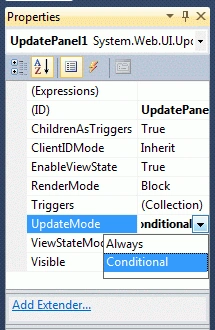
Step 5 : Now define the ContentTemplate for the application.
Code
<asp:UpdatePanel ID="UpdatePanel1" runat="server" UpdateMode="Conditional">
<ContentTemplate>
<asp:Label ID="Label1" runat="server" Text="Label"></asp:Label>
<br />
<br />
<asp:Label ID="Label2" runat="server" Text="Value" ForeColor="#FF6600"></asp:Label>
<br />
<br />
<asp:TextBox ID="TextBox1" runat="server" ForeColor="#A5BA12"></asp:TextBox>
Write any text inside Texbox<br />
<br />
<br />
<asp:Button ID="Button1" runat="server" Text="Button" onclick="Button1_Click" />
Step 6 : Go to the Default.aspx[Design] option and drag a FilteredTextBoxExtender control from the Toolbox.
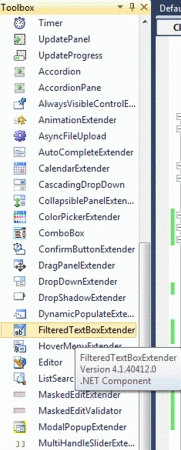
Step 7 : Go to the Default.aspx[Source] option and define the all property for the FilteredTextBoxExtender control.
Code
<asp:FilteredTextBoxExtender ID="FilteredTextBoxExtender1" runat="server" TargetControlID="TextBox1" FilterMode="InvalidChars" InvalidChars="*~!./;;,\[]{}">
</asp:FilteredTextBoxExtender>
Step 8 : Go to the Default.aspx[Source] option and write some code:
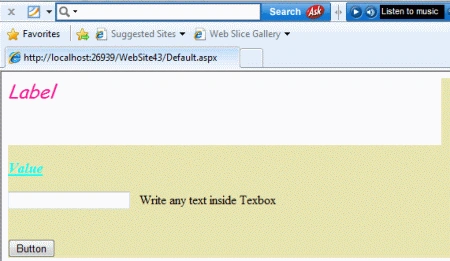
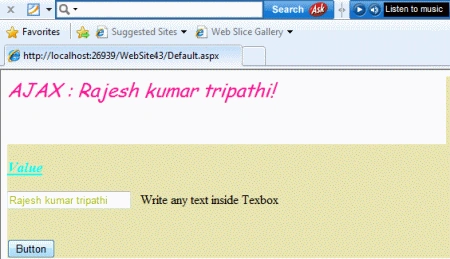
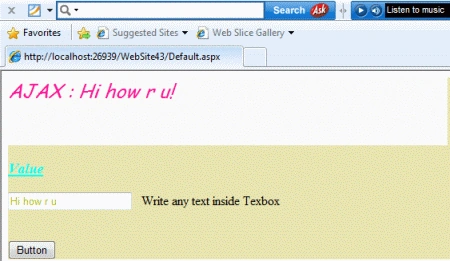
Nitin SinghPosted Feb 15, 2012, 11:01 PM
Really thanks for this great article.