

If you would like to know how to get started with UI-Grid and how to set up a project in AngularJS and Web API, read the articles given below first.
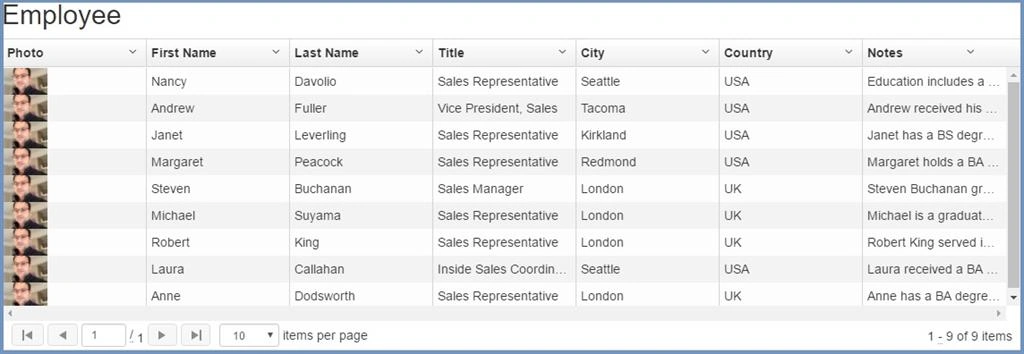
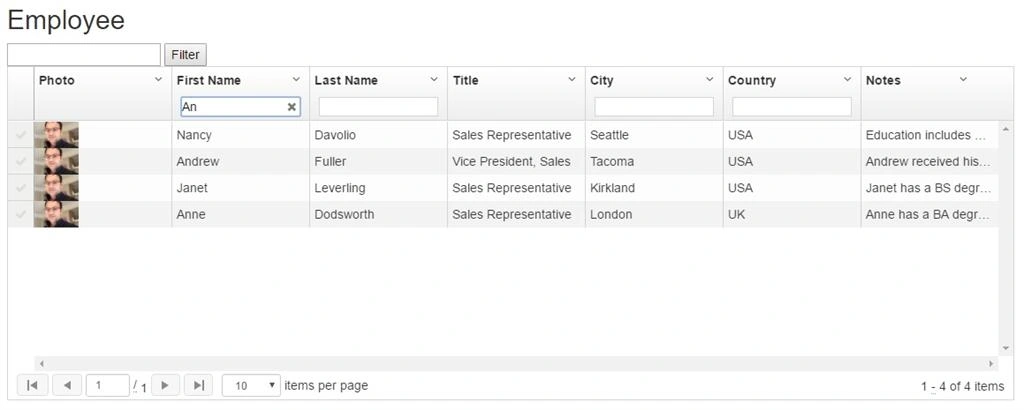
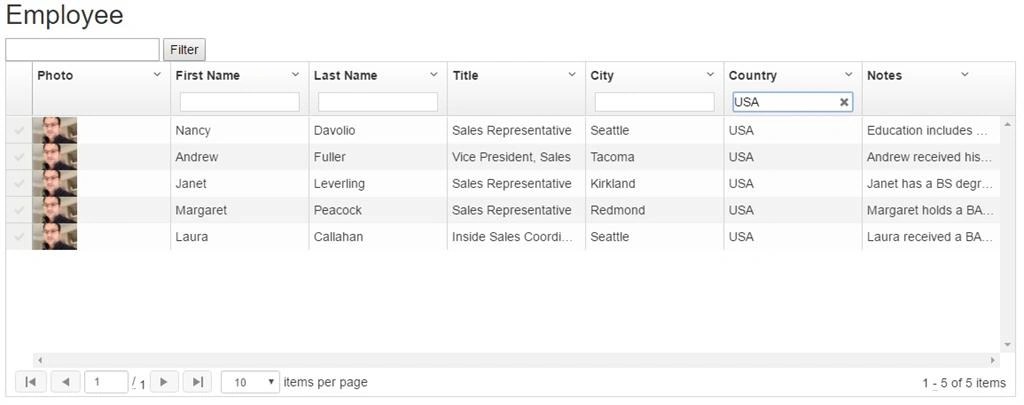
Once we are done with displaying the data in UI-Grid, using Web API, let’s do Filter functionality. Here is my grid with all the data and other features.
Single Filter
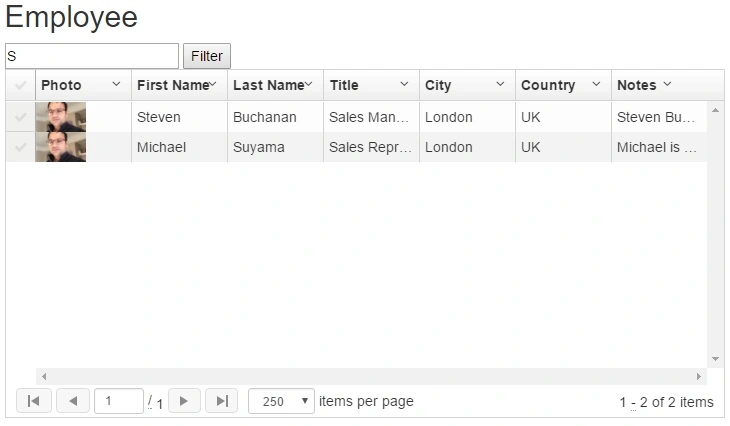
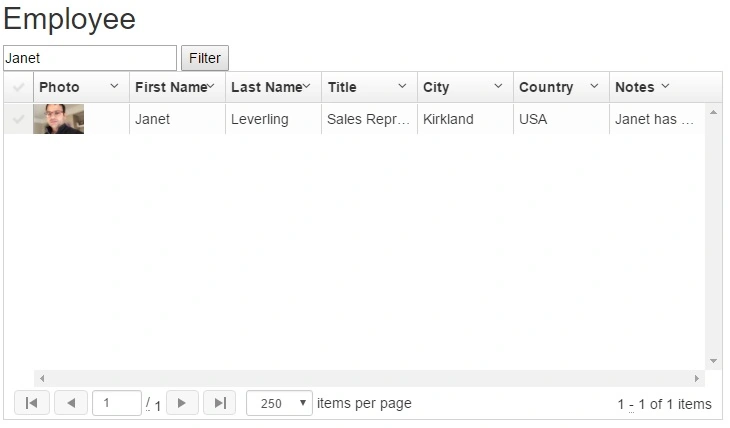
Provide a Single Filter box, which searches across the multiple columns in the grid.
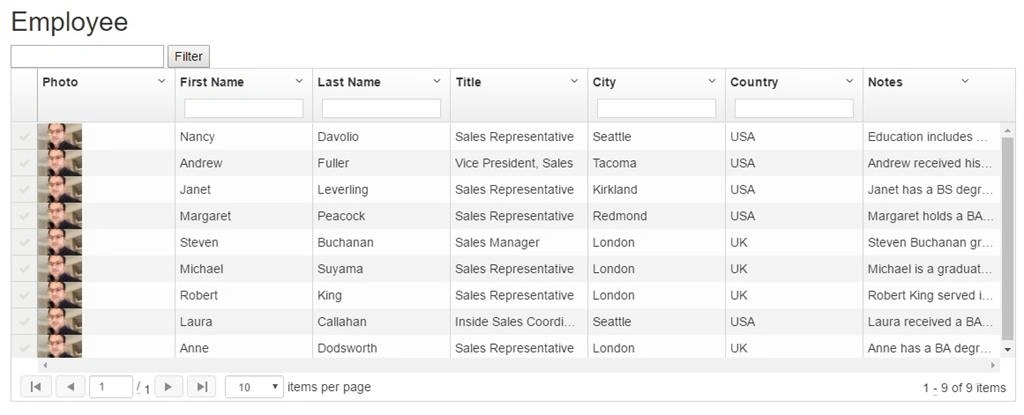
Add a new input and a button above the grid.
- <div ng-app="employeeapp" ng-controller="employeecontroller"> <input ng-model='filterValue' /><button ng-click='filter()'>Filter</button>
- <div ui-grid="gridOptions" ui-grid-pagination ui-grid-selection class="grid" ui-grid-auto-resize> </div>
- </div>
Module
- //Module
- var employeeapp = angular.module('employeeapp', ['ui.grid', 'ui.grid.pagination', 'ui.grid.selection']);
Service
- //Service
- employeeapp.service("employeeservice", function($http) {
- //Function to call get genre web api call
- this.GetEmployee = function() {
- var req = $http.get('api/EmployeesAPI');
- return req;
- }
- });
Controller
- //Controller
- employeeapp.controller("employeecontroller", function($scope, employeeservice, $filter, $window, $interval) {
- GetEmployee();
- function GetEmployee() {
- employeeservice.GetEmployee().then(function(result) {
- $scope.Employees = result.data;
- console.log($scope.Employees);
- }, function(error) {
- $window.alert('Oops! Something went wrong while fetching genre data.');
- })
- }
- //Columns
- $scope.columnDefs = [{
- name: 'photo',
- enableSorting: false,
- field: 'PhotoPath',
- cellTemplate: "<img width=\"50px\" ng-src=\"{{grid.getCellValue(row, col)}}\" lazy-src>",
- enableCellEdit: false,
- enableFiltering: false
- }, {
- name: 'First Name',
- field: 'FirstName',
- headerCellClass: 'tablesorter-header-inner',
- enableCellEdit: true,
- enableFiltering: true
- }, {
- name: 'Last Name',
- field: 'LastName',
- headerCellClass: 'tablesorter-header-inner',
- enableCellEdit: true,
- enableFiltering: true
- }, {
- name: 'Title',
- field: 'Title',
- headerCellClass: 'tablesorter-header-inner',
- enableCellEdit: true,
- enableFiltering: false
- }, {
- name: 'City',
- field: 'City',
- headerCellClass: 'tablesorter-header-inner',
- enableCellEdit: true,
- enableFiltering: true
- }, {
- name: 'Country',
- field: 'Country',
- headerCellClass: 'tablesorter-header-inner',
- enableCellEdit: true,
- enableFiltering: true
- }, {
- name: 'Notes',
- field: 'Notes',
- headerCellClass: 'tablesorter-header-inner',
- enableCellEdit: true,
- enableFiltering: false
- }];
- //Used to bind ui-grid
- $scope.gridOptions = {
- enableFiltering: false,
- onRegisterApi: function(gridApi) {
- $scope.gridApi = gridApi;
- $scope.gridApi.grid.registerRowsProcessor($scope.singleFilter, 200);
- },
- columnDefs: $scope.columnDefs,
- data: 'Employees',
- };
- $scope.filter = function() {
- $scope.gridApi.grid.refresh();
- };
- $scope.singleFilter = function(renderableRows) {
- var matcher = new RegExp($scope.filterValue);
- renderableRows.forEach(function(row) {
- var match = false;
- ['FirstName', 'LastName'].forEach(function(field) {
- if (row.entity[field].match(matcher)) {
- match = true;
- }
- });
- if (!match) {
- row.visible = false;
- }
- });
- return renderableRows;
- };
- });
RajeshPosted Oct 2, 2018, 3:53 AM
Thanks for the nice article. I want to filter all the columns in my grid including numbers and date types. Please advise.
Thiruppathi RPosted May 22, 2017, 10:58 PM
Nice Article......