

Description
In this article, I am going to show you,
- The list of Stored Procedures and tables that reside in your database.
- The creation date and modification date of the table and the stored procedure.
- Filtering process of the table and stored procedure creation date by mentioning proper date and time.
- Finding out object name based on object type
For better reference, take a look at the below images.
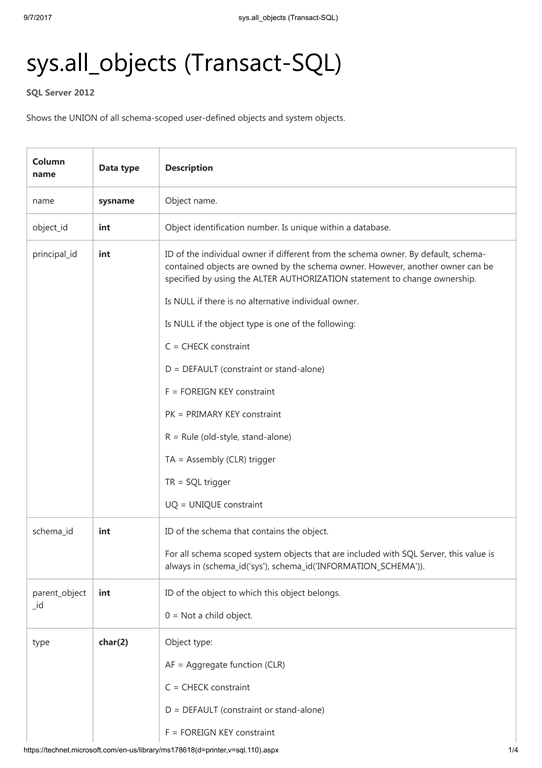
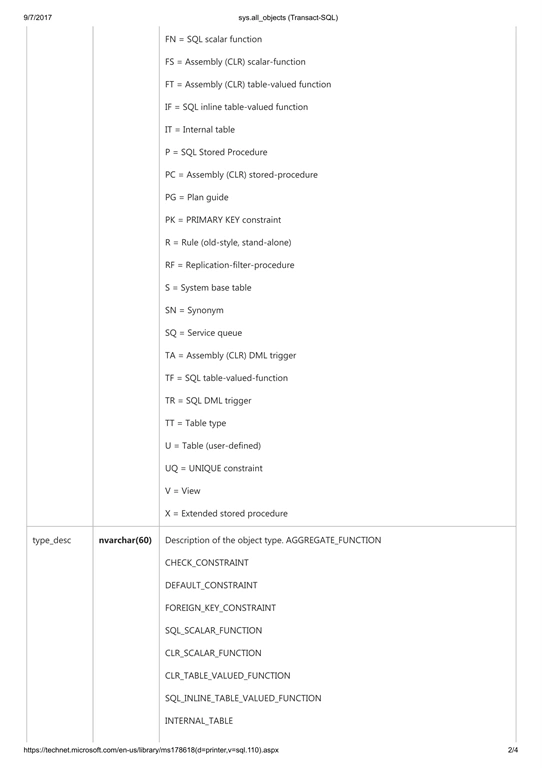
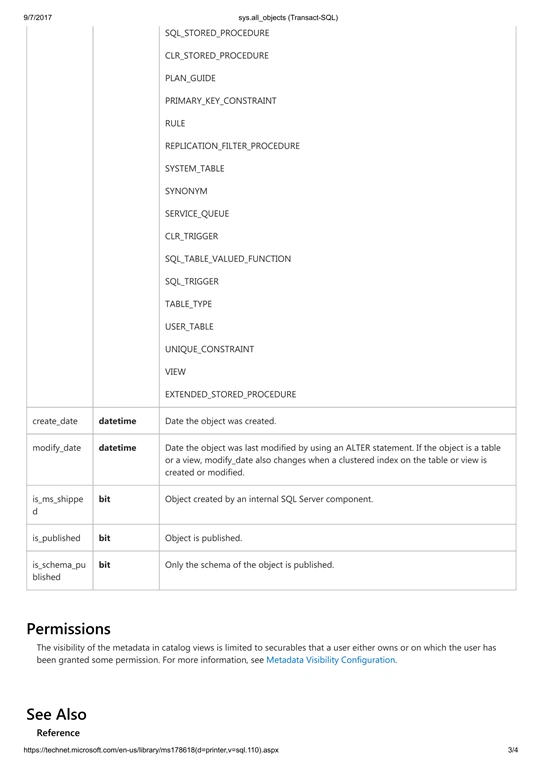
Steps to be followed
Query ref to find out the list of stored procedures and tables residing in your database.
Query ref to find out the list of stored procedures and tables residing in your database.
Total number of user Stored Procedures -
- Select count(*) 'No. Of User Stored Procedures' from sys.all_objects where type='P'

Total number of user Tables -
- Select count(*) 'No. Of User Tables' from sys.all_objects where type='U'

Description
Here, I used built-in-function count using object types of sys.all_objects to return the total no. of stored procedures and tables residing in your database.
Here, I used built-in-function count using object types of sys.all_objects to return the total no. of stored procedures and tables residing in your database.
To display the creation date and modification date of the stored procedure.
Filter By Today's Date.
Filter By Today's Date.
- select * from sys.all_objects where type='P ' and Convert(date, create_date) >= Convert(date, getdate())
- select * from sys.all_objects where type='P ' and Convert(date, create_date) >= Convert(date, '2017-09-06')
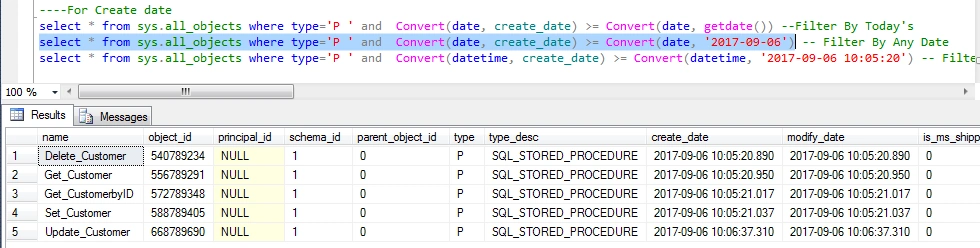
Filter By Any DateTime.
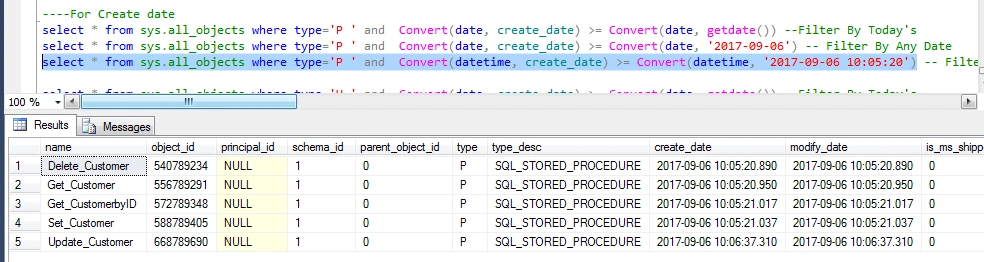
- select * from sys.all_objects where type='P ' and Convert(datetime, create_date) >= Convert(datetime, '2017-09-06 10:05:20')
OUTPUT
Description
All of the above three SQL queries are mentioned with type 'P' which means these queries are for stored procedures.
- In the first line, I put built in function "Convert in where" clause where I mentioned the date format of create_date column of the sys.all_objects and compared with getdate().
- In the second line, I put built in function "Convert in where" clause where I mentioned the date format of create_date column of the sys.all_objects and compared with the only date '2017-09-06'.
- In the third line, I put built in function "Convert in where" clause where I mentioned the datetime format of create_date column of the sys.all_objects and compared with the only datetime '2017-09-06 10:05:20'.
To find out the creation date and modification date of a table.
Filter By Today's.
- select * from sys.all_objects where type='U ' and Convert(date, create_date) >= Convert(date, getdate())
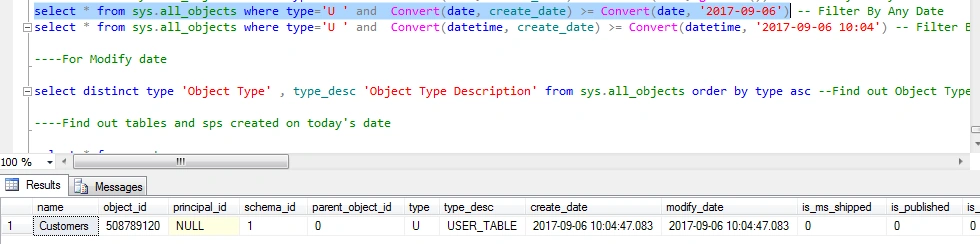
- select * from sys.all_objects where type='U ' and Convert(date, create_date) >= Convert(date, '2017-09-06')
Filter By Any DateTime.
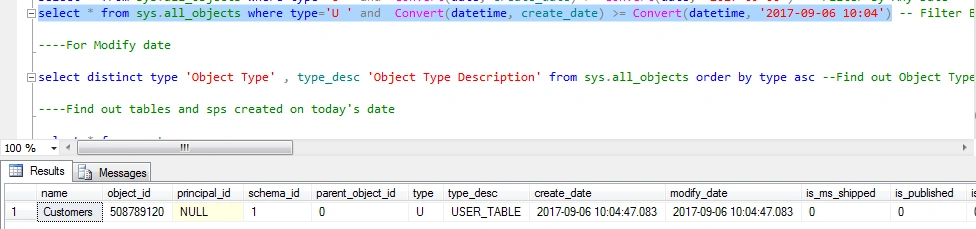
- select * from sys.all_objects where type='U ' and Convert(datetime, create_date) >= Convert(datetime, '2017-09-06 10:04')
Description
All of the above three SQL queries are mentioned with type 'U' which means these are for user tables.
- In the first line, I put built in function "Convert in where" clause where I mentioned the date format of create_date column of the sys.all_objects and compared with getdate().
- In the second line, I put built in function "Convert in where" clause where I mentioned the date format of create_date column of the sys.all_objects and compared with the only date '2017-09-06'.
- In the third line, I put built in function "Convert in where" clause where I mentioned the datetime format of create_date column of the sys.all_objects and compared with the only datetime '2017-09-06 10:04'.
To find out object types and description.
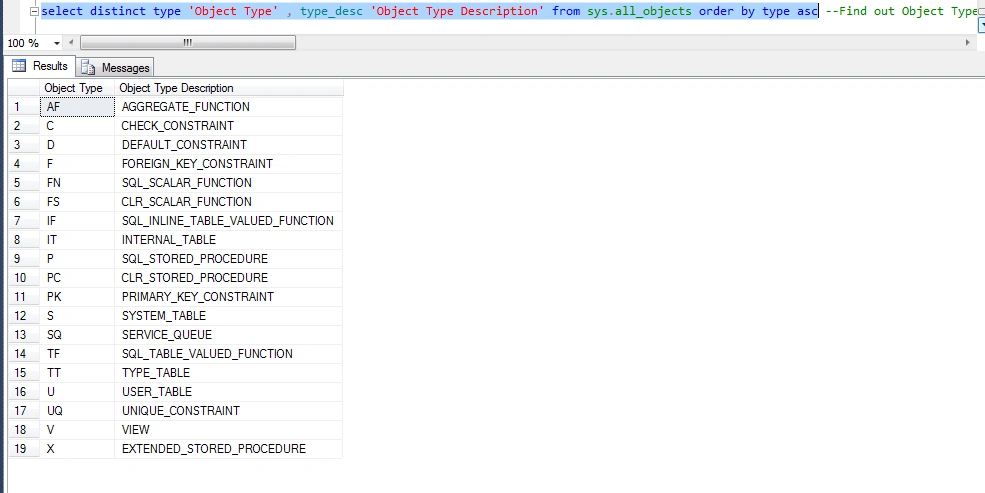
- select distinct type 'Object Type' , type_desc 'Object Type Description' from sys.all_objects order by type asc
Here, we can find out the object types and based on object types, find out the object names. In this database, a total of 19 object types are found.
OUTPUT
Summary
That's it. I hope you will find this article helpful while learning about the Database and related technologies.
Upendra Pratap ShahiPosted Sep 9, 2017, 5:24 AM
Nice one share.....