

Introduction
Today we will learn how to determine in which browser your application is currently running. I hope you will like it.
Background
As you all know, nowadays it is important that our application must work in all the browsers. We cannot force our clients to work with only selected browsers. It is our duty to make our application work with all the browsers. Most of the applications may encounterr some issues with browser compatibility. I encountered some issues too. To make our application work with all the browsers, you must get the browser details at run time, only then we can write the relevant code depending on the browser. Here we will do that.
Using the code
Here I am using Visual Studio 2012. What I will do is to create a default page and when the page runs, we will fetch the browser details from the server.
So let us start
Here I will share two methods to do that.
Method 1
In this method, we will use a page with the following codes. This method does not need any server-side code.
- <%@ Page Language="C#" AutoEventWireup="true" CodeFile="Default.aspx.cs" Inherits="_Default" %>
- <!DOCTYPE html>
- <html xmlns="http://www.w3.org/1999/xhtml">
- <head runat="server">
- <title>Check in which browser your are running your applciation - SibeesPassion</title>
- <style>
- tr {
- border: 1px solid #ccc;
- padding: 5px;
- text-align: center;
- }
- </style>
- </head>
- <body>
- <form id="form1" runat="server">
- <div>
- <%= Request.Browser.Browser %>
- </div>
- </form>
- </body>
- </html>
If you run the page in any browser you will get the output as follows.
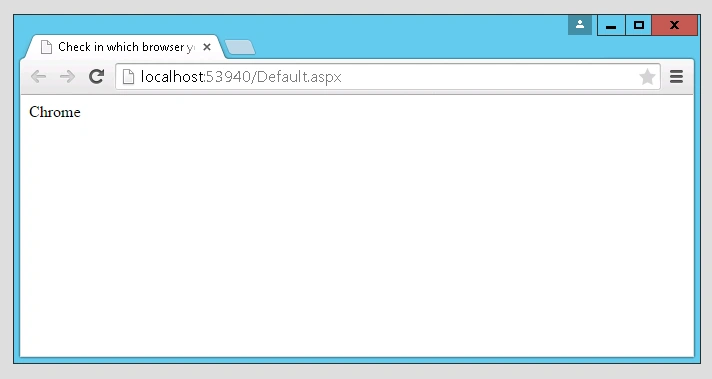
Figure 1: Google Chrome
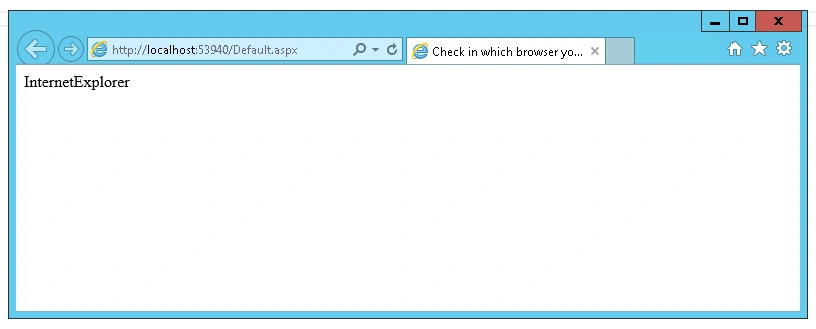
Figure 2: Internet Explorer
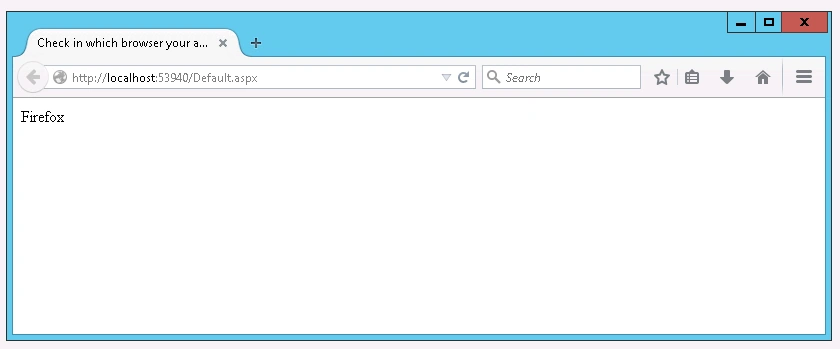
Figure 3: Firefox (Mozilla)
Now will go to our second method.
Method 2
In this method we are fetching the browser details by writing some server-side code (C# and VB.Net). For this, please see the following codes.
C#
- using System;
- using System.Collections.Generic;
- using System.Linq;
- using System.Web;
- using System.Web.UI;
- using System.Web.UI.WebControls;
- using System.Web.Configuration;
- public partial class _Default : System.Web.UI.Page
- {
- protected void Page_Load(object sender, EventArgs e)
- {
- HttpBrowserCapabilities myBrowser = Request.Browser;
- Response.Write("<p>Browser Capabilities:</p>");
- Response.Write("Type = " + myBrowser.Type + "<br>");
- Response.Write("Name = " + myBrowser.Browser + "<br>");
- Response.Write("Version = " + myBrowser.Version + "<br>");
- Response.Write("Major Version = " + myBrowser.MajorVersion + "<br>");
- Response.Write("Minor Version = " + myBrowser.MinorVersion + "<br>");
- Response.Write("Platform = " + myBrowser.Platform + "<br>");
- Response.Write("Is Beta = " + myBrowser.Beta + "<br>");
- Response.Write("Is Crawler = " + myBrowser.Crawler + "<br>");
- Response.Write("Is AOL = " + myBrowser.AOL + "<br>");
- Response.Write("Is Win16 = " + myBrowser.Win16 + "<br>");
- Response.Write("Is Win32 = " + myBrowser.Win32 + "<br>");
- Response.Write("Supports Frames = " + myBrowser.Frames + "<br>");
- Response.Write("Supports Tables = " + myBrowser.Tables + "<br>");
- Response.Write("Supports Cookies = " + myBrowser.Cookies + "<br>");
- Response.Write("Supports VB Script = " + myBrowser.VBScript + "<br>");
- Response.Write("Supports JavaScript = " + myBrowser.JavaScript + "<br>");
- Response.Write("Supports Java Applets = " + myBrowser.JavaApplets + "<br>");
- Response.Write("Supports ActiveX Controls = " + myBrowser.ActiveXControls + "<br>");
- Response.Write("CDF = " + myBrowser.CDF + "<br>");
- }
- }
VB.Net
- Imports System.Collections.Generic
- Imports System.Linq
- Imports System.Web
- Imports System.Web.UI
- Imports System.Web.UI.WebControls
- Imports System.Web.Configuration
- Public Partial Class _Default
- Inherits System.Web.UI.Page
- Protected Sub Page_Load(sender As Object, e As EventArgs)
- Dim myBrowser As HttpBrowserCapabilities = Request.Browser
- Response.Write("<p>Browser Capabilities:</p>")
- Response.Write("Type = " + myBrowser.Type + "<br>")
- Response.Write("Name = " + myBrowser.Browser + "<br>")
- Response.Write("Version = " + myBrowser.Version + "<br>")
- Response.Write("Major Version = " + myBrowser.MajorVersion + "<br>")
- Response.Write("Minor Version = " + myBrowser.MinorVersion + "<br>")
- Response.Write("Platform = " + myBrowser.Platform + "<br>")
- Response.Write("Is Beta = " + myBrowser.Beta + "<br>")
- Response.Write("Is Crawler = " + myBrowser.Crawler + "<br>")
- Response.Write("Is AOL = " + myBrowser.AOL + "<br>")
- Response.Write("Is Win16 = " + myBrowser.Win16 + "<br>")
- Response.Write("Is Win32 = " + myBrowser.Win32 + "<br>")
- Response.Write("Supports Frames = " + myBrowser.Frames + "<br>")
- Response.Write("Supports Tables = " + myBrowser.Tables + "<br>")
- Response.Write("Supports Cookies = " + myBrowser.Cookies + "<br>")
- Response.Write("Supports VB Script = " + myBrowser.VBScript + "<br>")
- Response.Write("Supports JavaScript = " + myBrowser.JavaScript + "<br>")
- Response.Write("Supports Java Applets = " + myBrowser.JavaApplets + "<br>")
- Response.Write("Supports ActiveX Controls = " + myBrowser.ActiveXControls + "<br>")
- Response.Write("CDF = " + myBrowser.CDF + "<br>")
- End Sub
- End Class
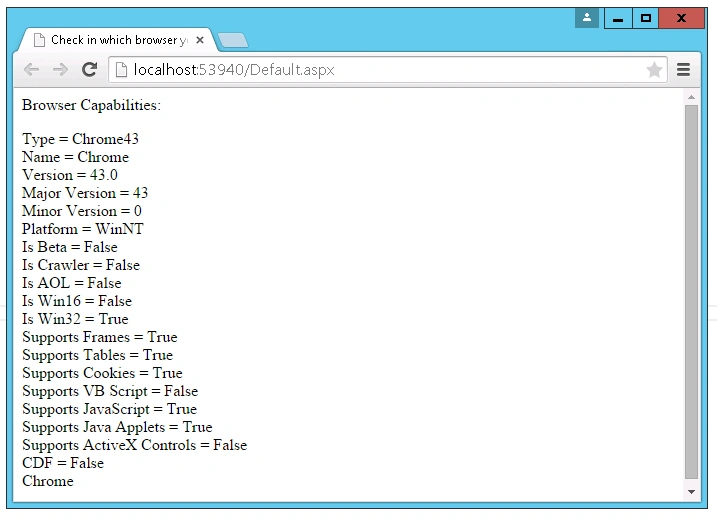
Figure 4: Chrome.
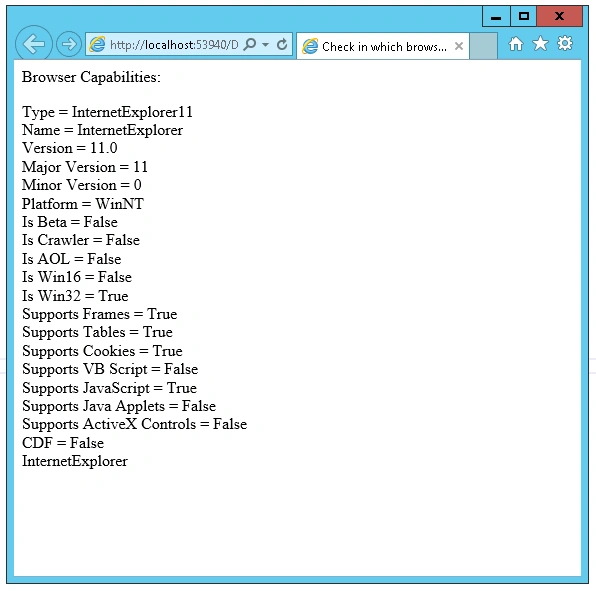
Figure 5: Internet Explorer
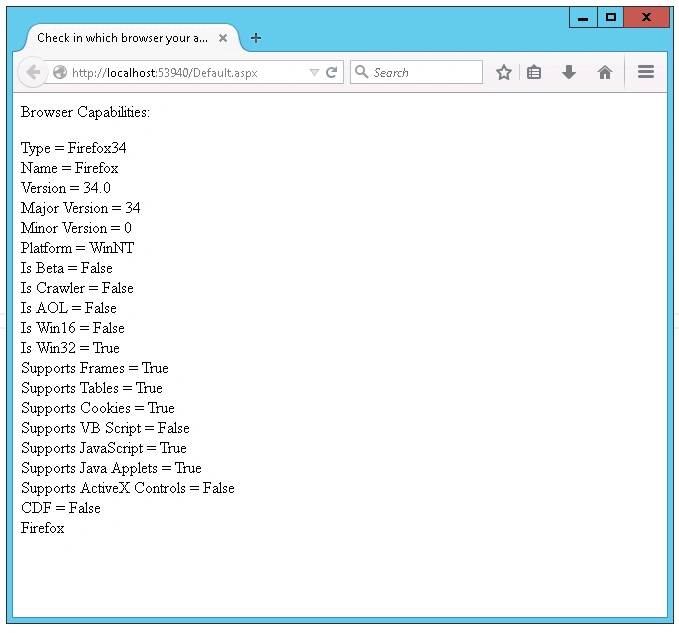
Figure 6: Firefox (Mozilla)
Conclusion
I hope you will like this article. Please share me your valuable thoughts and comments. Your feedback is always welcomed.
I hope you will like this article. Please share me your valuable thoughts and comments. Your feedback is always welcomed.
Thanks in advance. Happy coding!
NitinPosted May 30, 2015, 11:01 AM
Good one
Pankaj Kumar ChoudharyPosted May 29, 2015, 12:21 PM
Nice Article Sir...........
Dominique CejaPosted May 29, 2015, 11:57 AM
Thank you. Informative
Aarthna MaheshwariPosted May 29, 2015, 9:18 AM
very helpful
Sibeesh VenuPosted May 29, 2015, 8:28 AM
Atul Gupta Thank you
Atul GuptaPosted May 29, 2015, 8:21 AM
Informative,.
Sibeesh VenuPosted May 29, 2015, 7:27 AM
Vivek Tripathi Thank you so much Sir.
Vivek TripathiPosted May 29, 2015, 7:10 AM
Nice info sibeesh sir
Sibeesh VenuPosted May 29, 2015, 4:37 AM
Khargesh Rajput Thank you. You can use method 2 if you want to get some more additional information.
Khargesh RajputPosted May 29, 2015, 4:35 AM
method 1 is too easy sir thanks for sharing helpful article