

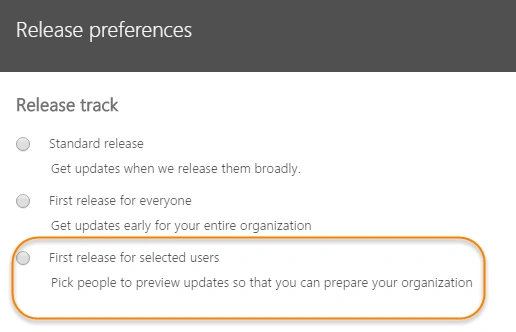
Now, it’s a known fact that unlike on-premises, the updates for Office 365 are pushed regularly and using this new feature in Office 365, you can designate that only certain individuals receive the updates first before it’s made generally available to everyone in the organization. By doing so, you have an ample amount of time to test these updates and check whether it breaks something (i.e. may be some custom functionalities) or you can remain on the default release schedule and receive the updates later.
So, to put it in simple words, ““First Release” update for Office 365 allows you to get access to updates faster than GA (General Availability) “.
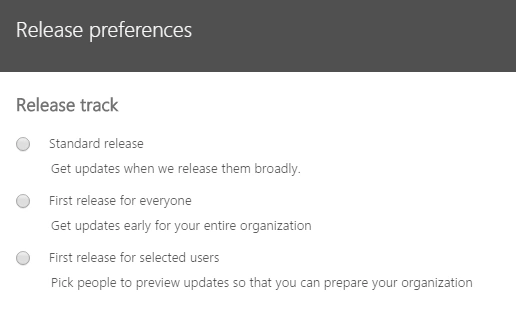
Now, before we look at how to enable this feature in your Office 365 tenant, let’s take a look at the two types of release options.
- Standard Release
- First Release
Standard Release
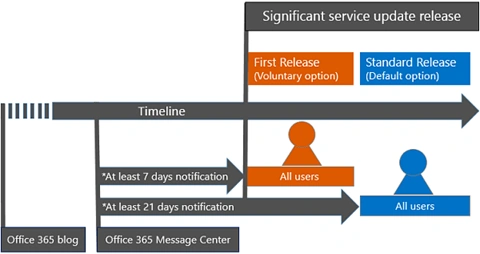
This is the default option where you and your users receive the latest updates when they're released broadly to all Office 365 customers. This gives you extra time to prepare your support staff and users for upcoming changes. This is how Microsoft puts it -
"You and your users receive a select set of significant service updates 3 weeks or more after the official announcement. For at least 3 weeks, you have time to learn about the updates and prepare your employees."
First Release
With this option, you and your users can be the first to see the latest updates and help shape the product by providing early feedback. You can choose to have individuals or the entire organization receive updates early. This is how Microsoft puts it -
"You and your users receive a select set of significant service updates as early as one week after the official announcement. Choose this option if you and your employees are comfortable with regular updates to the Office 365 service."
However, the default is to remain with "Standard Release", which means that new functionality is released to your tenant when it's good and ready.
The image depicted below gives a detailed explanation on the Office 365 release cycle
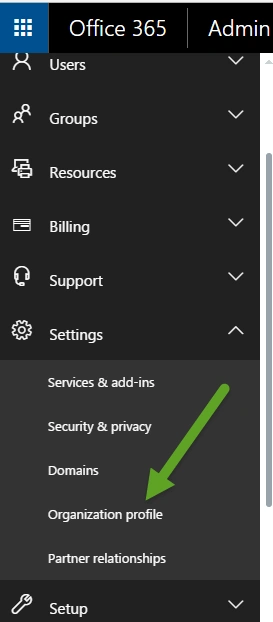
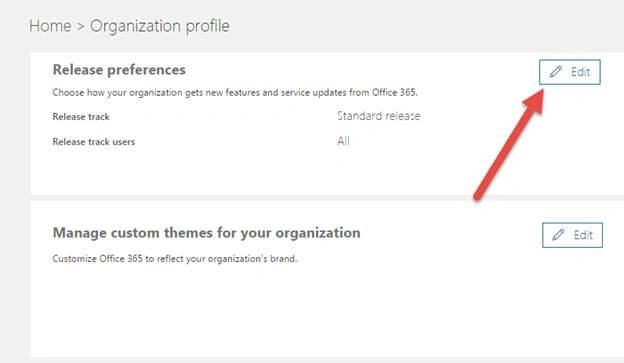
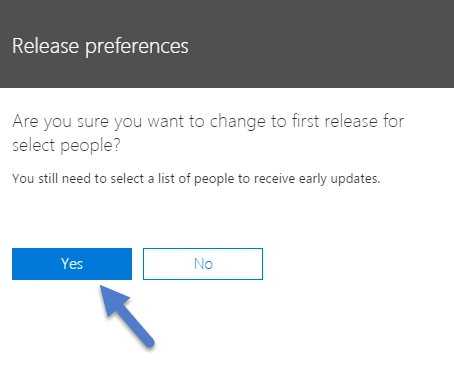
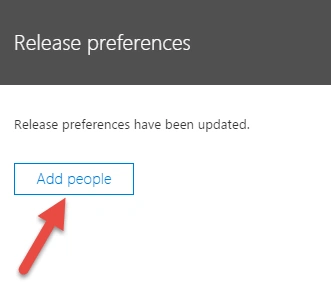
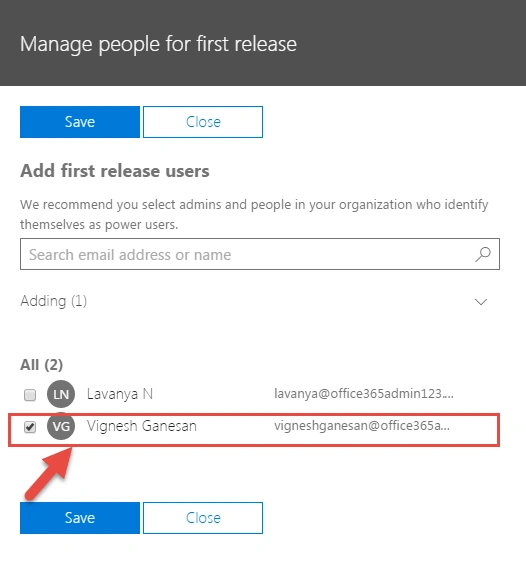
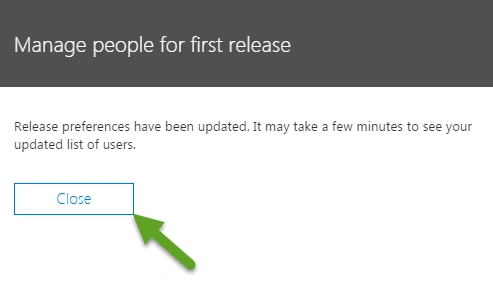
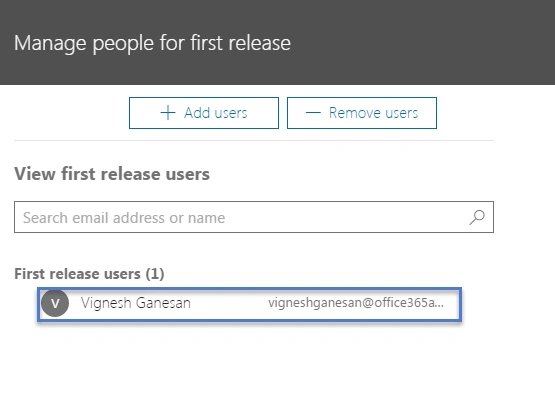
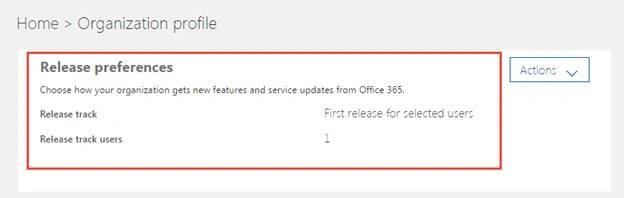
So, as we’ve finished explaining what’s First release in Office 365, let’s look at how to enable that in your tenant. Remember, by default your tenant will be on “Standard Release “mode and you need to enable “First Release “option.
Note
The Office 365 updates described in this article apply to Office 365, SharePoint Online, and Exchange Online. They do not apply to Skype for Business and related services.
Join the conversation! Your thoughts help the community grow.