

Introduction
As a Cloud Architect, I help my clients migrate from on-premises to cloud and most of the time it’s the database that causes the issues. The issues happen due to corrupted backup files or corrupted databases during migration. After spending countless hours on these issues, I stumbled upon Stellar MS repair for MS SQL. After researching about it, I found out that it's recommended by DB Administrators. I found out a few of the commands like CHECKDB Command and REPAIR_REBUILD command but the property that worried us was we could scan the entire database and verify it from the available preview.
This SQL Recovery software offers a complete solution for recovering all database components including tables, triggers, indexes, keys, rules, stored procedures and the ROW and PAGE compressed data.
The entire database is recovered in the original format and reduced the stress level involved in searching and learning database corruption.
We can download Stellar Repair for MS SQL and analyze the database for free before investing.
A summary or log of all the activities is also available to analyze the complete repair-process.
Steps to Repair MS SQL Server database
- Download and install Stellar Repair for MS SQL through a simple install wizard
- Run the Application and click on Select Database Button
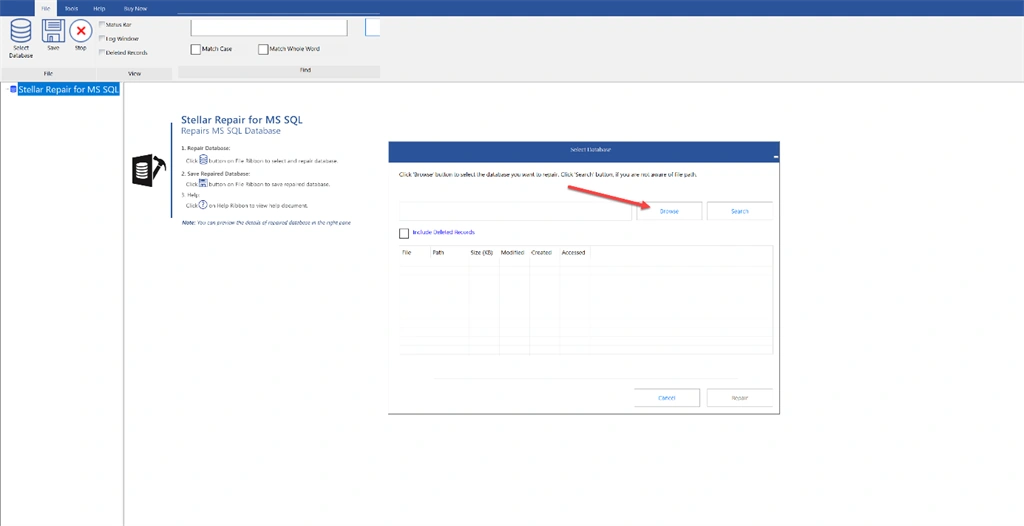
Figure 1 Select the Database
- Browse the MDF file from your local machine.
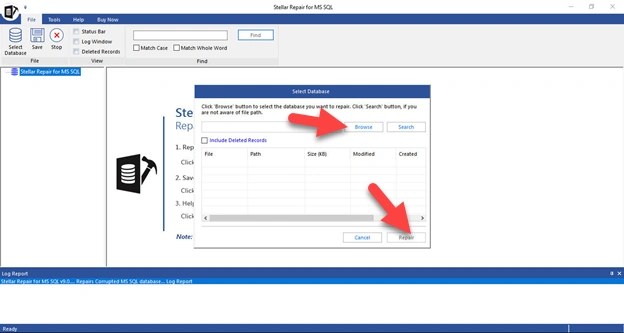
Figure 2 Browse the mdf file
- Select the version of the DB.
- Clicking on Repair initiates the analysis phase and Microsoft SQL Recovery Software starts analyzing the MS SQL Server database.
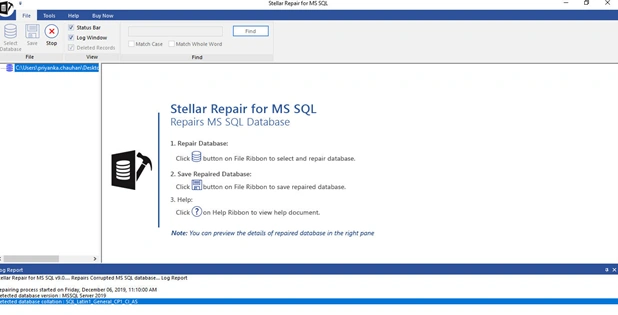
Figure 3 Initiates the repair
- Once complete, software reports the status, which in this case is shown as Success.
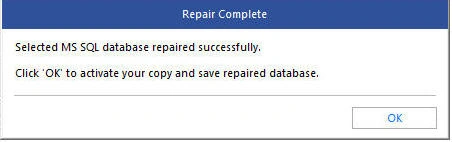
Figure 4 Repair complete popup
- We could preview all Tables and other database objects and validate the items. The software displayed the entire contents of the recovered database including T-SQL code for the function.
We were quite happy with the performance and the time it saved, so I went ahead and brought a license and activated my copy.
I imported my repaired database and was able to get it working within a few minutes.
I imported my repaired database and was able to get it working within a few minutes.
Conclusion
Stellar’s MS SQL database repair software is simple to use, especially at a time when pressure is mounting due to database unavailability. It is a very useful solution that I recommend. Feel free to try out the free version and let me know your feedback in the comment section, I really appreciate that.
Thanks for reading!
Join the conversation! Your thoughts help the community grow.